17
Manually Managing your Music Library
The Music Port Server has a Music Folder that is shared and viewable on the
home’s network.
a- Click Run or Search from the Start Menu.
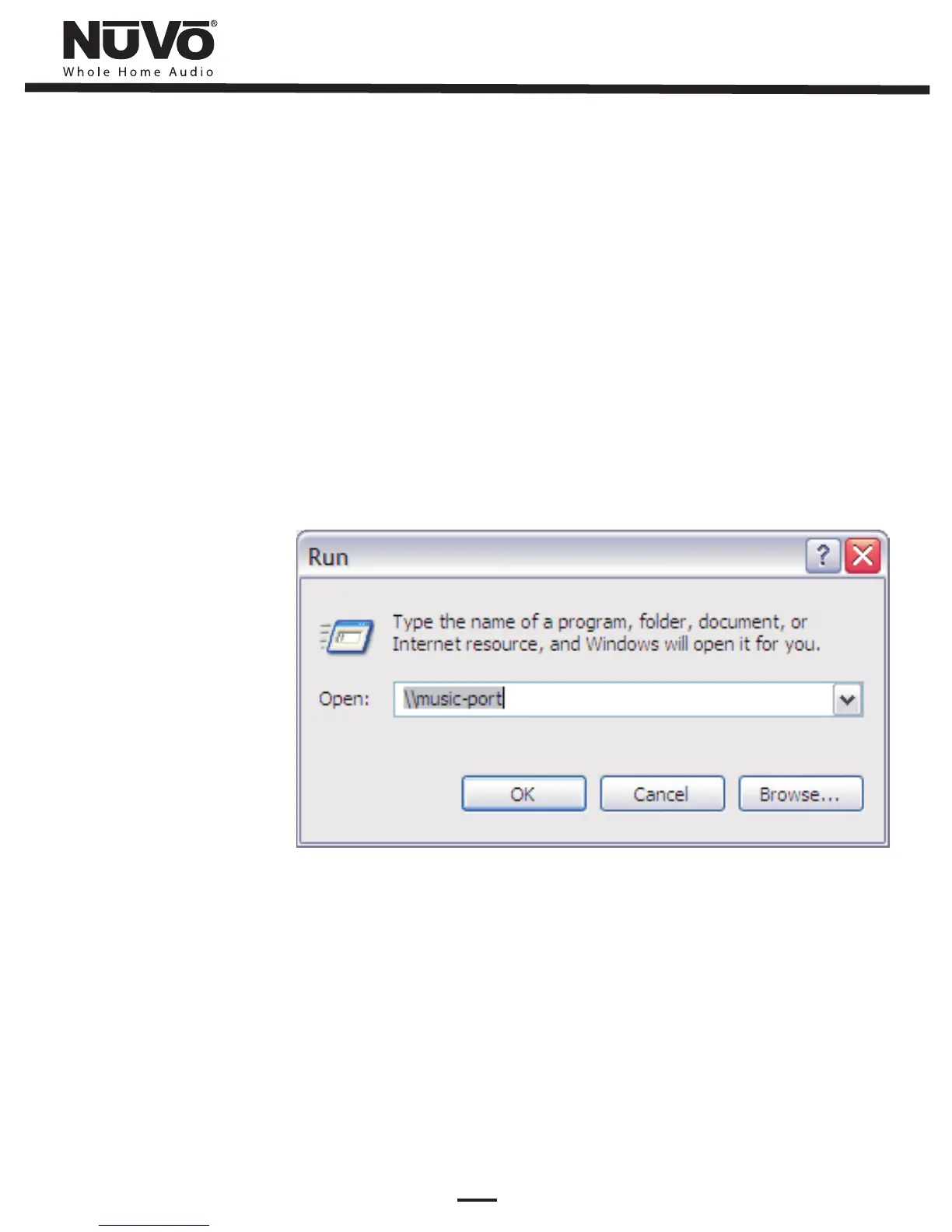
b- In the text box (Fig. 7) you will type \\ followed by the name of Music Port
Server. The default name is music-port. Select OK. You may also enter the IP
address in place of the name of the server, ie: \\10.10.105.94
c- Select the Music folder to view the music files currently on the Music Port Server.
d- While viewing the Music folder you may drag and drop or copy and paste any
new music files you would like to add to the Music Port Server.
e- You may want to set up a shortcut for easier access to adding music. Right-click
on the Music Folder and select Create Shortcut to add a link on your desktop.
Fig. 7


 To Next Page