nuwavenow.com | 11
INSTRUCTIONS
AUTO MODE • ECO MODE
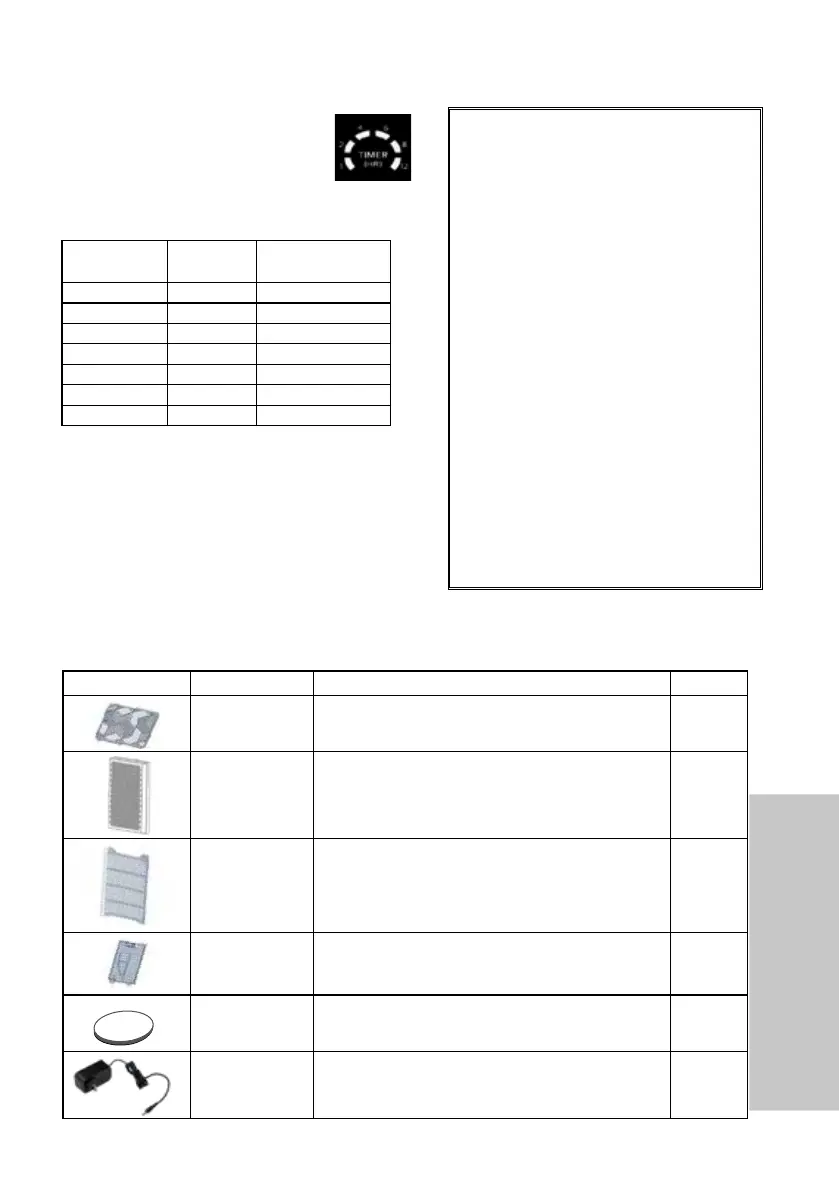
REPLACEABLE PARTS
TO ORDER GO TO NuWaveNow.com
Timer
You can run the OxyPure for a set
period of time with the TIMER button.
There are 6 different timer selections:
1hr, 2hrs, 4hrs, 6hrs, 8hrs, 12hrs.
Part Name Part Description Part No.
Air Vent Top Vent and lid .Removable for easy cleaning. H5A2
HEPA/Carbon
Filter
Remove lead,dust mites,mold.and mold spores.
Lifespan from 6 months to 1 year.
H5P3
Prelter
Access Panel
Located on both sides, encloses and covers the
HEPA/Carbon lters and houses the mesh Prel
-
ters to capture larger particles.
H5P2
Sensor Cover
Located on the back, encloses and covers the
Filter Sensor
H5P1
Rubber feet Located on the Bottom of the Unit H5P4
Power Supply Detachable, connect to base of unit and wall outlet.
H5P5
REPLACEABLE PARTS
TO ORDER GO TO NuWaveNow.com
Using Timer with AUTO and TURBO Modes
If the Timer is used with AUTO and TURBO
modes, use them in the following order:
1. Run TURBO Mode.
2. Run AUTO Mode with a set time.
Using the Timer
Number of
Presses
Running
Time
Number of Bars
on Panel
1 1 Hour 1
2 2 Hours 2
3 4 Hours 3
4 6 Hours 4
5 8 Hours 5
6 12 Hours 6
7 OFF 0
Ordering Parts
Over the lifetime of your OxyPure HEPA
500 Portable Smart Air Purier, you
may nd yourself needing a new part or
accessory, and if you do, NuWave has
you covered.
Ordering new parts and accessories is
quick and easy.
Simply take down the name and num-
ber for the part you want, then contact
Customer Service. You can do that by:
Phone at 877-689-2838
(M‒F, 7:30am‒4:30pm
CST), or
Email at
help@nuwavenow.com
You can even order directly online.
Just visit
www.nuwavenow.com










 To Next Page