29
INSTALLATION
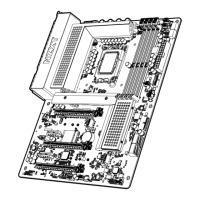
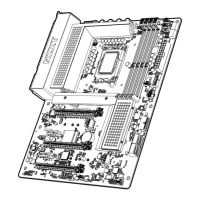
1 . Remove the M.2 slot cover.
2 . Confirm the standoff is at the required position and
if necessary, move the standoff.
3 . Insert your M.2 drive into the M.2 slot at an angle.
4 . Secure the M.2 drive using the M.2 screw onto the
standoff and tighten.
NOTE
•
Supports NVMe SSD as boot disks
INSTALACIÓN
1 . Retira la cubierta de la ranura M.2.
2 . Asegúrate de que el separador se encuentra en la
posición adecuada y muévelo si es necesario.
3 . Inserta la unidad M.2 en la ranura M.2 en un ángulo.
4 . Fija la unidad M.2 con el tornillo M.2 en el separador y
apriétalo.
NOTA
•
Compatible con SSD NVMe como discos de arranque
INSTALLATION
1 . Retirez le cache du slot M.2.
2 . Assurez-vous que l'entretoise est en position requise.
Si nécessaire, déplacez-la.
3 . Insérez votre lecteur M.2 en biais dans le slot M.2.
4 . Sécurisez le lecteur M.2 sur l'entretoise à l'aide de la vis
M.2 et serrez.
REMARQUE
•
Compatible avec NVMe SSD comme disques de démarrage
INSTALLATION
1 . Entfernen Sie die M.2-Steckplatzabdeckung.
2 . Prüfen und korrigieren Sie ggf. die Position des
Abstandshalters.
3 . Setzen Sie das M.2-Laufwerk im Winkel in den
M.2-Steckplatz ein.
4 . Befestigen Sie das M.2-Laufwerk mithilfe der
M.2-Schraube am Abstandshalter.
HINWEIS
•
Unterstützt NVMe-SSD als Boot-Disks
INSTALAÇÃO
1 . Remova a tampa da entrada M.2.
2 . Confirme que o afastamento está na posição correta e,
se necessário, mova-o.
3 . Insira seu inversor M.2 na entrada M.2 a um ângulo.
4 . Prenda o inversor M.2 usando o parafuso M.2 no
afastamento e aperte.
OBSERVAÇÃO
•
Suporta SSD NVMe como discos de arranque
설치
1 .
M.2 슬롯 커버를 제거하십시오.
2 .
스탠드오프의 위치가 올바른지 확인하십시오. 필요하다면
스탠드오프를 옮기십시오.
3 .
M.2 슬롯에 M.2 드라이브를 비스듬하게 끼우십시오.
4 .
M.2 나사를 사용하여 M.2 드라이브를 스탠드오프에 고정한
후 조이십시오.
참고
•
NVMe SSD 부팅 디스크로 지원
取り付け
1 .
M.2 スロットカバーを取り外します。
2 .
スタンドオフが必要な位置にあることを確認し、必要であれば
スタンドオフを移 動します。
3 .
M.2 ドライブを M.2 スロットに斜めに挿入します。
4 .
M.2 ネジを使用して M.2 ドライブ をスタンドオフにしっかりと
固定します。
注
•
ブ ートディスクとして
NVMe SSDをサ ポ ート
安裝
1 .
請取下 M.2 插槽外蓋。
2 .
請確定螺柱位於必要的位置,並且必要時移動螺柱。
3 .
將 M.2 磁碟機斜插入 M.2 插槽。
4 .
使用 M.2 螺絲將 M.2 磁碟機固定在螺柱上然後鎖緊。
注意
• 支持 NVMe SSD 作為啟動盤


 To Next Page