! ! !
6"|"Page"
!
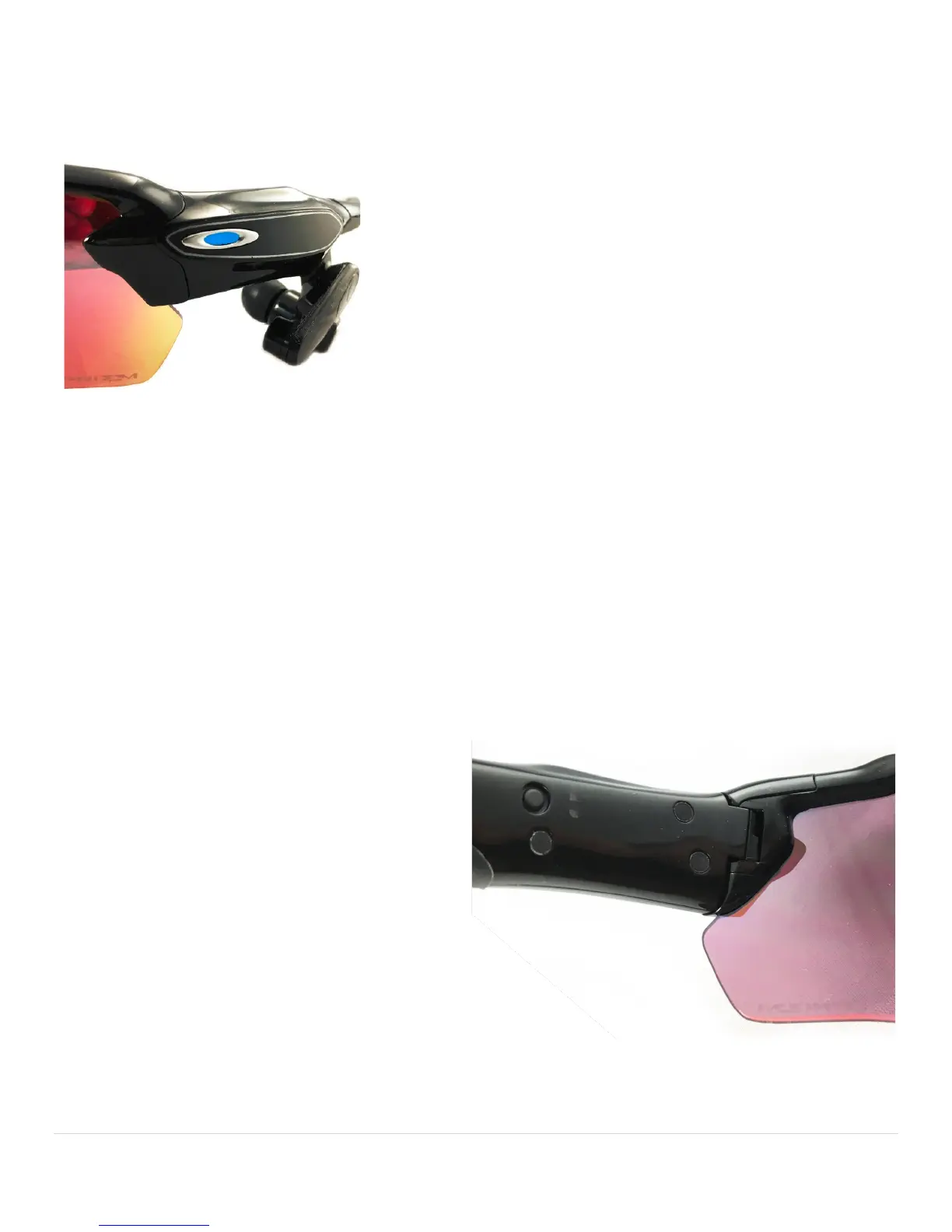
STATUS'INDICATOR'
RADAR!PACE!has!an!indicator!light! that!lets!you!check!the!status!o f!remaining !battery!power,!and!tells!you!w h en !it!is!
pairing!with!a!Blu e to o th !e n a ble d !d e vic e. !
GREEN:!Remaining!power!is!greater!than!50%!!
YELLOW:!Remaining!power!is!b etween!20%!and!50%!
RED:!Remaining!pow er!is!less!than!20%!
LIGHT!BLUE!FLASHING:!Booting!up!or!shutting!down!
LIGHT!BLUE!SOLID:!Device!is!ready!
DARK!BLUE!FLASHING:!Bluetooth!Pairing!mode!!
RED!FLASHING:!Factory!Reset!mode!
Download!the!RADAR!PACE!app!fro m !th e!App!Store!or!Google!Play.!Launch!the!app!and!follow!the!onscreen!instructions.!
Let! the! ap p! help! you! pair! RADAR! PACE! with! your! phone! and! external! sensors.!Use! the! a p p! to! give ! RA DA R ! PA CE! th e!
informa tio n !it!n e e d s!to !b u ild !y ou r!p e rs o na l!t rain in g !p ro g ram.!!
PAIRING'WITH'PHONE'AND'EXTERNAL'SENSORS'
Pair!RADAR! PACE!with!your!smartphone! by! pressing! the! pow er! button! twice!quickly.!T h e !indica to r!light!will!flash!blue .!If!
pairing!is!successful,!it!will!turn!solid!white.!If!unsuccessful,!it!w ill!turn!solid!blue;!see!the!Troubleshooting!section.!
After!pairing!with!your!smartphone!is!complete,!the!app!will!assist!you!with!pa iring!external!sensors!such!as!yo ur!hea rtrate!
monitor!and!speed!sensor.!Be!sure!the!devices!are!powered!on!and!ready!for!pairing.!
POWER'BUTTON'
Located!on!the!inner!facing!of!the!temple,!the!power!button!has!multiple!functions:!!
For"Your"Session"
Power"on:!!HOLD#FOR#MORE#THAN#2#SECONDS.!!(The!
indicato r!lig ht ! on!the!outer!facing!of!the!temple!will!
show!the!re m ainin g!ba ttery!p ow er!b y!glowing!re d,!
yellow!or!green,!then!will!blink!white!twice.)!
Pair"with"phone:!!PRESS#TWICE#QUICKLY.!!(The!
indicator!light!will!flash!blue.!If!pairing!is!successful,!it!
will!turn!solid!white.!If!unsuccessful,!it!will!turn!solid!
blue;!see!the!Troubleshooting!section.)!
Power"off:!!HOLD#FOR#MORE#THAN#3#SECONDS.!!(The!indicato r!ligh t!w ill!b lin k!white.)!
For"Resetting"RADAR"PACE"
Factory"Reset"and"reboot:!!HOLD#FOR#M ORE#THAN#12#SECONDS.!!(The!indicator !ligh t !will!blink!red.)!
Factory"Reset"and"power"off:!!HOLD#FOR#M ORE#THAN#18#SECONDS.!!(The!indicator!light!will!blink!red.)!!


 To Next Page