Page 13
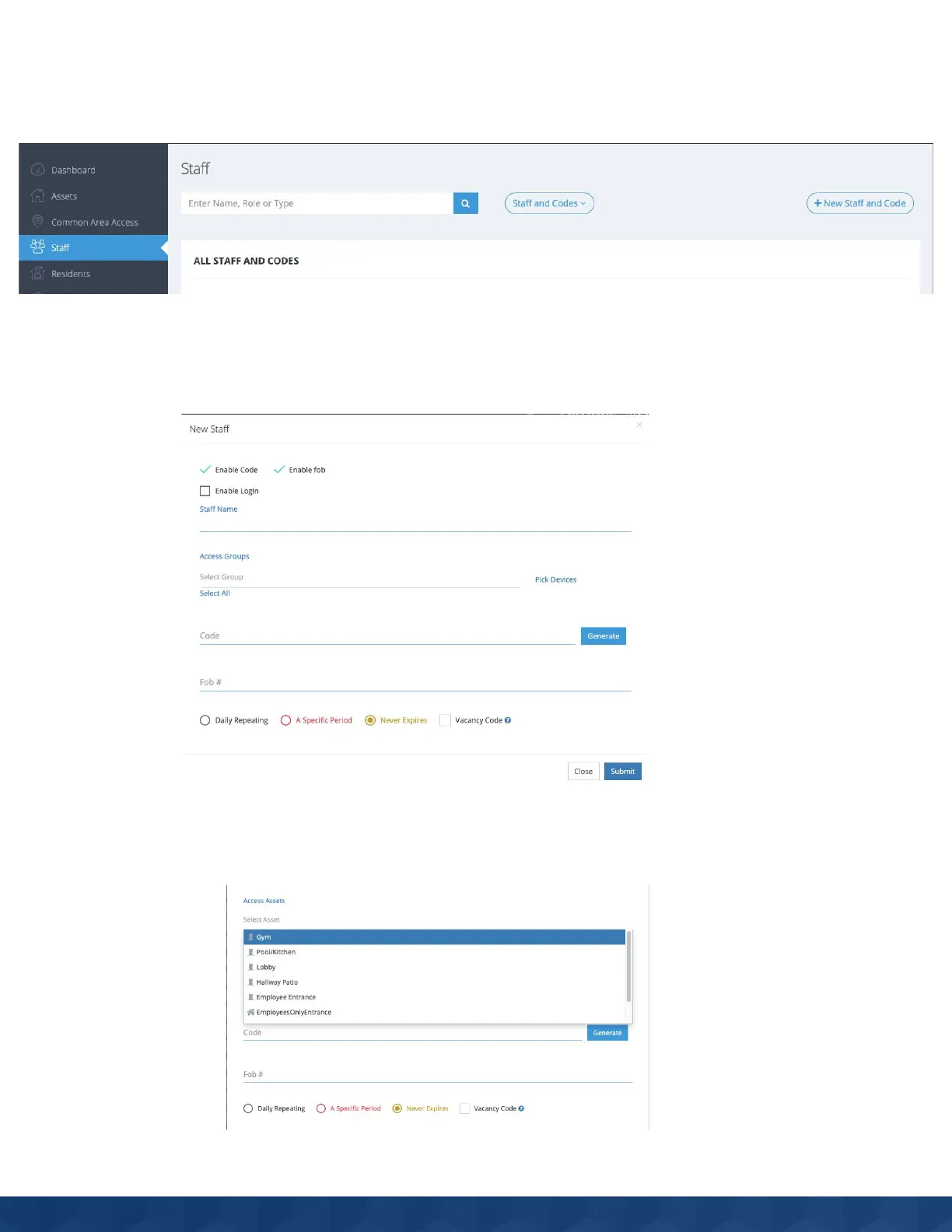
How does a Manager add a staff fob or code?
1. Go to the staff section, and click new staff/code or click edit on an existing staff/code.
2. Make sure both code and fob are enabled in the checkboxes.
3. Select the fob you want to add, and input its number written beneath the barcode into the fob field.
4. Enter or randomly generate the 6 digit code you want the staff to have. Codes that are created can be input
into the access panel.
5. Select groups or individual assets that have the access panels you want to add the fob/code to.
6. Click save.


 To Next Page