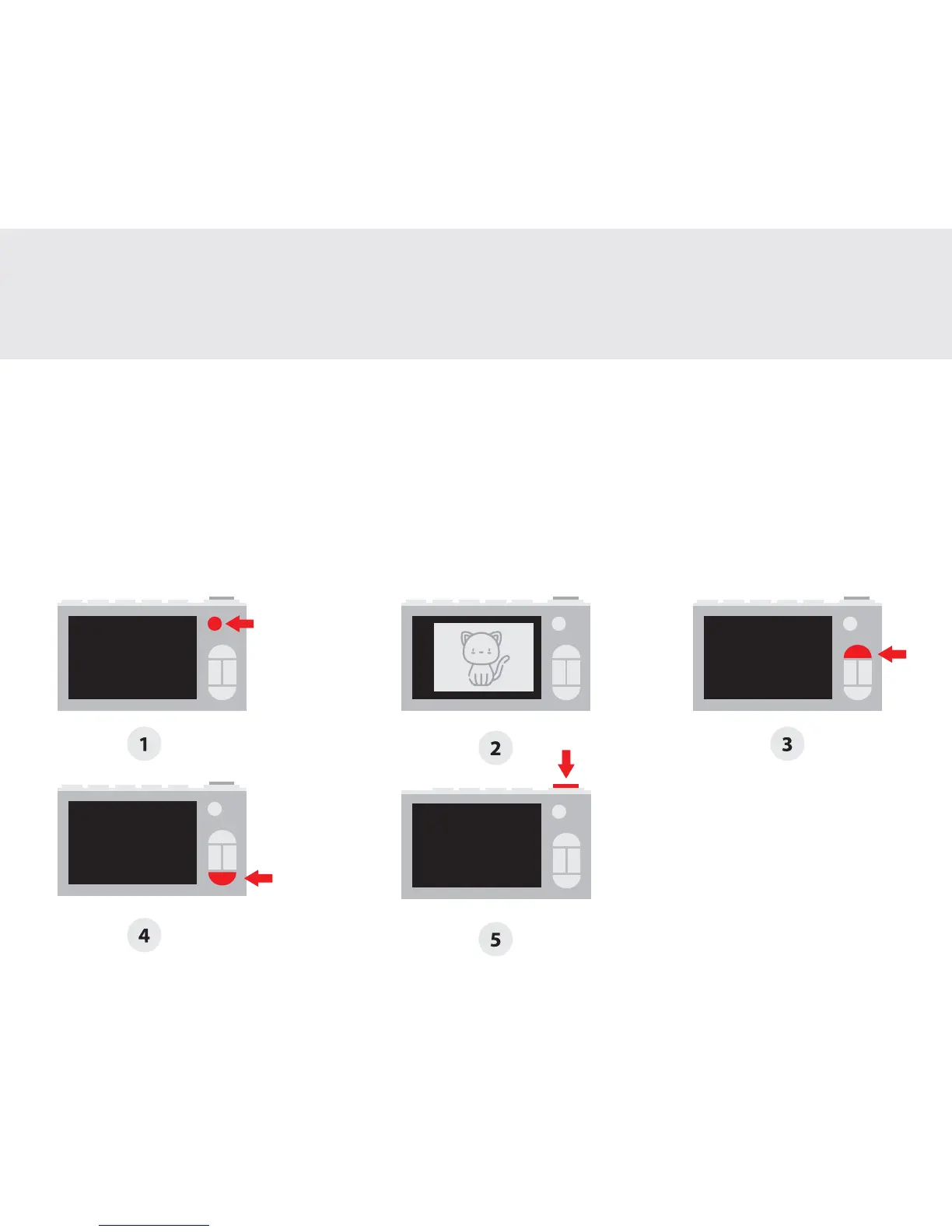
1. Press and hold the ‘Power’ button for 2 seconds to turn on the camera
2. You should now be able to see the camera view
3. Press and hold the ‘Settings’ button for 2 seconds to zoom in
4. Press and hold the ‘Gallery’ button for 2 seconds to zoom out
5. Press the ‘Shutter’ button to take a photo. To take a video, press and hold the ‘Shutter’ button
for 2 seconds to start recording. To stop the video, press the ‘Shutter’ button once.
Taking a photo
Prendre une photo | Tomando una foto | 写真を撮る
2


 To Next Page