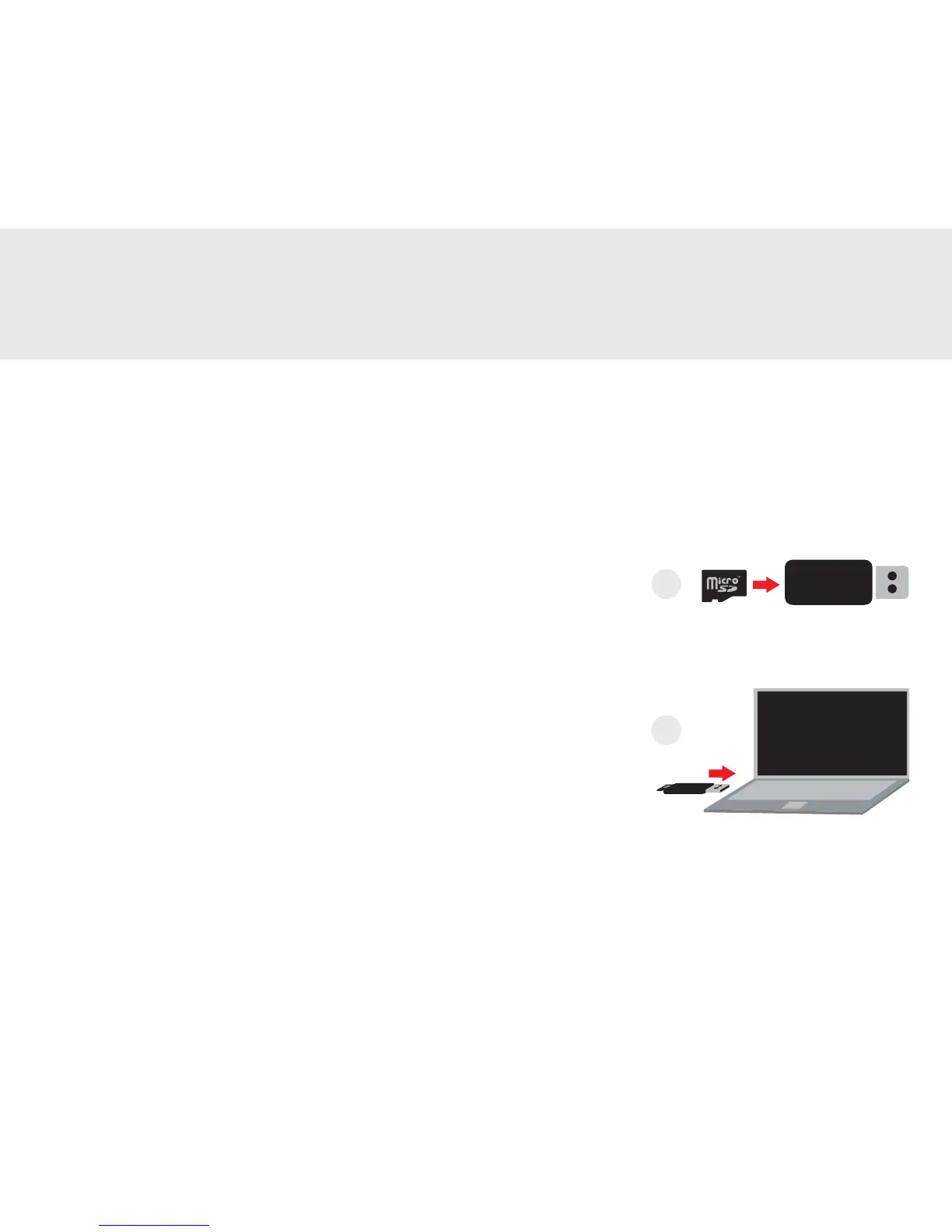
1. Insert the microSD card into the provided card reader
2. Insert the card reader into a USB slot of a computer
FR: 1. Insérez la carte microSD dans le lecteur de carte fourni.
2. Insérez le lecteur de carte dans le port USB d'un ordinateur.
ES: 1. Inserte la tarjeta microSD en el lector de tarjetas provisto
2. Inserte el lector de tarjetas en la ranura USB de una computadora
JA: 1.microSDカードを付属のカードリーダーに挿入します
2. カードリーダーをコンピュータのUSBスロットに挿入します
Exporting files
Exporter des chiers | Exportando archivos| ファイル の エクスポート
1
2
7


 To Next Page