EasyManua.ls Logo

Oberheim XK - VELOCITY SCALE ADJUST Mode

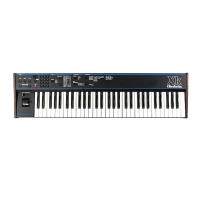
Oberheim XK
41 pages
Print Icon
To Previous Page IconTo Previous Page
Loading...
V.""
VELOCITY
SCALE
ADJUST
Mode
The
upper
limit
of
the
two
Velocity
Scales
can
now
be
set
in
the
1.4
software.
Previously,
the
entire
range
cf
both
scales
were
transmitted
via
MIDI
and
there
was
no
method
to
adjust
the
Velocity
output
of
the
Xk.
This
presented
a
dilemma
when
attempting
to
use
the
Xk's
Velocity
with
synthesizers
such
as
a
DX-7.
for
example,
whose
Velocity
range
is
considerably
more
compressed.
This
feature
is
Global
but
can
be
independently
adjusted
per
Zone.
1.
To
enter
the
VELOCITY
SCALE
ADJUST
mode,
press
and
hold
STORE,
press
SCALE
once,
then
let
both
buttons
go.
2.
The
range
of
0
to
63
is
shown
on
the
display
and
is
set
by
using
the
0
-
9
buttons
on
the
Keypad
for
the
current
Zone.
This
selects
the
upper
Velocity
limit
for
the
synthesizer
being
played
from
this
Zone.
3.
Once
you
have
set
the
limit
for
the
current
Zone,
you
can
select
another
Zone
to
adjust
its
Velocity
Scale.
4.
The
Velocity
range
available
is
0
to
127.
But
since
the
Xk's
display
only
uses
two
digits,
the
actual
Velocity
setting
is
calculated
as
follows.
The
limit
value
is
the
number
displayed
times
2
plus
1.
For
example
"63"
in
the
display
is
the
maximum
limit
of
127
(63
x
2
-
126
+
1
.
127).
A
display
of
"32"
-
65,
"24"
-
49,
eta
The
recommended
setting
for
a
DX-7
is
85
(or
a
display
of
"42").
Since
the
Velocity
output
of
the
Xk
is
compatible
with
the
Oberheim
Xpander,
Matrix-12
and
Matrix-6,
no
special
Velocity
Scale
adjustment
is
necessary
-
simply
set
the
Velocity
Scale
to
your
own
particular
playing
style.
Although
this
adjustment
is
not
stored
in
a
Master
Program,
settings
that
you
make
for
the
three
Zones
are
remembered
when
the
Xk
is
powered
OFF.
Xk
Revision
1.4
Owner's
Manual
Addendum
-
PART
#950056
Page
2