Status Indicator
Equipment Status Indicator Statuses
Powering on and initializing
Blue lights flash circularly
Breathe in green light
The lights flash in their current color twice
together means your gesture is recognized
successfully
Executing gesture control features
Streaming or recording - Tracking
target unselected
Streaming or recording - Tracking
target selected
Breathe in blue light
Flash in yellow light
Solid green light
Solid purple light
Buzzer
Explanation Tweet Mode
Powering on or off DDD
D
D
DDD
D···D···D···
DDDDDD
Taking a picture
Starting to Stream & Record
Upgrading the firmware
Battery level is low and camera is about
to power off
Camera errors, including SD card full or
update failures, and so on
Solid blue light
Solid yellow light
Breathe in yellow light
The lights flash once in their current color
The lights flash in yellow and blue alternatively
Solid red light
Breathe in red light
Streaming failed and retrying
STA mode-Tracking target unselected
AP mode-Tracking target unselected
STA/AP mode - Tracking target selected
STA/AP mode - Tracking target losing
Streaming or recording-Tracking target
losing
Taking a picture
Camera/AI/Gimbal Error
Upgrading the firmware
Camera errors, including SD card full or
update failures, and so on
Gesture Control
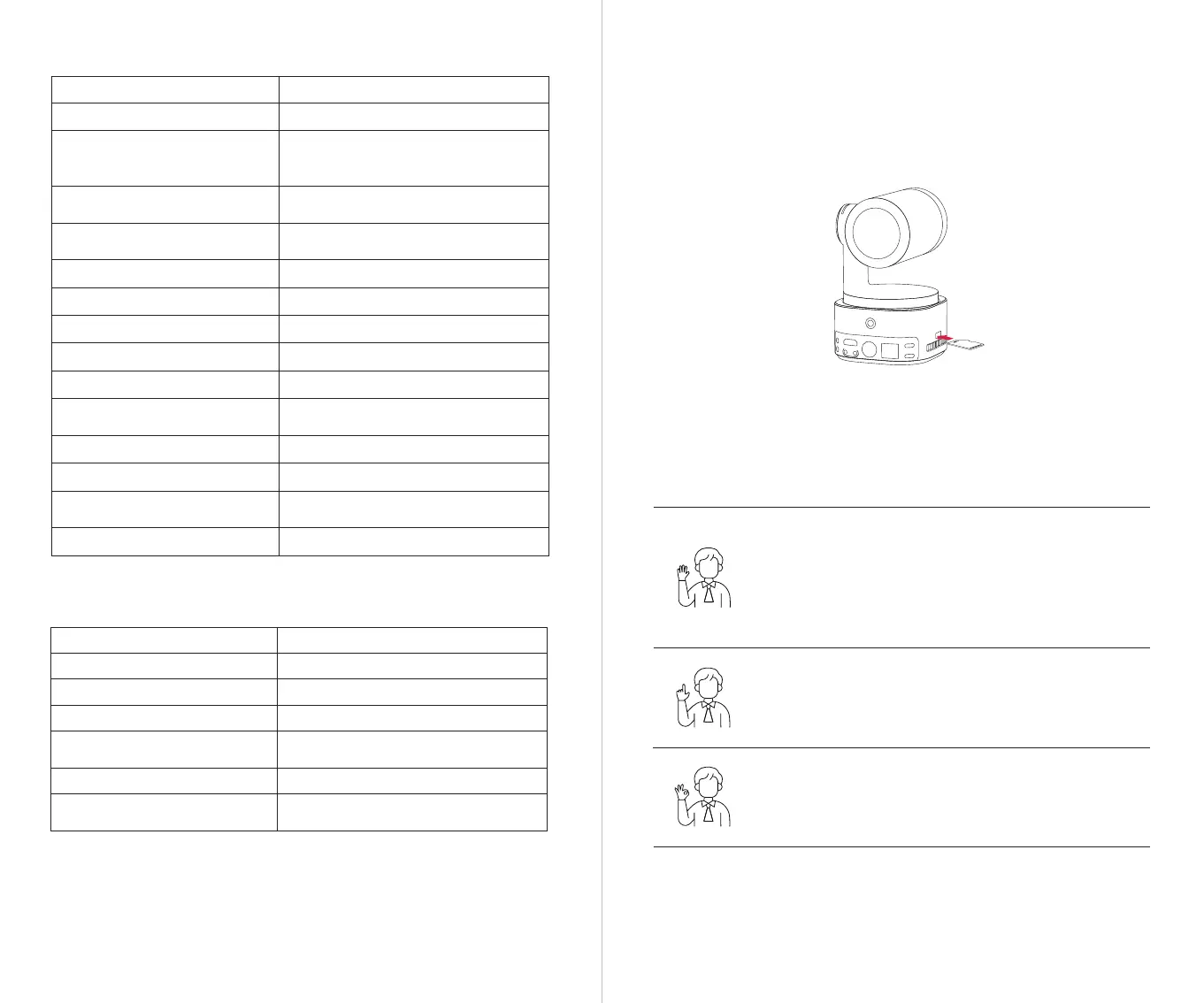
Insert the Micro SD card into the Micro SD card slot as shown in the diagram below. To remove
the Micro SD card, gently push it inward to slightly eject it.
After shooting, you can export the media files to your computer or quickly export them to your
phone via the Obsbot Start App.
⚠ Please be careful not to cover your face with your hands and keep your fingers open for
gesture control.
⚠ Please go to the link below to find the tutorial video for gesture control.
https://www.obsbot.com/explore/obsbot-tail-2
⚠ The Micro SD card supports a maximum capacity of 1TB. It is recommended to use a Micro SD
card with a UHS Speed Grade 3 rating for optimal performance (sold separately).
Inserting the Micro SD Card
Zoom to 2x (default) / Cancel
Perform the gesture control shown in the figure. The status light will
flash twice to indicate that the zoom in/out has been performed.
Start/Stop Recording
Perform the gesture control shown in the figure. The status light
will flash twice to indicate that the video recording has started or
stopped.
Turn On/Off Human Tracking
To enter human tracking mode, perform the gesture shown in the
figure. The current status light will flash twice and then turn to a
steady blue state, indicating that you have successfully entered
human tracking mode.
To exit human tracking mode, perform the same gesture again.
The blue status light will flash twice and then turn green or purple,
indicating that you have successfully exited human tracking mode.
SD
MICRO


 To Next Page
 Loading...