Need help?
Do you have a question about the OBSBOT Tail Air and is the answer not in the manual?
Important consideration for user guidance.
Suggests watching videos and reading the manual first for usage.
Provides a link to access tutorial videos for correct product usage.
Steps to download the Obsbot Start App and connect the Tail Air.
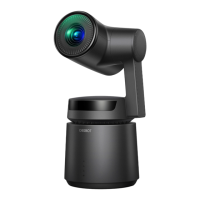
Details and identification of the camera's various parts and ports.
Guidance on charging the device, recommending certified USB chargers.
Explanation of LED indicators for battery level and status.
Description of equipment status and corresponding indicator light statuses.
Explanation of buzzer alerts and their corresponding tweet modes.
Instructions and descriptions for various gesture controls.
Overview and methods for upgrading the device firmware.
 General
| Video Resolution | 4K UHD |
|---|---|
| AI Tracking | Yes |
| Storage | MicroSD card, Cloud |
| Two-Way Audio | Yes |
| Connectivity | Wi-Fi |
| Remote Control | App |
| Night Vision | Yes |

 To Next Page