7
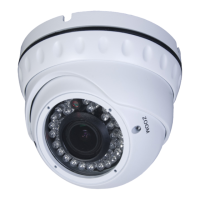
Infrared Turret Camera User Manual
SECTION 2: INSTALLATION
5. Drill mounting screw holes into the mounting surface.
a. If the mounting surface is a soft material, such as a drywall, use a 3/16" bit to
drill the mounting holes. Use a hammer to tap the wall inserts provided into
each hole until they are ush with the surface.
OR
b. If the mounting surface is a very soft material, such as ceiling tile, place a wood
block behind the tile. Screws longer than 1" may be required. Drill holes for the
mounting screws through the surface and into the wood block.
OR
c. If mounting the camera on a harder surface, such as wood, drill the mounting
screw holes with a 3/32" bit.
6. Determine the cable routing. If the cable is to be routed through a hole in the
mounting location within the coverage of the base, perform the following steps. If the
cable will be routed through a cable channel in the base, skip to step 9.


 To Next Page