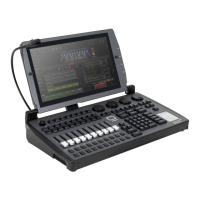
8
- 4x DMX / RDM Universe In/Out: 5pin locking XLR
- External Display: 1x HDMI
- Network: 1x Gigabit RJ45 Ethernet for Art-Net,
sACN, and ONYX X-Net
- Storage and Peripherals: 4x USB 3.0, 1x USB 2.0
- Audio Out, Mic In: 2x 3.5mm Jack
- MAINS ON/OFF: toggle switch
- Fuse F1 (See compliance label for replacement
fuse size, see next page for location)
- MAINS INPUT: IP65 Locking Power In
CONNECTIONS — REAR PANEL
The Obsidian Control Systems NX1 accepts AC mains power at 100-240V 50/60Hz. Do not
connect it to power outside this range. Damage resulting from incorrect connection is not
covered under warranty.
North America: A cable with a NEMA 15-5P plug is provided for use with the NX 1 in the USA and
Canada. This approved cable must be used in North America.
Rest of the world: The provided IEC cable is not tted with a country-specic plug. Install only a plug
that meets local and or national electrical codes and is suitable for the country’s specic requirements.
A 3-prong grounded-type (earthed type) plug must be installed following the plug manufacturer’s
instructions. The table below shows some possible pin identication schemes; if the pins are not
clearly identied, or if you have any doubts about proper installation, consult a qualied electrician.
Wire color (standard EU code) Pin Symbol
brown live L
blue neutral N
yellow/green ground


 To Next Page