5
What is special about an MP3 Player like Ocarina?
MP3 players store the music on a chip inside the player. This
means no moving parts. Music can be transferred directly
from your computer using a USB cable. For a child’s music
player, nothing is better. No small parts to break o, no CDs
to scratch and hours of music with the push of a button.
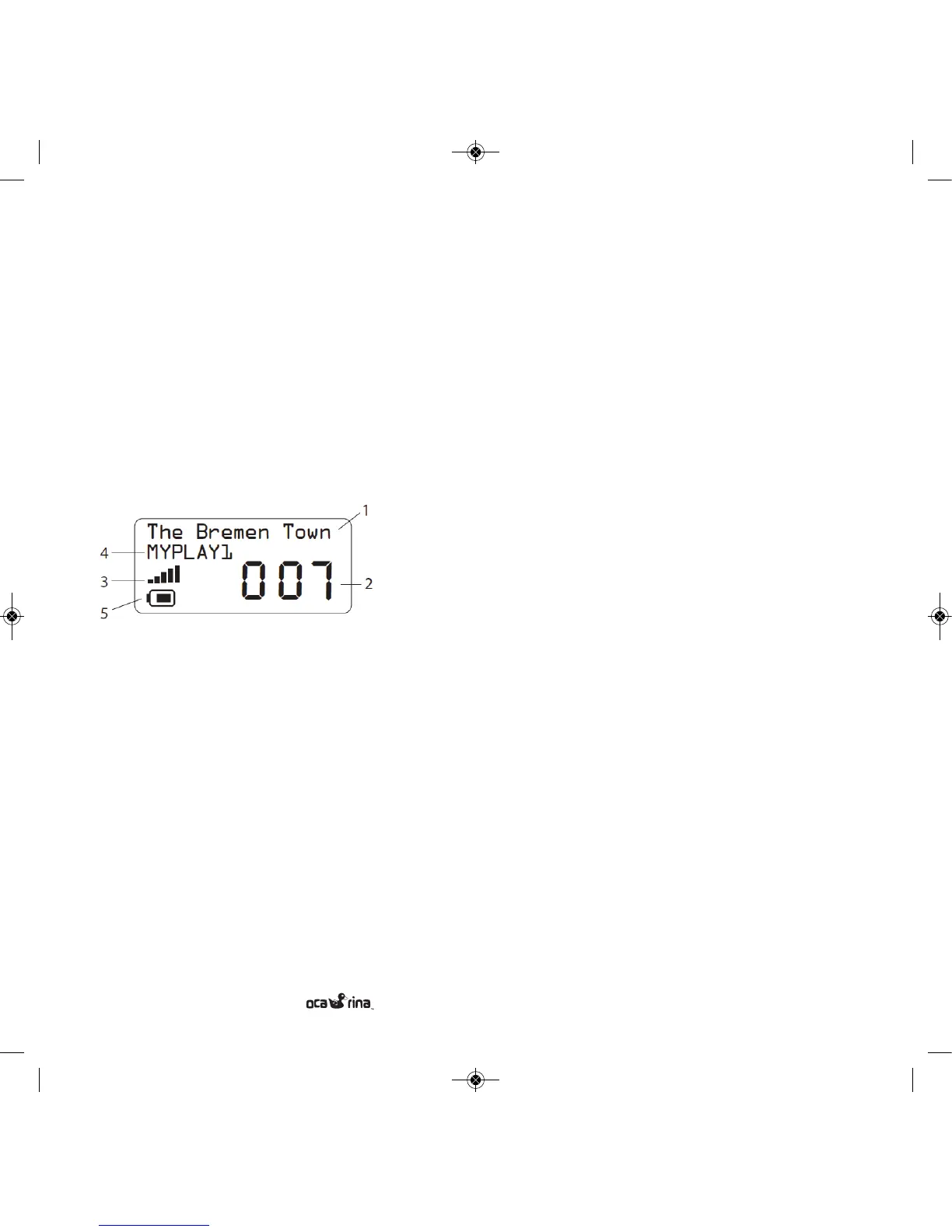
Display
1) Displays player status information
2) Song number
3) Volume level indicator
4) Current playlist name
5) Battery level indicator
GETTING STARTED
Turning ON
Press any button to turn the Ocarina On. It takes a few
seconds for the music to queue up before it plays.
Turning OFF
The Ocarina will shut itself o after one minute when no
music is playing (when the display reads “Stopped”). The player
may also shut itself o while playing music, depending on the
Auto-O and Continuous Play settings (see Auto-O and
Continuous Play section below).
Song Selection
The display shows the number of the current song. Press the
Left or Right buttons to play the previous or the next song
respectively. When the player reaches the end of the music
list, it will continue playing from the beginning.
Fast Forward / Rewind
You can fast forward and fast rewind through a song by press-
ing and holding the right and left buttons respectively.
Settings Menu
The settings menu has been hidden from your child to
give you control of functions such as Playlist, Volume and
auto-o times.
Entering the Settings Menu
Press and hold the Left and Right buttons simultaneously for
over 6 seconds. When the display reads “Menu”, release
the buttons.
U S E R M A N U A L


 To Next Page