EasyManua.ls Logo

occiam K23 - Earbud Charging; Low Battery Alert; Earbuds Charging

occiam K23
14 pages
Print Icon
To Next Page IconTo Next Page
To Previous Page IconTo Previous Page
Loading...
Earbud
Charging
Low
Battery
Alert
When
the
battery
power
is
less
than
10%
(and
the
voltage
is
lower
than
3.3V,
a
voice
prompt
"Low
Battery"will
be
advised.
After
several
times
of
low
battery
alert,
the
earbuds
will
shut
down
as
normal.
Earbuds
Charging
Put
the
earbuds
into
the
charging
case,
they
will
power
off
&
be
charged.
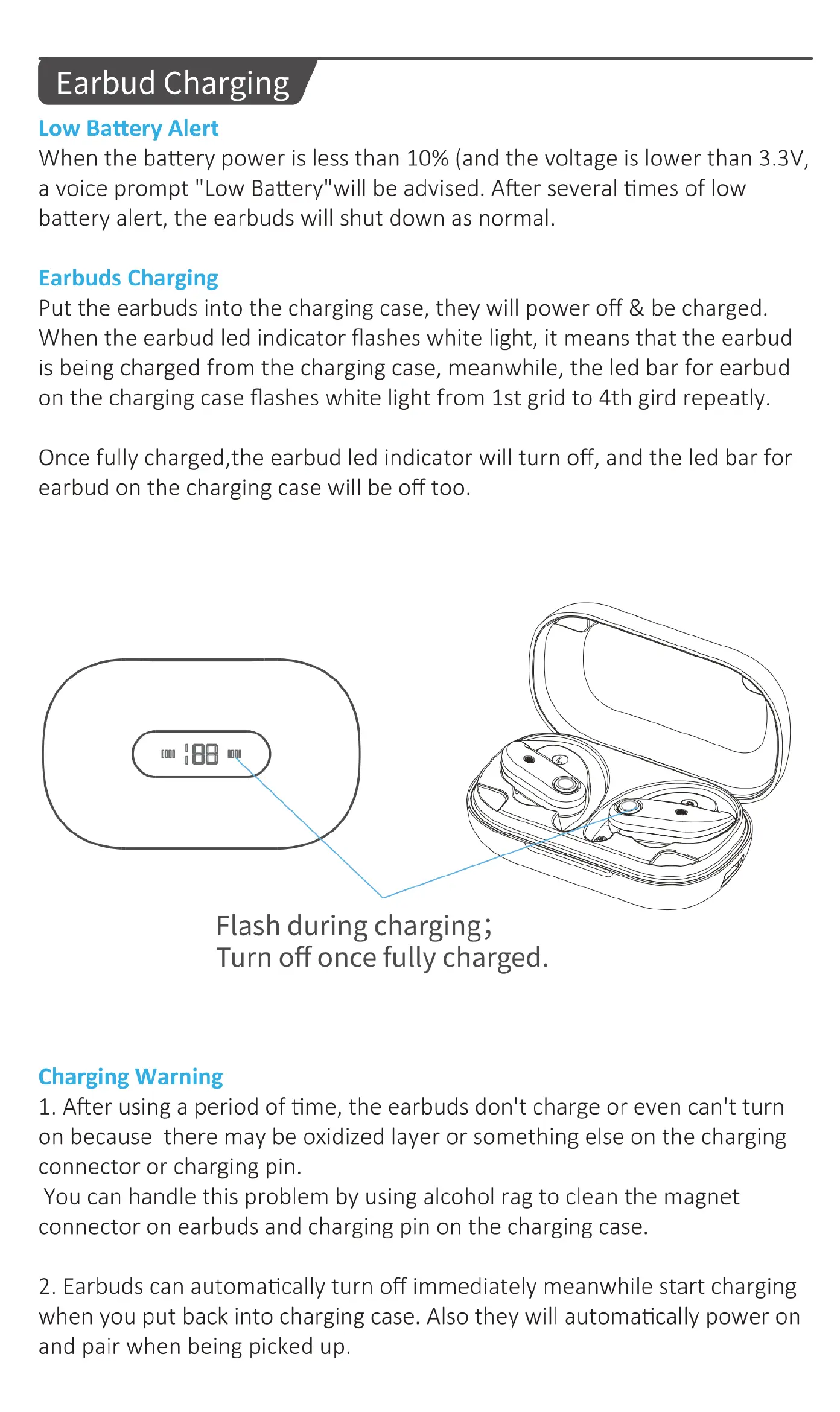
When
the
earbud
led
indicator
flashes
white
light,
it
means
that
the
earbud
is
being
charged
from
the
charging
case,
meanwhile,
the
led
bar
for
earbud
on
the
charging
case
flashes
white
light
from
1st
grid
to
4th
gird
repeatly.
Once
fully
charged,the
earbud
led
indicator
will
turn
off,
and
the
led
bar
for
earbud
on
the
charging
case
will
be
off
too.
Flash
during
charging;
Turn
off
once
fully
charged.
Charging
Warning
1.
After
using
a
period
of
time,
the
earbuds
don't
charge
or
even
can't
turn
on
because
there
may
be
oxidized
layer
or
something
else
on
the
charging
connector
or
charging
pin.
You
can
handle
this
problem
by
using
alcohol
rag
to
clean
the
magnet
connector
on
earbuds
and
charging
pin
on
the
charging
case.
2.
Earbuds
can
automatically
turn
off
immediately
meanwhile
start
charging
when
you
put
back
into
charging
case.
Also
they
will
automatically
power
on
and
pair
when
being
picked
up.

Related product manuals