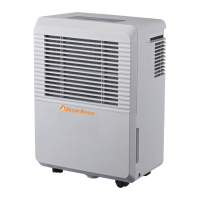
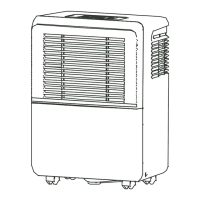
This document is an instruction manual for an Ocean Breeze Dehumidifier, model OBZ-50DHPN.
Function Description:
The Ocean Breeze Dehumidifier is designed to remove excess moisture from the air in indoor residential applications. It helps to prevent moisture damage, mold, mildew, and bacteria growth, and can be used in basements or other areas where humidity is a concern. The unit offers various operational modes, including continuous operation, and features for setting desired humidity levels and fan speeds. It also includes an auto-defrost function to prevent frost buildup on evaporator coils and an auto-restart function in case of power outages. The dehumidifier can collect water in a removable bucket or drain it continuously via a hose, with an optional pump draining feature for elevated drainage.
Important Technical Specifications:
- Humidity Set Control: The humidity level can be set within a range of 35%RH (Relative Humidity) to 85%RH in 5% increments.
- Operating Temperature Range: The unit is designed to operate in an environment between 41°F/5°C and 95°F/35°C. Temperatures below 41°F (5°C) may cause frost buildup and reduce performance.
- Timer: An Auto start and Auto stop timer can be set from 0 to 24 hours in half-hour increments.
- Filter Cleaning Reminder: The "Clean filter" light illuminates after 250 hours of operation to remind the user to clean the air filter.
- Bucket Full Indicator: The unit has an indicator light that glows when the water bucket is full, and the compressor and fan will turn off automatically.
- Continuous Drain Hose: The unit supports continuous draining with a water hose (ID ≥ 5/16", not included) with a female threaded end (ID: M=1", not included).
- Pump Drain Hose: An optional pump draining feature uses a supplied pump drain hose (Øod=1/4").
- Electrical Information: The unit requires proper grounding. The power cord is equipped with a three-prong grounding plug. Extension cords or adapter plugs are not recommended unless it's an approved "Dehumidifier" extension cord.
Usage Features:
- Control Panel: The control panel includes pads for Pump, Filter, Fan, Power, Timer, and Up/Down arrows for humidity and timer settings. It also features indicator lights for Bucket Full, Pump operation, Clean filter, High fan, Continuous operation, Timer on/off, and Auto defrost.
- Display: The display shows the set humidity level or auto start/stop time, and then reverts to showing the actual room humidity level (30%RH to 90%RH with ±5% accuracy).
- Fan Speed Control: Users can select between "Turbo" (high) or "Normal" (low) fan speeds for maximum moisture removal or quieter operation, respectively.
- Continuous Operation Mode: To run the unit continuously, the humidity setting can be adjusted to "CO" (Continuous Operation).
- Auto Shut Off: The dehumidifier automatically shuts off when the bucket is full, removed, or not in the proper position, or when the set humidity level is reached.
- Wait 3 Minutes Feature: After stopping, the unit cannot be restarted immediately for 3 minutes to prevent damage.
- Placement: The unit should be placed on a level, sturdy floor with at least 7.9 inches of air space on all sides for good air circulation. It should not be used outdoors or in areas with chemicals.
- Water Collection: Water can be collected in the internal bucket or drained continuously using a hose. The pump drain feature allows for draining water to an elevated location.
- Error Codes: The display shows error codes (AS, ES, EC, E3, P2, Eb) to indicate specific issues like sensor errors, unit malfunction, or a full/missing bucket.
Maintenance Features:
- Cleaning the Grille and Case: Use water and a mild detergent; avoid bleach, abrasives, and direct water splashing. Vacuum or brush the air intake and outlet grilles.
- Cleaning the Bucket: Clean the water bucket every few weeks with clean water and a mild detergent to prevent mold and mildew growth. Do not use a dishwasher.
- Cleaning the Air Filter: The air filter should be removed and cleaned with clean water every two weeks under normal operating conditions. It can be accessed from the top of the unit or by removing the bucket and pulling it downwards. Operating without a filter can clog the unit and reduce performance.
- Pump Filter Cleaning: If using the pump drain feature, the pump filter should be cleaned if the pump operation light flashes, indicating a problem.
- Storage: For long periods of non-use, the unit should be turned off, the bucket emptied (after waiting one day), the main unit, water bucket, and air filter cleaned, the cord wrapped, and the unit covered with a plastic bag and stored upright in a dry, well-ventilated area.



 To Next Page
 General