2.1.3 Your PC will now prompt you that a device has attempted to
connect to your UPnP server. In order to allow the radio to have
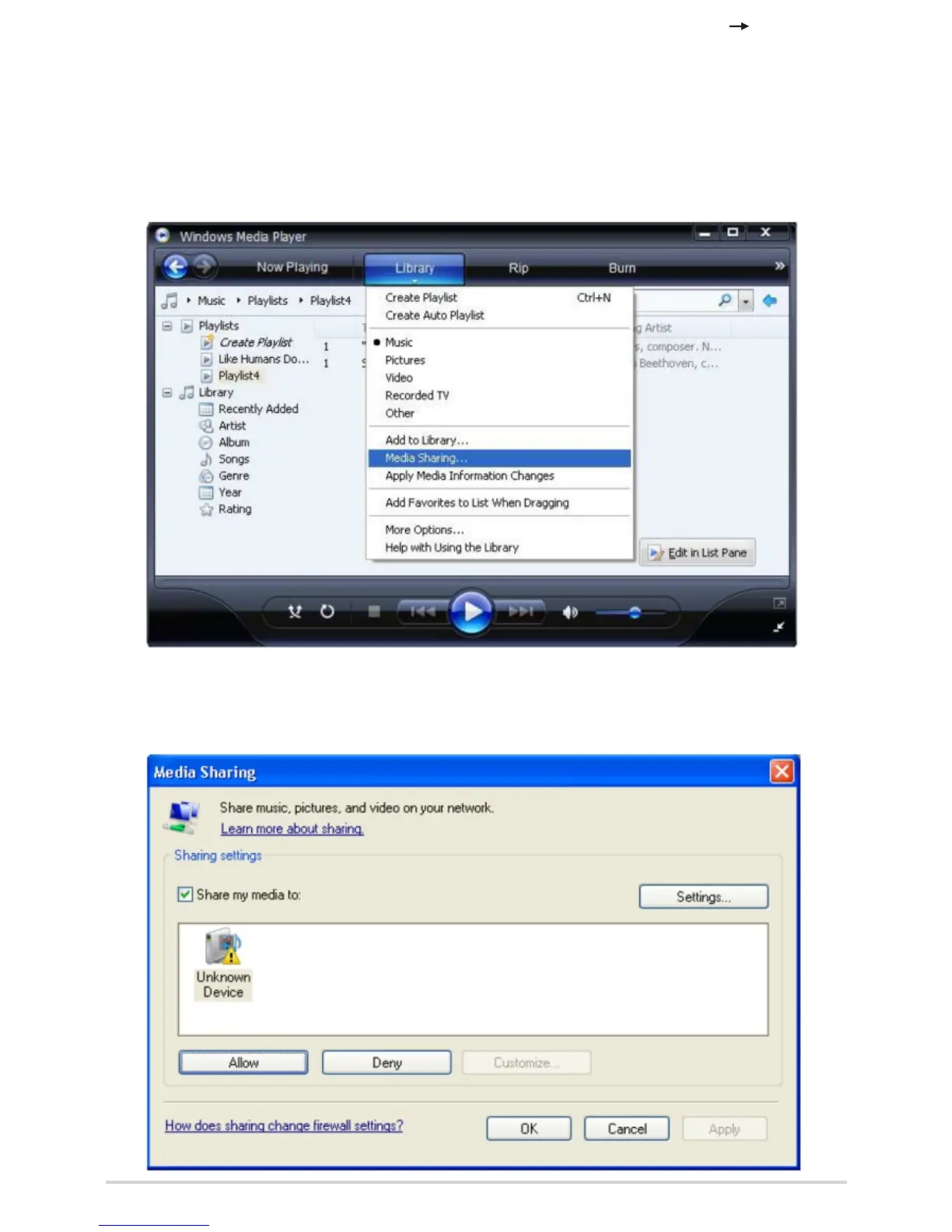
access to the media files, you will need to click the 'Library' tab
from Windows Media Player 11 and select the <Media Sharing>
item to open the 'Media Sharing' window.
Selecting 'Media Sharing…' for Windows Media Player11:
2.1.4 From the 'Media Sharing' windows, the radio will be listed as an
unknown device. Click on the unknown device listed, then click the
'Allow' button and then click 'OK'.
Allowing the Radio to Connect:
9



 To Next Page