MNL-1029 Rev A
8
3. Locate the unknown device (marked with a large question mark). Right-click on the Unknown Device listing and select the
Uninstall or Remove option.
4. Click the OK button to continue. A warning box appears confirming the removal of the Unknown Device. Click the OK
button to confirm the device removal.
5. Disconnect the Ocean SR2 from your computer.
6. Replug the spectrometer into your computer.
The system should now be able to locate and install the correct drivers for the USB device.
Apple Mac OSX Operating Systems
Since there are no device files for the Ocean SR2 Spectrometer in a Mac operating system, you should not encounter any problems if
you installed the spectrometer before the operating software.
Frequently Asked Questions
I connected the USB cable and started OceanView but I
don’t see my spectrometer attached.
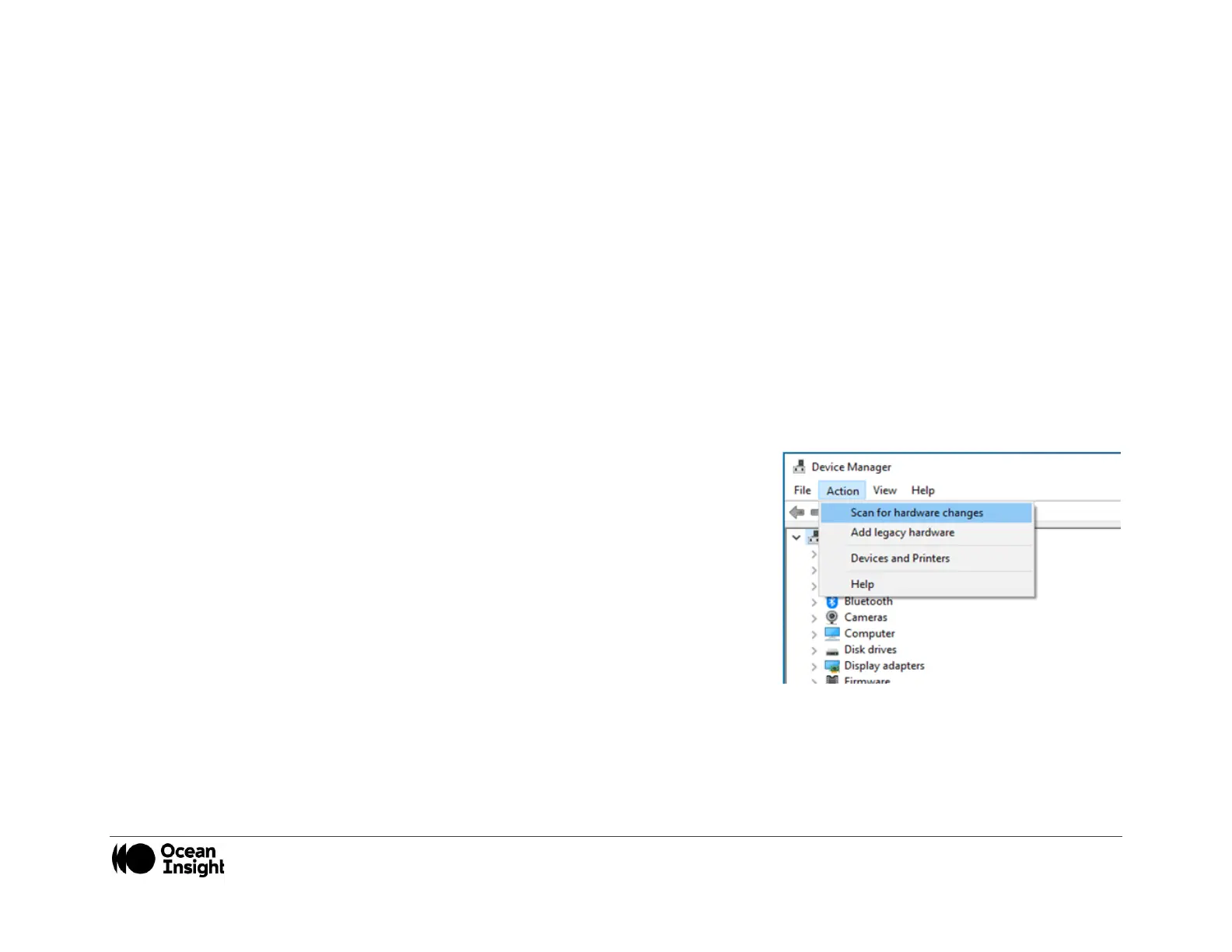
Use the “Action -> Scan for hardware changes” selection in the Device Manager to
rescan for attached devices.
I am having trouble installing the drivers, what should I do?
Hardware device driver installation is usually seamless on Microsoft Windows operating systems and should happen in the
background when you connect your spectrometer to a computer with the software installed. However, some Windows systems
require a bit more care when connecting your spectrometer for the first time.


 To Next Page