Introduction
OCEASOFT Emerald User Guide Page 8
1.3 Companion products
The Emerald datalogger is designed to work with several different types of companion
products from OCEASOFT, in particular, depending on the volume of modules you intend to
use, and whether or not you wish to use the OCEACloud online tools.
The Emerald datalogger must only be used be used with
companion products approved and recommended by
OCEASOFT.
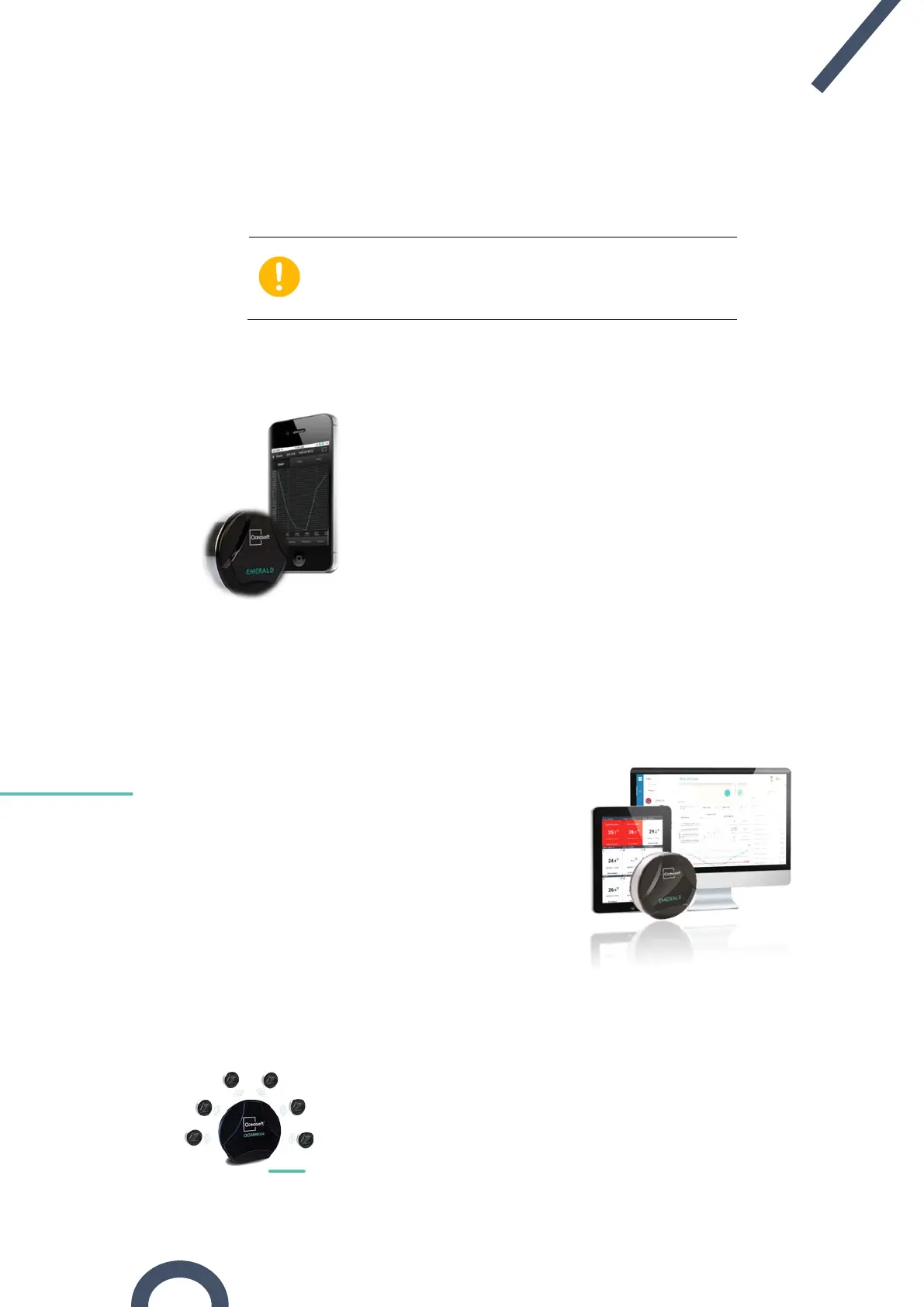
1.3.1 OCEAView™ Mobile: program modules, read and push data
The OCEAView Mobile Application for iOS® and Android® offers
numerous features (described in detail in the OCEAView Mobile
Application user documentation). Notably, it allows you to:
• Program all datalogging settings on Emerald modules,
including temperature ranges, alarm limits, and the
module’s startup mode.
• Read and geolocate data collected from the module
wirelessly
• Push mission and temperature data to the OCEACloud™
online service (note: Emerald modules
access subscription for
data storage and access on
OCEACloud)
1.3.2 OCEAView™ Web: Read and manage data
OCEAView Web is a web application that allows you
to access and analyze Emerald mission information
(notably temperature, location, and other key events)
that is pushed to the OCEACloud service either
manually by users with smartphones or automatically
by the OCEABridge™ gateway.
1.3.3 OCEABridge™: Collect and push data with Bluetooth Internet gateway
Placed at a central location in a storage or shipping facility,
OCEABridge™ automatically collects data via
Bluetooth when it
Emerald devices within wireless range. It then
forwards the data to the OCEACloud online platform, where you
can access it with OCEAView Web.


 To Next Page