8|Getting Started with the Demos|Oculus Rift
Aside from that, the next step is to start building your own Oculus-ready game or application. Thousands of
other developers are out building the future of virtual reality gaming. To see what they are talking about, go to
forums.oculus.com.
OculusWorldDemo Demo
Oculus recommends running the pre-built OculusWorldDemo to explore the SDK. You can find a link to the
executable file in the root of the Oculus SDK installation.
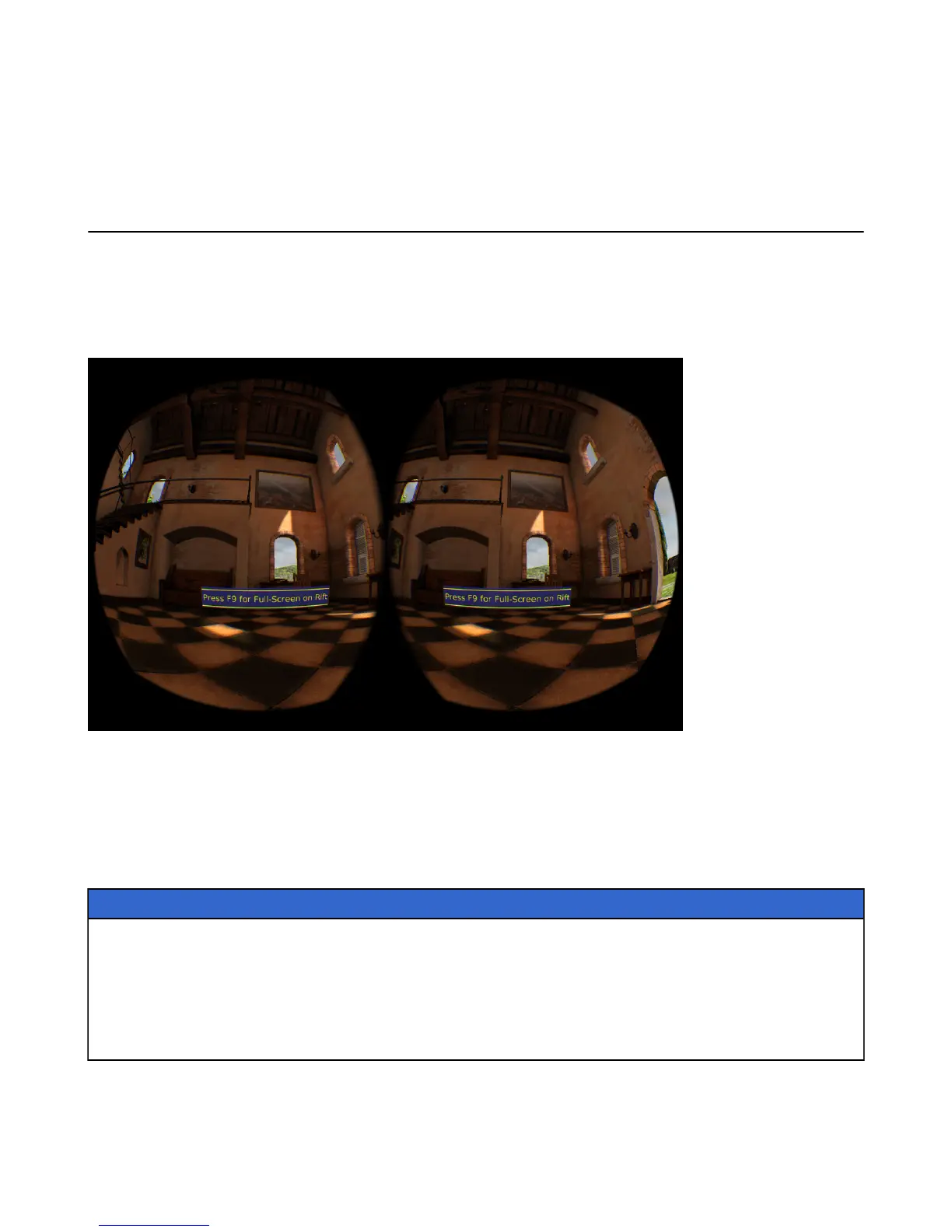
The following is a screenshot of the OculusWorldDemo application:
Figure 2: OculusWorldDemo Application
OculusWorldDemo Controls
The OculusWorldDemo uses a mix of standard and specialized controls.
The following table describes keys and devices that you use for movement:
Table 1: Movement
Key or Input Movement
W, S Move forward, back
A, D Strafe left, right
Mouse Look left, right
Left gamepad stick Move
Right gamepad stick Turn
The following table describes keys that you use for functions:


 To Next Page