7 Use of the BIOM 4
20 / 34 Instruction manual BIOM 4 (G/54400/1011/en)
Conditioning of the components
The BIOM 4 and all BIOM components must be sterilely conditioned prior to the first,
and every subsequent use.
It is imperative that you heed the cleaning, disinfection and sterilization instructions
given in the "Conditioning manual for BIOM and accessories".
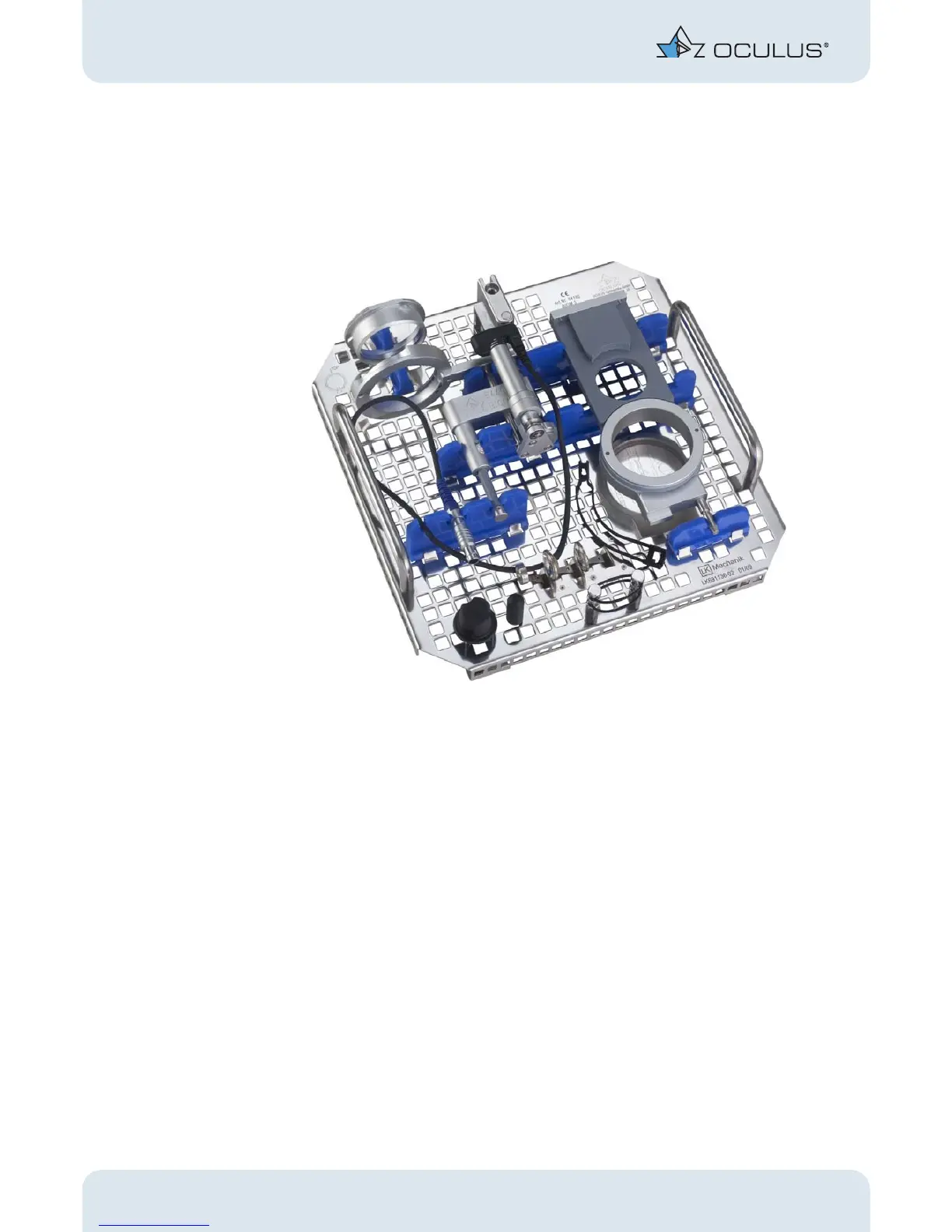
fig. 7-10: Specially designed insert for sterilization containers. Loaded with the BIOM 4c-setup
Dismantling of the BIOM 4
For dismantling proceed in reverse order from assembly of the BIOM 4.
The BIOM 4 can be removed from the adapter only when tilted to the side. Dividing
these two items for cleaning, desinfection and sterilization is absolutely necessary.
Swivel the BIOM 4 out and away until it clicks into horizontal position. Now pull the
BIOM 4 off the adapter. In doing so, the resistance of the lock must be overcome.
Also dismount the two optics before you clean, disinfect and sterilize all components
in a steam autoclave.
For the BIOM 4c only:
Proceed as mentioned above.
Furthermore remove the drive belt and the cable duct from the BIOM 4c.
All components are now prepared for cleaning, disinfection and sterilization in a
steam autoclave.


 To Next Page