4
Instructions
1. Adjusting and wearing the headset
1. Swing the headband upward.
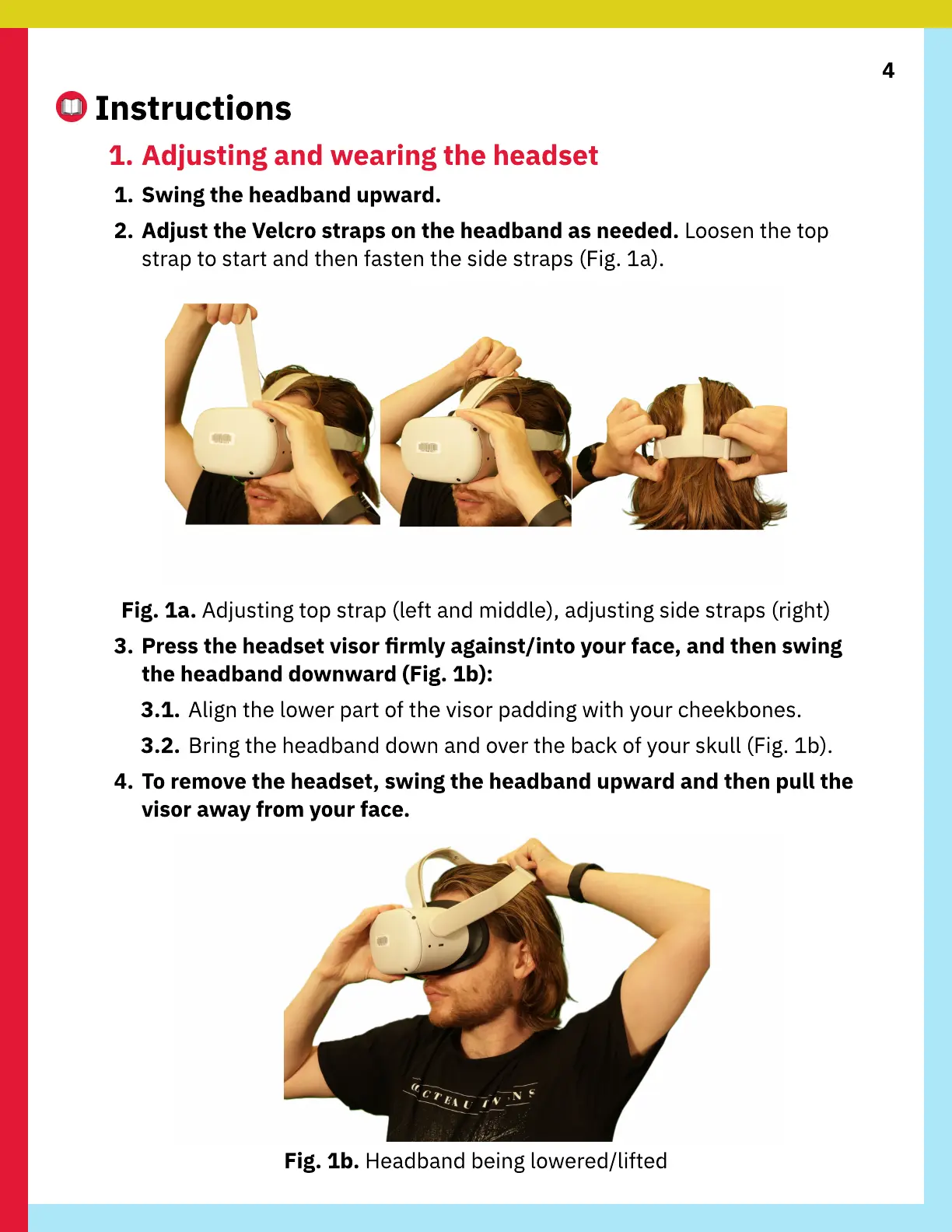
2. Adjust the Velcro straps on the headband as needed. Loosen the top
strap to start and then fasten the side straps (Fig. 1a).
Fig. 1a. Adjusting top strap (left and middle), adjusting side straps (right)
3. Press the headset visor rmly against/into your face, and then swing
the headband downward (Fig. 1b):
3.1. Align the lower part of the visor padding with your cheekbones.
3.2. Bring the headband down and over the back of your skull (Fig. 1b).
4. To remove the headset, swing the headband upward and then pull the
visor away from your face.
Fig. 1b. Headband being lowered/lifted



 To Next Page