Need help?
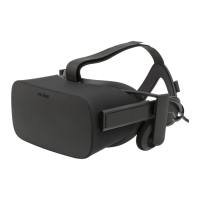
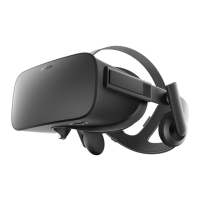
Do you have a question about the OCULUS Quest 1 and is the answer not in the manual?
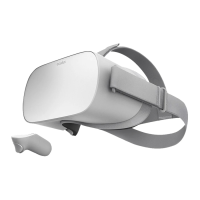
Guide for fitting the Oculus Quest 1 headset for optimal VR experience and focus.
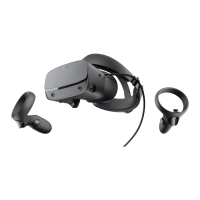
Guide for fitting the Oculus Quest 2 headset for optimal VR experience and focus.
This manual describes the Simulation Learning System with Virtual Reality (SLS VR), a system designed to facilitate immersive learning experiences through virtual reality. The core of this system relies on VR hardware, specifically Oculus headsets and controllers, to create a simulated environment where users can interact with virtual patients and scenarios.
The primary function of the SLS VR system is to provide a realistic and interactive platform for training and education, particularly in fields that benefit from hands-on experience without real-world risks. Users wear a VR headset, which serves as their "window into the VR world," and use handheld controllers to manipulate objects and perform actions within the virtual environment. This setup allows for a high degree of immersion, enabling users to practice procedures, make decisions, and observe consequences in a safe, controlled setting.
The SLS VR system is designed for ease of use, with a focus on intuitive interaction within the virtual environment. Before beginning a simulation, users are advised to consult the Oculus Health and Safety Warnings to ensure a safe experience. The instructor typically handles the initial setup of the equipment and play space, but users are encouraged to familiarize themselves with key aspects of the hardware, including headset fit and controller usage.
Headset Fit: Proper headset fit is crucial for an optimal VR experience. The manual emphasizes that the headset must be worn snugly and the display kept in focus to ensure clarity and comfort. The system supports various Oculus Quest models, and specific guidance is provided for each:
The manual highlights that issues like blurriness or discomfort in VR are often related to improper headset fit, reinforcing the importance of adjusting the headset until it feels comfortable and the display is clear.
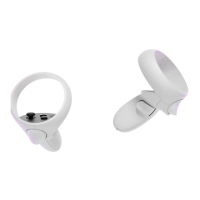
Using the Oculus Controllers: The Oculus controllers are the primary interface for interacting with the virtual world. The manual includes a detailed diagram mapping the buttons on both the left and right controllers, along with a legend explaining each component:
Within the SimX VR application, these controllers enable a wide range of interactions. Users can signal to each other, point to objects, perform physical exam maneuvers on a virtual patient, use a stethoscope, pick up a virtual tablet that houses the Electronic Health Record (EHR), and navigate through VR menus.
The manual details specific button pushes required for certain actions:
The system also allows for natural hand movements for many actions, such as swiping tablet pages, checking pulses, and examining the abdomen. If a user accidentally presses the Menu or Oculus buttons during a simulation, simply pressing the button again will exit the unintended menu.
While the manual primarily focuses on usage, it implicitly addresses maintenance through its emphasis on proper setup and fit. Ensuring the headset is worn correctly and the display is in focus contributes to the longevity and optimal performance of the device by preventing user discomfort or potential misuse that could lead to damage. The guidance on headset fit, including references to Oculus Support pages and videos, serves as a form of user-level maintenance, empowering individuals to correctly configure their equipment for each session.
The document does not delve into technical maintenance or troubleshooting beyond user-adjustable settings like headset fit. For more detailed guidance on the Oculus Quest hardware, users are directed to consult their instructor or review the Oculus Support Center, indicating that advanced maintenance or troubleshooting would typically be handled by support personnel or through official Oculus resources. The system is designed to be robust for its intended educational use, with the primary "maintenance" for the end-user being adherence to proper setup and usage guidelines. The focus is on ensuring a functional and comfortable experience during simulations, rather than on hardware repair or complex system upkeep.
 General
| Display Type | OLED |
|---|---|
| Resolution | 1440 x 1600 per eye |
| Refresh Rate | 72 Hz |
| Processor | Qualcomm Snapdragon 835 |
| RAM | 4 GB |
| Storage Options | 64 GB, 128 GB |
| Controllers | Oculus Touch controllers |
| Battery Life | 2-3 hours |
| Weight | 571 g |
| Release Date | May 21, 2019 |
| Operating System | Oculus OS (based on Android) |
| Tracking | Inside-out 6DOF |
| Audio | Integrated speakers |
| Field of View | Approximately 100 degrees |
| Connectivity | Wi-Fi, Bluetooth |
| IPD Adjustment | 58-72 mm |

 To Next Page