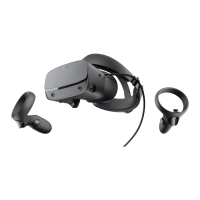
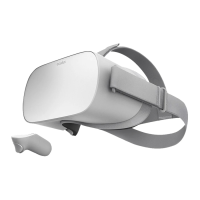
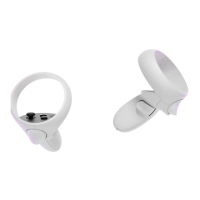
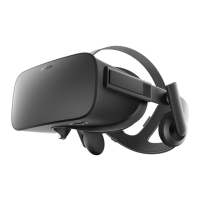
The Oculus Rift is a virtual reality (VR) headset designed to immerse users in virtual environments. It allows users to experience games, apps, and other content in a 3D, interactive space.
Function Description:
The Rift's primary function is to provide an immersive virtual reality experience. When worn, the headset displays a virtual environment that responds to the user's head movements, creating a sense of presence within the digital world. This is achieved through advanced display technology and integrated sensors that track head orientation and position. The system typically includes a headset, a remote control, and an Xbox controller, offering multiple input methods for navigation and interaction within VR.
Usage Features:
Rift Navigation:
Navigating the Rift is intuitive and designed to mimic natural movements.
- Head Movement: To change what you see in VR, simply move your head. The field of view updates instantly, following where the user is looking within the virtual environment. This natural head tracking is fundamental to the immersive experience.
- Pointer: In Oculus Home and many applications, a pointer appears in the center of the user's field of view. This pointer helps in precisely selecting virtual items.
- Selection: To select an item, the user looks at it, aligning the pointer with the desired object, and then presses the select button on the Oculus remote or the 'A' button on the Xbox controller. This method allows for direct interaction with virtual elements.
- Controller Usage: The Oculus remote and Xbox controller are essential for interacting with games and apps. While the remote is often preferred for general navigation and simpler interactions, the Xbox controller provides a more traditional gaming experience with a wider range of inputs for complex games.
- Menu Navigation: For more intricate menus, users can navigate using the navigation disk on the Oculus remote or the left thumbstick on the Xbox controller. This allows for scrolling through lists and selecting options efficiently.
- Going Back: To return to a previous screen or menu, users press the back button on the Oculus remote or the 'B' button on the Xbox controller. This provides a quick way to undo actions or backtrack through menus.
- Height and Movement: Within certain games and apps, users can adjust their virtual height by crouching or kneeling in the real world. Physical movement, such as stepping forwards, backwards, or sideways, is also supported, provided the user maintains a line of sight to the Oculus sensor. It is crucial to use the Rift in a clear area, free from furniture or other obstacles, to ensure safety and an optimal experience. Standing or using a rotating desk chair is recommended for the best results. Users should consult the Health & Safety Warnings for safe usage guidelines.
The Universal Menu provides access to key features and information from almost anywhere within the Rift environment.
To open this menu, users press the Oculus button on the Oculus remote or the Xbox button on the Xbox controller.
The Universal Menu displays status information at the top of the screen, including:
- Time and Date: Current time and date.
- Oculus Remote Connection Status: Indicates if the remote is connected.
- Xbox Controller Connection Status: Indicates if the Xbox controller is connected.
- Oculus Account Information: Details related to the user's Oculus account.
Below the status information, several options are available:
- Activity: Shows the user's current game or app.
- Notifications: Displays recent alerts, including updates for apps or downloads that require attention.
- Friends: Allows users to view their current friends list and manage friend requests.
- Exit to Home: Returns the user to Oculus Home, the central hub of the Rift experience.
- Volume: Users can adjust the volume of their On-ear Headphones by looking at the desired level on the volume bar and pressing the select button on the Oculus remote or the 'A' button on the Xbox controller. Volume buttons on the Oculus remote can also be used at any time.
- Reset View: Resets the user's field of view based on their current head position. This feature is primarily for individual games and apps. For resetting the view in Oculus Home, specific troubleshooting steps are required.
- Change Lens Spacing: Accesses a calibration screen to help users find the optimal position for the headset's lens slider, ensuring clear vision and comfort.
- Do Not Disturb: Mutes incoming alerts and notifications. This feature is off by default, allowing users to control interruptions during their VR experience.
To exit the Universal Menu without selecting an option, users can press the Oculus button on the Oculus remote or the Xbox button on the Xbox controller.
Maintenance Features:
Rift Headset and Lens Care:
Proper care of the Rift headset and its lenses is crucial for maintaining performance and longevity.
- Handle with Care: The headset should be handled gently and never dropped or treated roughly to prevent damage.
- Avoid Direct Exposure: Lenses should never be directly exposed to sunlight, lasers, or other strong light sources, as this can cause irreversible damage.
- Temperature Control: Do not leave the headset in extremely hot locations, such as inside a car on a sunny day, as high temperatures can damage the components.
- Lens Cleaning:
- Use the included lens cloth to keep the lenses free of dust and smudges. Wipe the lenses using a spiral motion, starting from the center.
- Avoid using lens cleaner unnecessarily.
- Do not use lens cleaners that contain alcohol or strong solvents, as these can damage the lenses.
- If the lens cloth alone is insufficient, use a specially formulated cleaner such as Ultra Clarity lens cleaner by Nanofilm, or Sparkle Optical Lens Cleaner by A.J. Funk & Co.
- Never spray any type of cleaner directly onto or into the headset. Always apply lens cleaner to the lens cloth first.
- Clean the lens cloth periodically with mild soap and water, rinsing it thoroughly.
- Strap and Facial Interface Cleaning: If the main strap or the facial interface (the part of the headset that touches the face) needs cleaning, use a baby wipe or a similar gentle cleaning cloth. Ensure the facial interface is thoroughly dry before using the headset again to prevent irritation or moisture damage.

 Need help?
 General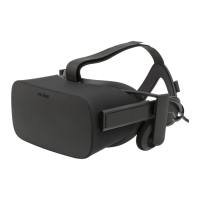

 To Next Page