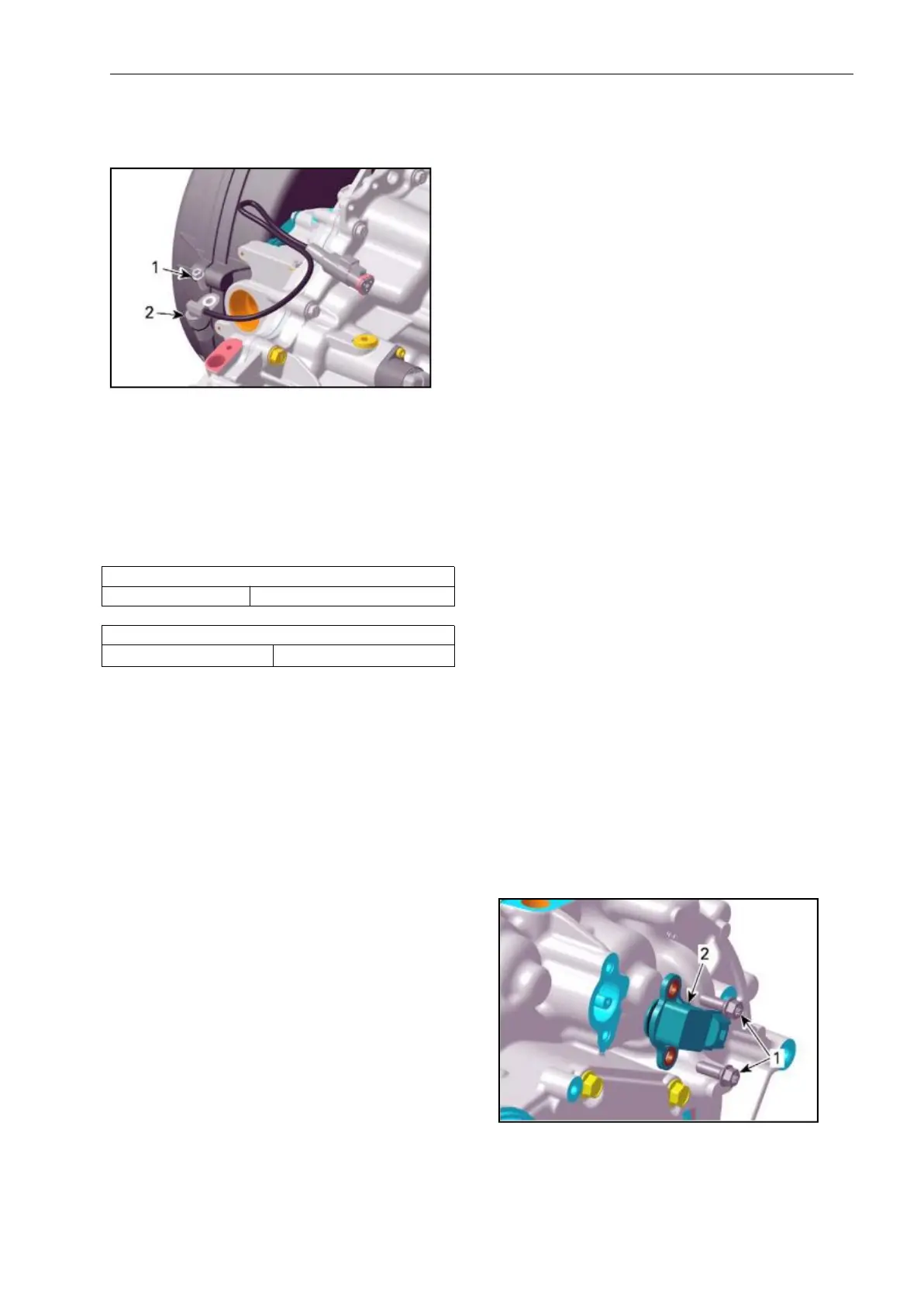
Remove screw retaining the VSS.
Using a long screwdrive,pull out the
VSS.
SEVEAL PARTS REMOVED FOR CLARITY
1. Screw
2. VSS
VSS Installation
For installation, reverse the removal
procedure.
Pay attention to the following.
Lubricate VSS O-ring.
GEARBOX POSITION SENSOR
(
GBPS
)
GBPS Reset
When replacing the gearbox position
sensor
(GBPS), it is required to reset (re-zero)
its values for proper operation.
A reset must be carried out each time
any of the following parts has been
replaced:
- Gearbox assembly
- Shift drum
- GBPS
- ECM.
A message will be displayed if the
operation is successful.
If an error occurred or the GBPS is not
within the allowed range while resetting,
the ECM will generate a fault code and
will not accept the setting.
5. If a fault message is displayed, follow
the instructions in the message(s).
6. Check for fault codes.
If a fault code is generated:
- Carry out the service action.
- Reset the fault code.
- Repeat the reset procedure.
7. Close and disconnect B.U.D.S.
NOTE: Do not turn ignition key OFF.
8. Verify gears engagement.
8.1 With the vehicle on ground and in
NEUTRAL position, start engine.
8.2 During4-5 seconds, rev engine
to2500±200 RPM.
8.3 Let engine returns to idle.
8.4 Select an other position(P
,
R
,
H or
L). Repeat substeps8.2 and8.3 until all
position are verified.
NOTE: The vehicle must be in
movement to complete the procedure on
R, H and L position.
GBPS Access
Tilt the cargo box
Testing the BGPS input Voltage
NOTE: Prior to conduct testing, check
fault codes in B.U.D.S.
Set shift lever in NEUTRAL position.
Back-probe the GBPS connector .
Removing theGBPS
Set shift lever in NEUTRAL position.
Unplug GBPS connector.
Remove screws and withdraw GBPS.
1. Screws
2. Gearbox Position Sensor (GBPS)
Installating the GBPS



 To Next Page