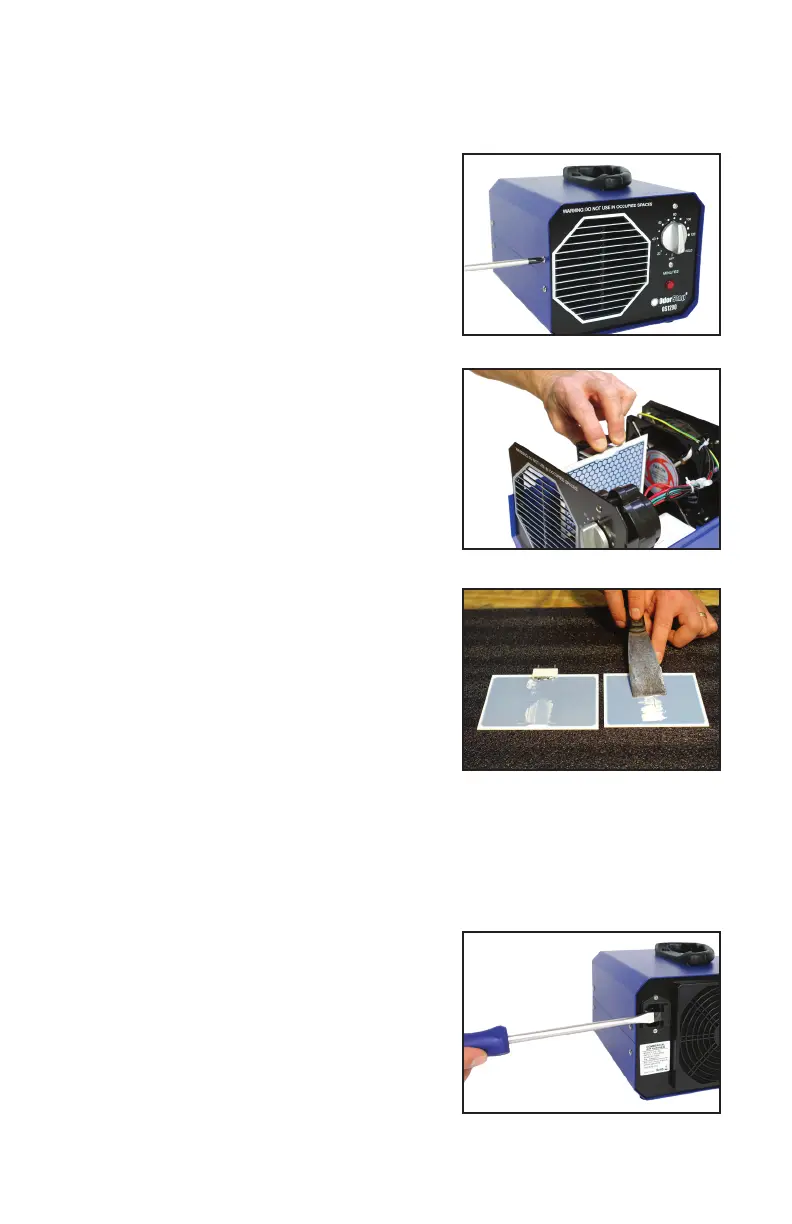
Replacing Ozone Plate
1. Unplug the unit. Remove the four
(4) screws that secure the top half
of the housing and lift up on the
handle to expose the internal parts.
2. Gently pull the plate clip backward
until you can safely remove the
plate. Remove the plate slowly and
gently by lifting straight up.
3. Use a putty knife to transfer the
grease from the back of the old
plate to the back of the new plate.
Please note that the plate must
be installed with the smooth side
facing the transformer.
4. Install the new plate slowly and
gently by pushing straight down
while holding the plate clip back
to allow for the new plate to be
inserted.
5. Re-install the top half of the
housing and secure it using the four (4) screws.
Inspecting/Replacing Fuse
1. Useaatheadscrewdriverto
release the fuse tray.
2. Inspect the fuse and replace with
the included spare if necessary.
3. Replace the tray and test.


 To Next Page