EN
Setting Description
OSD language
Language setting for the menu. After you change this setting, restart the device to
apply the change.
Aspect Ratio
Set the aspect ratio of the screen. (This setting only works when displaying photos.
The options are 16:9 and 4:3
View Mode
Fill
Original
Auto Fit
Pan Scan
The picture fills the entire screen. Since this setting stretches the picture,
it may cause the image to distort.
The photo is shown in its original aspect ratio. There may be black
borders. If the photo is too small, it will have black borders on all sides.
The photo is shown in its original aspect ratio. There may be black
borders.
The picture fills the entire screen. Superfluous parts of the photo will be
cut off.
TV System
This setting refers to the AV output. Use the same setting that the connected output
device is using. PAL is common in Europe.
However, if no output device is connected, the device will work better when set to
NTSC.
Display Adjust
Here you can adjust the way images are displayed on the device. You can choose
between the default setting and a user-defined setting.
JPEG Interval
Use this setting to define how long an image should be displayed in Photo mode. You
can choose from preset durations between 5 seconds and 1 hour.
Transition
This menu item offers various fade effects for Photo mode.
Screen Saver
If you do not use the device for longer than the time set here, the screen saver (shows
a clock, see Clock) will switch on.
The “OFF” setting makes the screen remain on.
Use Default Settings
Restores the device’s factory settings.
Exit the system settings using the “Menu” button.
After you change a setting, restart the device to apply the change.
C
C
a
a
l
l
e
e
n
n
d
d
a
a
r
r
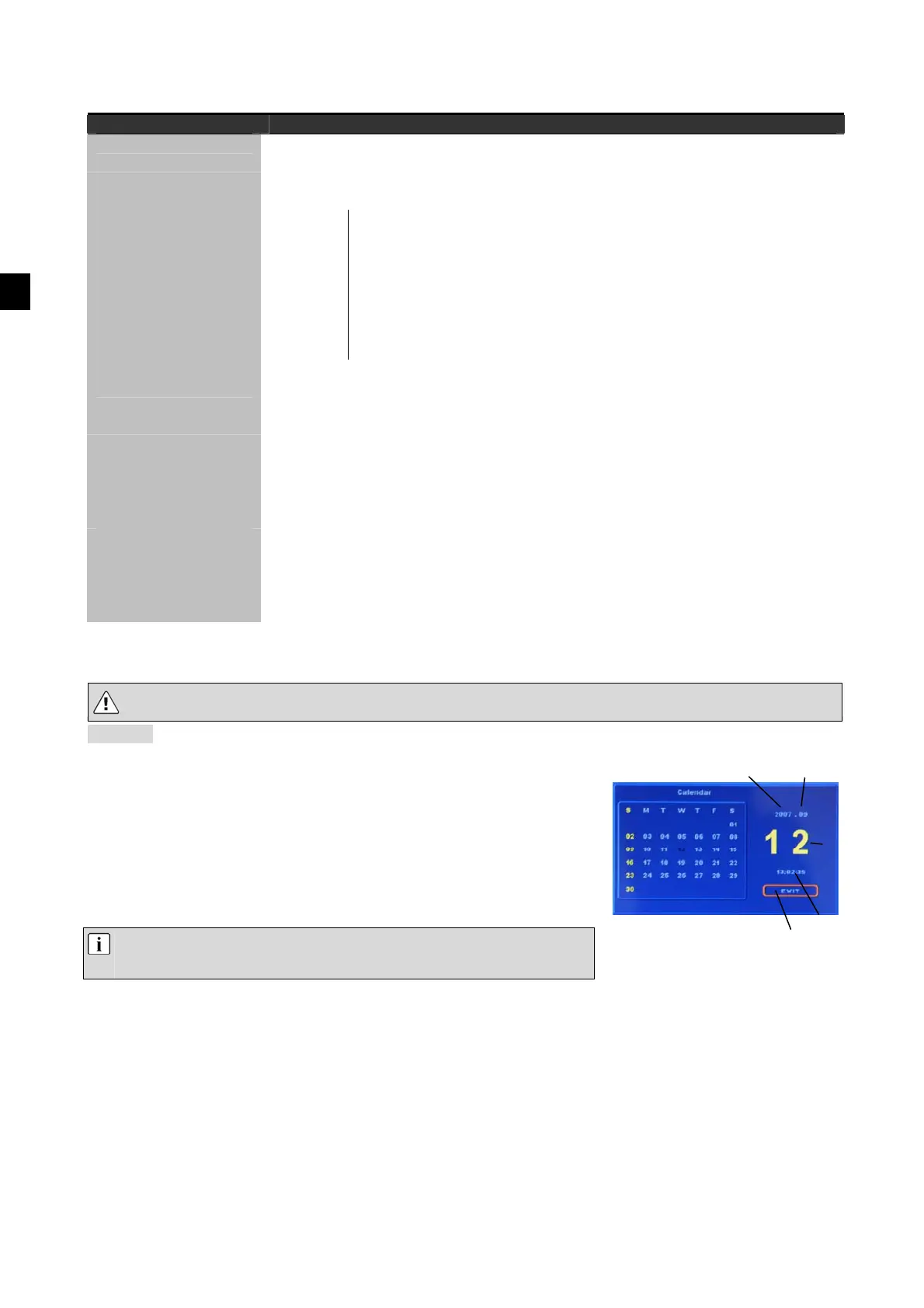
Calendar mode displays the current month, the date and the time.
Use the buttons to call the time setting. The area that is active is
highlighted in orange. Within the active area, the flashing number indicates
which number you are able to set. Use the
buttons to change the value
of the number.
Use the buttons to go to the next number or the previous number.
Note: You can set the year as high as 2059. If the first number in the
year setting flashes, the undbuttons are inactive.
To exit Calendar mode, choose “Exit” and confirm by pressing “Enter”.
Year Month
Time
Exit calendar
Day


 To Next Page
 Loading...