ODYS MP3-Player X38
4.2 Music mode
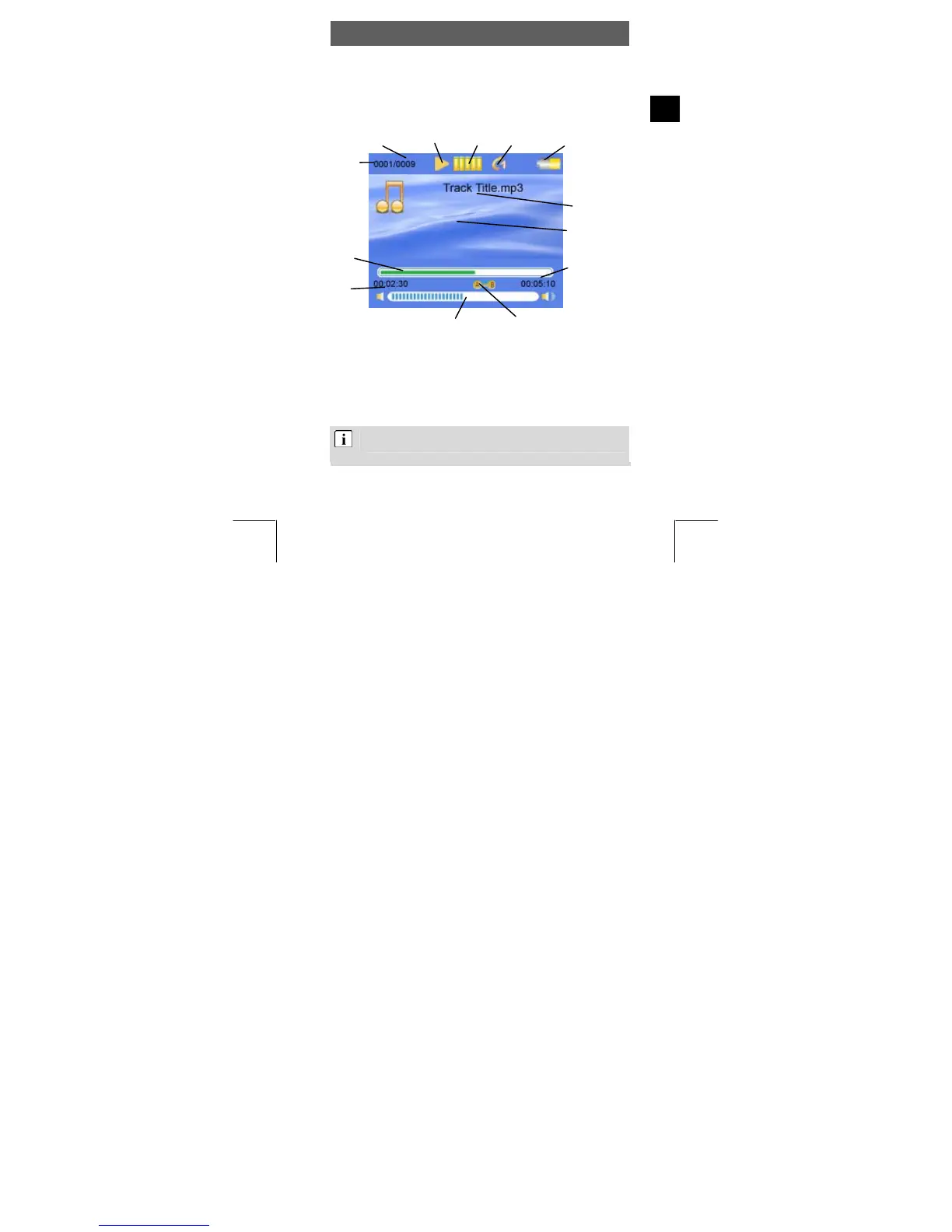
Overview of the Display
The Display shows a variety
of information on the current track, the
settings. The symbols are explained
ayback, forwards/bac , stop
• Insert the headphone in the headphone connection and turn the player
u and confirm with the menu
EN
running time and the system
below.
Pla
g
File name /
ID3 tag
s
Trac
Elapsed
play ck time
t e
y
Key locked
Repeat mode
EQ sound
Number of tracks
in current folder
statu
Playback
Battery
Pl k, pause
on. Select music mode in the main men
button.
• Press the Play button to play the track showed. The track
information is scrolled on the Display.
To switch between the file name and ID3 tag, press and
hold the Vol key for approximately 2 seconds.
yback time
raphic
Volume
k number
Lyrics displa
rack playback tim
ba



 To Next Page