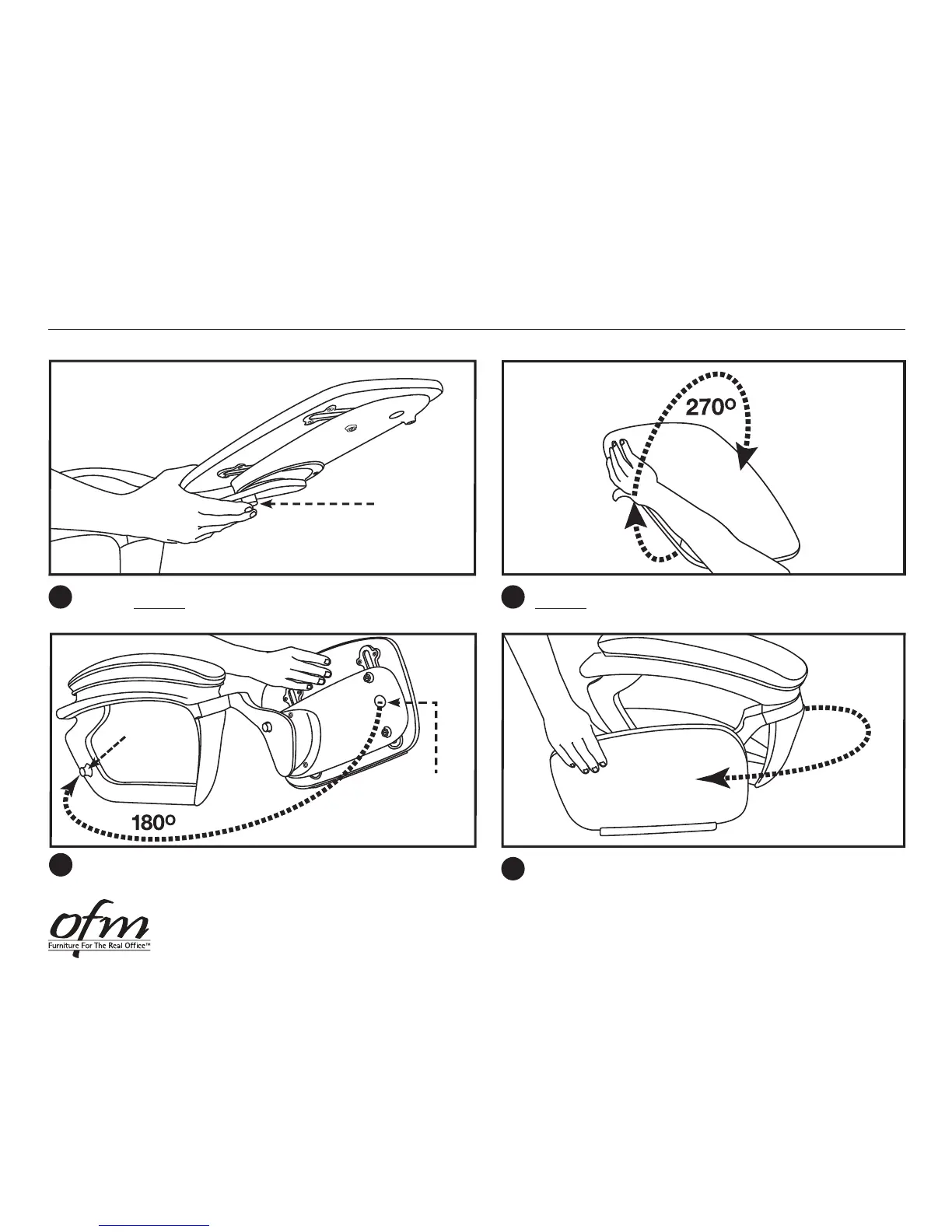
With right hand, press the Tablet Lock/Release Button and begin rotating
the tablet clockwise 90° until it stops and the button clicks.
With right hand, lift from Shelf Edge, up and over, rotating tablet
clockwise 270° until it stops. Tablet is now in straight out position.
2
Tablet
Lock/Release
Button
1
Pull Tablet clockwise 180° towards arm of chair and return it to
Tucked Position. Tablet will click when it comes in contact with
Connection Magnet.
Connection
Magnet
Connection
Magnet
Tablet is now straight out and ready to be tucked away.
3
ORO Chair Tablet Arm Operating Instructions — CLOSE Tablet
5-2013OFM • 161 Tradition Trail • Holly Springs, NC • 27540


 To Previous Page