Need help?
Do you have a question about the OK. OLE 24150-B DVD and is the answer not in the manual?
Welcome message to the user for their purchase.
Description of the appliance's intended purpose and proper usage.
Overview of the product's main components.
Detailed explanation of remote control buttons 1 through 5.
Identification and description of remote control buttons 11 through 21.
Explanation of color buttons and their specific functions.
Details on navigation keys and special function buttons.
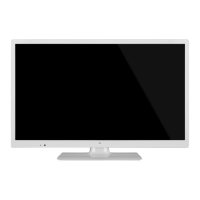
Visual identification of the main TV unit's parts.
Numbered list identifying all parts of the main unit.
Step-by-step guide for attaching the TV stand.
Instructions for inserting batteries into the remote control.
How to connect an aerial to the TV.
Connecting set-top boxes via RF and HDMI.
Connecting devices using SCART and Composite Video/Audio cables.
Using the TV as a PC monitor via VGA.
Basic operations for power, channels, and volume.
How to select different input sources for viewing.
Accessing the program guide and channel list menus.
Choose the on-screen display language.
Select display mode for home or store environment.
Configure the antenna connection for signal reception.
Selecting DVB type and performing automatic channel tuning.
Manual tuning process for DTV channels.
Manual tuning process for ATV channels.
Performing automatic channel tuning for DVB-C.
Manual tuning process for DVB-C channels.
Manual tuning process for ATV channels.
Editing channels, renaming, moving, skipping, and setting favorites.
Information on CI card slots and USB software updates.
Adjusting picture presets and color warmth.
Setting screen size and reducing picture noise.
Adjusting screen parameters when connected to a PC.
Selecting sound profiles and adjusting speaker balance.
Managing volume levels and surround sound effects.
Configuring audio description and digital audio output.
Setting the current time and on/off timers.
Configuring sleep timer and selecting time zone.
Adjusting OSD, audio, subtitle languages and country.
Resetting, auto standby, and HDMI CEC configuration.
Enabling lock system and managing passwords.
Selecting programs to block.
Setting parent lock for children's viewing.
Selecting input sources for multimedia access.
Accessing files from a USB storage device.
Playing image, audio, and video files via USB.
Displaying and navigating text files.
Configure general DVD player settings like language and video.
Adjusting parental rating levels for playback control.
Managing DVD player passwords and factory defaults.
Instructions for safely cleaning the TV screen.
Solutions for no sound or no picture issues.
Addressing poor color, shaking, lines, and streaks.
Solutions for poor reception and signal interference.
Details on screen type, resolution, brightness, and aspect ratio.
Information on TV system, tuner capabilities, and impedance.
List of input/output ports and physical dimensions.
Operating conditions, energy use, and disposal guidelines.
 General
| Smart modes | Hotel |
|---|---|
| Response time | 8 ms |
| Display diagonal | 24 \ |
| Display brightness | 180 cd/m² |
| Native aspect ratio | 16:9 |
| Native refresh rate | 50 Hz |
| LED backlighting type | - |
| Viewing angle, vertical | 150 ° |
| Contrast ratio (typical) | 800:1 |
| Display diagonal (metric) | 61 cm |
| Viewing angle, horizontal | 160 ° |
| Annual energy consumption | 37 kWh |
| Tuner type | Digital |
| Digital signal format system | DVB-C, DVB-T |
| Sound modes | Standard |
| RMS rated power | 3 W |
| Number of speakers | 2 |
| PC in (D-Sub) | No |
| DVI-D ports quantity | 0 |
| USB 2.0 ports quantity | 1 |
| Optical disc player type | DVD player |
| Product color | Black |
| Panel mounting interface | 100 x 100 mm |
| Power consumption (standby) | 0.5 W |
| Power consumption (typical) | 25 W |
| Cables included | AC |
 Weight and Dimensions
| Depth (with stand) | 160 mm |
|---|---|
| Height (with stand) | 388 mm |
| Depth (without stand) | 50 mm |
| Width (without stand) | 562 mm |
| Height (without stand) | 347 mm |
| Weight (without stand) | 3900 g |

 To Next Page