Need help?
Do you have a question about the OK. OLE 24640H-DW and is the answer not in the manual?
Explains symbols like Class II Equipment, Protective Earth Connection, and Laser Product warnings.
Lists TV features, accessories, technical specifications, standby notifications, controls, power, and antenna connections.
How to switch between different connected external devices.
Methods for adjusting channel and volume levels using the remote.
Buttons for power, volume, menu navigation, and screen exit.
Buttons for channel selection, source switching, and list navigation.
Buttons for recording, playing, pausing, and navigating media files.
Buttons for EPG, Teletext, subtitles, and customizable functions.
Details common connectors like Scart, VGA, HDMI, AV, Headphone, USB, SPDIF, and CI for device connectivity.
Using the media browser and loop/shuffle modes for file playback.
Managing CEC devices and setting up system audio output.
Fine-tunes picture with dynamic contrast, noise reduction, colour temperature, and PC display adjustments.
Controls volume, equalizer, balance, sound modes, and headphone/lineout options.
Manages language, parental controls, timers, sources, accessibility, and other system preferences.
How to view, filter, and edit the list of available TV channels and manage favorite lists.
Setting up parental locks, maturity ratings, and PIN codes to restrict content.
Navigating EPG layouts (Timeline, List, Now/Next) and performing actions on events.
Diagnosing and resolving problems with TV power, picture quality, and signal reception.
Troubleshooting steps for no sound, remote control unresponsiveness, and input selection problems.
Diagnosing and resolving problems with program recording and USB drive speed.
Information on AV/HDMI signal compatibility and supported PC input display modes.
Specifics on supported video, audio, and picture file types, codecs, and resolutions for USB.
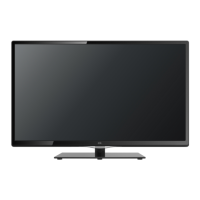
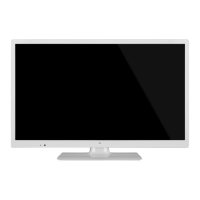
This document describes the ok. OLE 24640H-DW television set, a 24-inch DVB-T/-C compatible television. It is designed for household and similar general use, but can also be used in public places.
The OLE 24640H-DW is a remote-controlled color TV with a fully integrated digital terrestrial/cable/satellite TV (DVB-T-C) tuner. It features HDMI inputs for connecting other devices, a USB input for media playback and recording, and a Scart socket for older external devices like DVD players or video game consoles. The TV includes a stereo sound system, Teletext services, and a headphone connection. It also offers automatic programming, manual tuning, and an automatic power-down feature after up to eight hours of inactivity. Additional features include a sleep timer, child lock, automatic sound mute when no transmission is detected, NTSC playback, Automatic Volume Limiting (AVL), PLL (Frequency Search), PC input, and a Picture off function.
Basic Operation: The TV can be switched on/off using the Standby button on the remote or the side function switch on the TV. To fully power down, unplug the power cord from the mains socket. The main menu is accessed via the Menu button on the remote, allowing navigation with directional buttons and selection with OK. Input sources can be switched using the Source button. Channels and volume are adjusted with the Volume +/- and Programme +/- buttons.
First Time Installation: Upon first power-on, a language selection screen appears. After selecting the language and pressing OK, users set preferences. Depending on the country, a PIN may be required. The TV then searches for available broadcasts based on selected types: Digital Aerial, Digital Cable, or Analogue. Users can choose a favorite broadcast type to prioritize its channels in the Channel List. A "Store Mode" option is available for retail environments, but "Home Mode" is recommended for home use. After scanning, results are displayed, and the Channel List can be edited.
Channel Management: The TV sorts stored stations in the Channel List. Users can filter channels, set favorites, and edit the list. Four different favorite lists can be created. The Filter function allows temporary or permanent filtering of channels. Parental settings, including Menu Lock, Maturity Lock, and Child Lock, can be configured with a PIN to restrict access to certain programs or menus.
Electronic Programme Guide (EPG): The EPG button displays broadcast schedules. Three layouts are available: Timeline Schedule, List Schedule, and Now/Next Schedule. Users can zoom, filter, highlight genres, view event details, navigate days, and search the guide. Recording of events can be initiated directly from the EPG.
Media Playback and Recording via USB: The TV supports media playback (photo, music, movie files) from USB disks connected to its USB inputs. For recording, a USB hard disk drive (HDD) is recommended and should be formatted using the TV's "Format Disk" option in the Media Browser>Settings>Recording Settings menu. The USB drive needs at least 2 GB free space and USB 2.0 compatibility. Recordings are saved in 4GB partitions and can be up to ten hours long. Recorded programs can only be played back on the TV.
Timeshift Recording: Pressing the Pause button during a broadcast activates timeshifting, pausing the program and simultaneously recording it to the USB disk. Play resumes with the Play button, and Stop returns to live broadcast. Slow forward is available during timeshift playback.
CEC and System Audio Control: CEC (Consumer Electronics Control) allows control of CEC-enabled devices connected via HDMI using the TV's remote. This feature must be enabled in System>Settings>More. The TV also supports ARC (Audio Return Channel) via HDMI1, allowing audio to be sent to an external audio system. System Audio Control enables an Audio Amplifier/Receiver to be used with the TV, with volume controlled by the TV remote.
Picture and Sound Settings: Picture mode can be set to Cinema, Game, Sports, Dynamic, or Natural. Adjustments include Contrast, Brightness, Sharpness, Colour, and Backlight. Energy Saving options (Minimum, Medium, Maximum, Auto, Screen Off, Off) are available. Advanced settings include Dynamic Contrast, Noise Reduction, Colour Temp, White Point, Picture Zoom, Film Mode, Skin Tone, Colour Shift, RGB Gain, and HDMI Full Range. PC Position settings (Autoposition, H Position, V Position, Dot Clock, Phase) are available when VGA/PC is the input source. Sound settings include Volume, Equalizer, Balance, Headphone volume, Sound Mode, AVL, Headphone/Lineout selection, Dynamic Bass, Surround sound, and Digital Out type.
Software Upgrade: The TV can automatically find and update its firmware via broadcast signal. Users can manually check for updates through System>Settings>More > Software upgrade > Scan for upgrade. If an upgrade is found, it will download and prompt for a reboot. The TV also performs an automatic search for upgrades at 3:00 AM if "Automatic scanning" is enabled and an aerial signal is connected.
Troubleshooting & Tips: The manual provides guidance for common issues such as the TV not turning on (check power cord, batteries, power button), poor picture (check TV system, signal level, antenna, channel frequency, connected devices), and no picture (check transmission, source selection, antenna connection/cable). For sound issues, users are advised to check if the TV is muted, increase volume, or check balance settings. If the remote control is not working, check or replace batteries. If input sources cannot be selected, verify device connections and AV cables. For USB recording issues, ensure the USB disk is connected, formatted correctly, and meets speed requirements.
Environmental Information: The TV is designed to be environment friendly. Users are encouraged to reduce energy consumption by using Energy Saving modes. When not in use, switching off or disconnecting the TV from the mains plug further reduces consumption. Information on proper disposal of old equipment and batteries (marked with symbols) is provided, emphasizing the use of appropriate recycling facilities.
Safety Information: The manual includes important safety warnings, such as not letting unsupervised individuals (especially children) use electrical devices, using the TV below 2000 meters altitude in dry locations, ensuring at least 5cm of free space for ventilation, and keeping ventilation openings clear. It warns against placing the TV on the power cord, handling the cord with wet hands, or exposing the TV to liquids or direct sunlight. Batteries should not be exposed to excessive heat and should be kept away from children due to chemical burn hazard if swallowed. Proper stand attachment and wall mounting procedures are detailed to prevent tilting or falling. The importance of galvanic isolation for TV distribution systems using coaxial cable is also highlighted to prevent fire hazards.
 General
| Display diagonal | 24 inches |
|---|---|
| Display resolution | 1366 x 768 pixels |
| HD type | HD |
| Screen shape | Flat |
| Display technology | LED |
| Smart TV | No |
| Number of HDMI ports | 2 |
| USB recording | Yes |
| Aspect Ratio | 16:9 |
| Refresh Rate | 60 Hz |
| USB Ports | 1 |
| VGA Port | Yes |
| Built-in Speakers | Yes |
| Power Consumption | 36 W |

 To Next Page