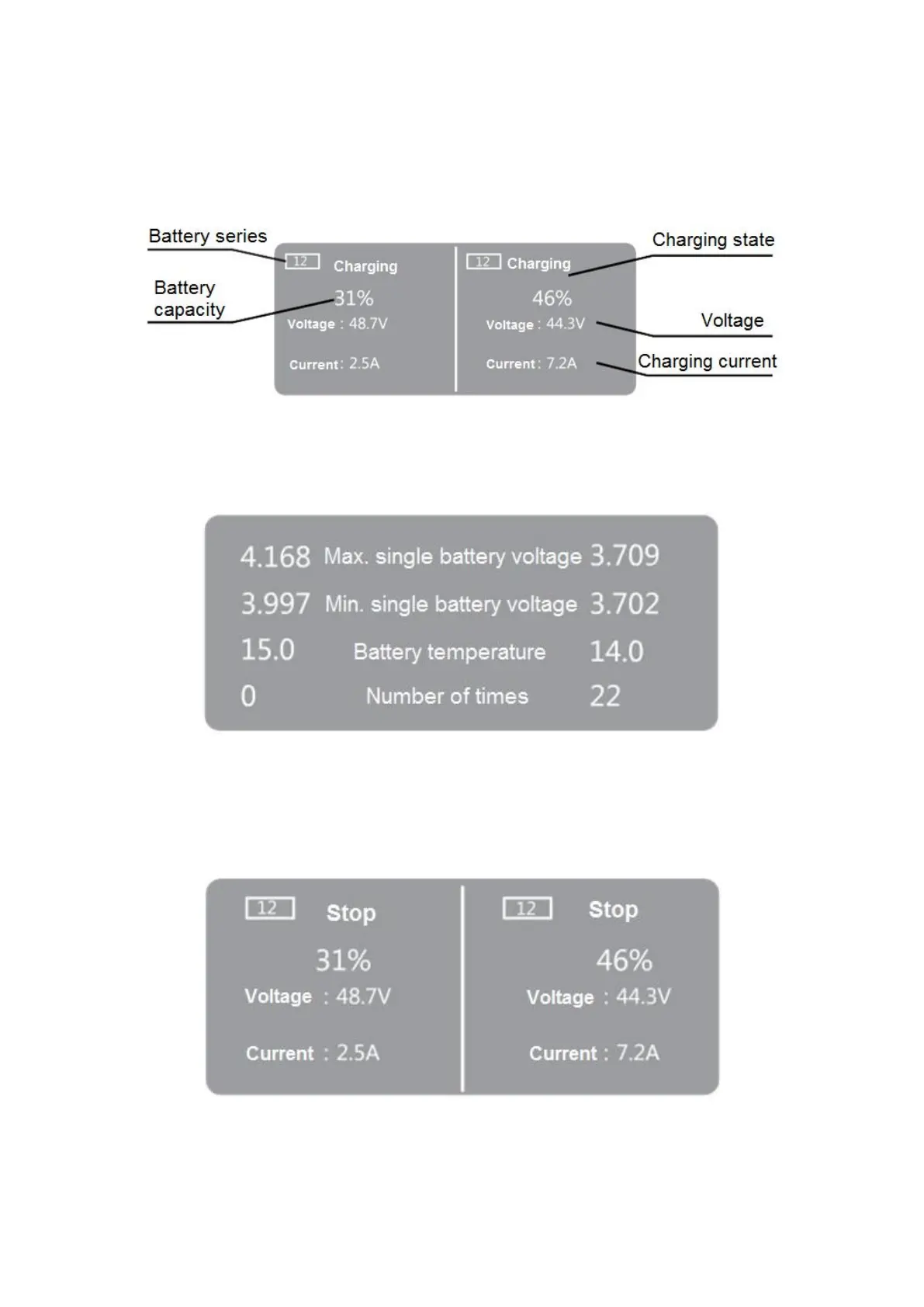
2. Put the battery into the charger port. After the battery is automatically turned on, the charger will
automatically recognize the battery type and then automatically start the charging. At this time, the
charger is in the charging state. The LCD will display the current charging state, battery capacity,
number of battery series, voltage and charging current. The fan will rotate at the same time until
the charging state is displayed at 100%.
Charging Home Screen
3. In the normal charging process, short press the Mid-Mode Selection button to enter the
sub-screen, and then automatically go back to the home screen after 5 sec.
Charging Sub-Screen
4. In the charging process, short press the switch button under the corresponding charging line of
the screen to stop charging and long press this button again to start charging. In case of any error,
it can be removed when the abnormal conditions are eliminated.
Stop Screen
5. Long press the Mid-mode Selection button to enter the power setting screen, where the
charging power can be set high and low by using the left and right switch buttons.



 To Next Page