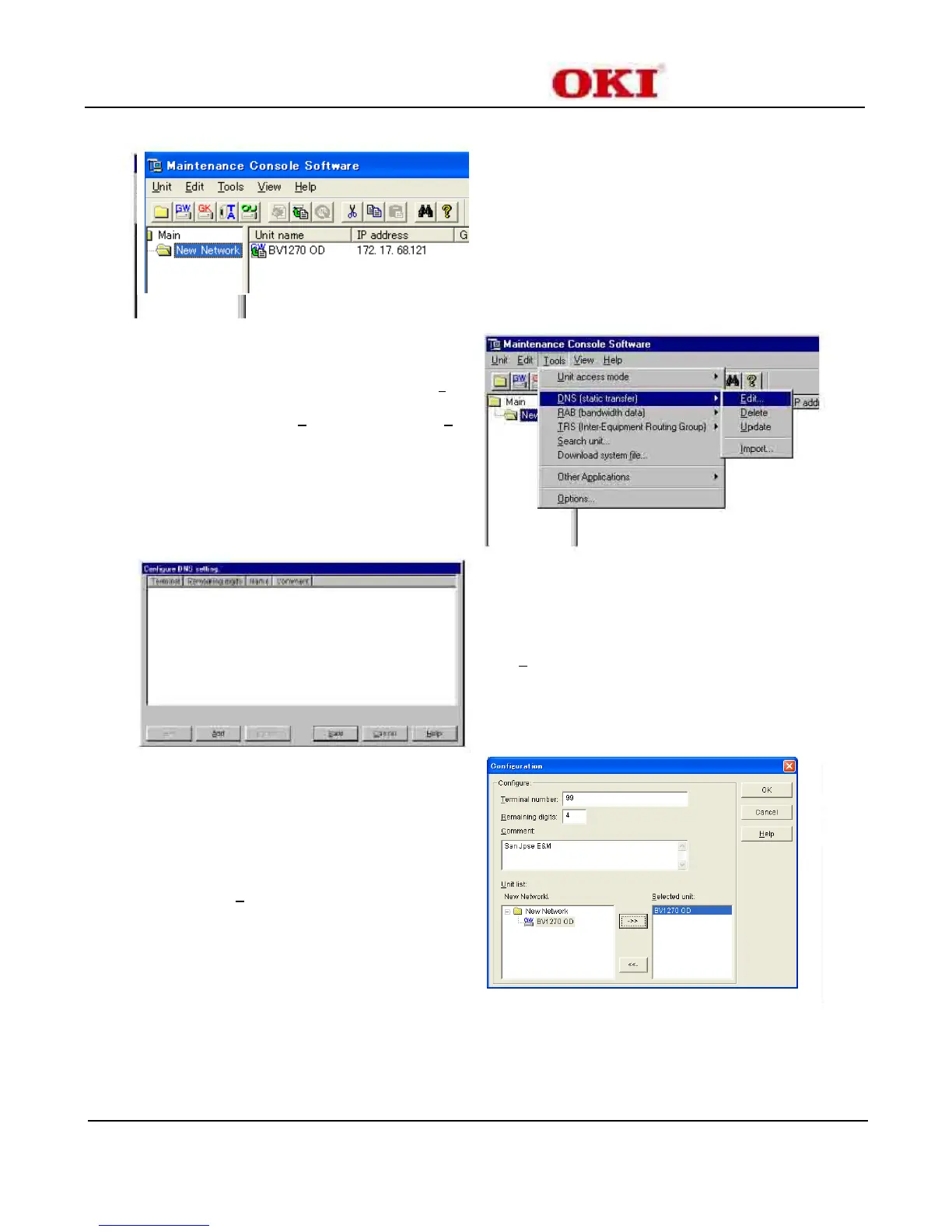
Step 1 Enter the following:
Terminal number : 99
Remaining Digits : 4*
Note
Comment : San Jose E&M
Step 2 Select from Unit List
New Network
BV1270 OD
Step 3 Click the “->>” button
Step 4 Click “OK”
*Note: The remaining digits value is the time the sending gateway will wait for the sender
to complete their dialing before initiating contact with the receiving gateway.
The default value of 32 is about a five (5) second wait.
Adjust to match the dialing pattern at the site this unit is located.


 To Next Page