EasyManua.ls Logo

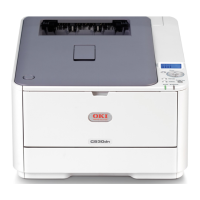
Oki C530dn - User Manual

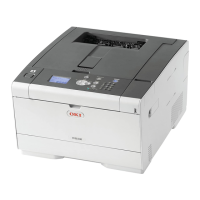
Oki C530dn
135 pages
Print Icon
To Next Page IconTo Next Page
Loading...
User’s Guide
C330/C530
moc.atadiko.ym10312395

Table of Contents

Other manuals for Oki C530dn

Questions and Answers

  • K
    Kenneth JimenezAug 15, 2025
    Why does my Oki C530dn have vertical white lines on the page?
    • B
      Brenda WilliamsAug 15, 2025
      If you see vertical white lines on the printed page from your Oki Printer, it could be due to several reasons. The LED head might be dirty, so open the top cover and wipe the LED heads with a soft, lint-free cloth. Another cause might be low toner; in this case, open the top cover and tap the cartridge a few times to evenly distribute any remaining toner. If the problem continues, replace the toner cartridge. Foreign materials in the image drum or a dirty light-shielding film of the image drum cartridge could also be the cause; for the former, replace the image drum cartridge, and for the latter, wipe the LED heads with a soft, lint-free cloth.
  • J
    James McfarlandAug 18, 2025
    Why is my Oki C530dn printing so light?
    • A
      ajamesAug 18, 2025
      If your Oki Printer's printing is light, there could be several reasons. First, make sure the toner cartridge is properly seated by reinstalling it. If the toner is low, open the top cover and tap the cartridge a few times to redistribute the toner; if the issue persists, replace the toner cartridge. Also, ensure that the paper isn't moist and that you're using paper stored in proper temperature and humidity conditions. Verify that the paper is suitable for the printer, and adjust the media type and weight settings in the Media menu if the thickness and type of paper are inappropriate. If you are using recycled paper, try setting one value thicker for media weight in the Media menu.
  • O
    okiddAug 21, 2025
    Why are images fading vertically on my Oki C530dn?
    • P
      Pamela RogersAug 21, 2025
      If you notice printed images are fading vertically with your Oki Printer, it could be because the LED head is dirty. Try opening the top cover and wiping the LED heads with a soft, lint-free cloth. Also, check if the toner is low. Open the top cover and tap the cartridge a few times to evenly distribute the toner. If the problem persists, replace the toner cartridge. Finally, make sure the paper you are using is suitable for the printer.
  • A
    Allen KennedyAug 25, 2025
    What causes horizontal lines and spots to appear periodically on Oki C530dn Printer prints?
    • B
      Brent GreenAug 26, 2025
      If you are seeing horizontal lines and spots appear periodically on your Oki Printer prints, the cause depends on the interval between the lines. If the interval is about 4 inches (94 mm), the image drum (the green tube) may be damaged or dirty. Try wiping it lightly with a soft cloth or replace the image drum cartridge if it is damaged. If the interval is about 1.2 inches (30 mm), there may be foreign particles in the image drum cartridge; try opening and closing the image drum cartridge and printing again. If the interval is about 3.4 inches (86 mm), the fuser unit may be damaged, and you should replace it. Finally, if the image drum cartridge has been exposed to light, replace it if the problem persists.
  • M
    Mark HallAug 27, 2025
    What to do if the white area of paper is lightly stained by Oki C530dn?
    • K
      Kimberly HernandezAug 27, 2025
      If you're experiencing a white area of paper being lightly stained when using your Oki Printer, it could be due to static in the paper. Try using paper stored in proper temperature and humidity conditions. Another cause could be using paper that is too thick, so try using thinner paper. Also, check if the toner is low by opening the top cover and tapping the cartridge a few times to evenly distribute the toner; if the issue continues, replace the toner cartridge.
  • R
    Ricky LeeAug 30, 2025
    Why does my Oki C530dn print vertical lines?
    • K
      Katherine AndersonAug 30, 2025
      If you see vertical lines appearing when using your Oki Printer, it could be due to a damaged image drum cartridge, so replace it. Another possibility is that the toner is low. To resolve this, open the top cover and tap the cartridge a few times to evenly distribute any remaining toner. If the problem persists, replace the toner cartridge.
  • K
    Katrina WheelerSep 3, 2025
    How to fix smudged letters from Oki C530dn?
    • L
      Lori YuSep 3, 2025
      If the periphery of letters is smudged when using your Oki Printer, the LED head may be dirty. Wipe the LED head with a soft, lint-free cloth.
  • M
    Madison WilsonSep 5, 2025
    Why does toner come off when rubbed on Oki C530dn Printer prints?
    • Y
      Yvonne DixonSep 6, 2025
      If the toner comes off when rubbed on prints from your Oki Printer, the thickness and type of the paper may be incorrectly set. Set the correct value of media type and media weight in the Media menu or set one value lighter for media weight. Also, if you're using recycled paper, try setting one value thicker for media weight in the Media menu.
  • D
    David BrownSep 8, 2025
    What causes partially faded images on Oki Printer?
    • K
      Kevin SavageSep 9, 2025
      If you're experiencing partially faded images with white spots and lines in solid printing from your Oki Printer, it may be due to the paper being either too moist or too dry. To fix this, use paper stored in proper temperature and humidity conditions.
  • C
    charles01Sep 12, 2025
    Why is the glossiness not uniform on Oki Printer prints?
    • D
      David JohnsonSep 12, 2025
      If the glossiness is not uniform when printing with your Oki Printer, the thickness and type of the paper may be incorrectly set. Set the correct value of media type and media weight in the Media menu or set one value lighter for media weight.

Summary

Emergency First Aid

Paper Recommendations

Media Sizes and Weight

Details supported paper sizes and weight classifications for trays.

Loading Paper

Loading Paper - Multi-Purpose Tray

Detailed steps for loading paper into the multi-purpose tray.

Menu Functions

Replacing Consumables and Maintenance Items

Toner Cartridge Replacement

Detailed instructions and precautions for replacing toner cartridges.

Image Drum Replacement

Step-by-step guide and safety precautions for replacing the image drum assembly.

Replacing the Transfer Belt Unit

Fuser Replacement

Cleaning the LED Head

Troubleshooting

Paper Sensor Error Codes

List of error codes related to paper sensor issues and their locations.

Clearing Paper Jams

Step-by-step instructions for clearing paper jams from different printer areas.

Troubleshooting Print Problems

Oki C530dn Specifications

General IconGeneral
ColorYes
Print technologyLED
Maximum resolution600 x 1200 DPI
Time to first page (black, normal)7.5 s
Time to first page (color, normal)8 s
Print speed (black, normal quality, A4/US Letter)30 ppm
Print speed (color, normal quality, A4/US Letter)26 ppm
Wi-FiNo
Security algorithmsHTTPS, SSL/TLS
Maximum duty cycle45000 pages per month
Recommended duty cycle5000 pages per month
Number of print cartridges-
Page description languagesPCL 6, PostScript 3, SIDM
Maximum internal memory768 MB
Sound power level (standby)37 dB
Sound pressure level (printing)54 dB
Total input capacity530 sheets
Total output capacity- sheets
Maximum input capacity880 sheets
Total number of input trays2
Envelopes sizes9, 10, DL
Maximum print size210 x 297 mm
Paper tray media typesEnvelopes
Paper tray media weight64 - 176 g/m²
ISO A-series sizes (A0...A9)A4, A5
ISO B-series sizes (B0...B9)B5
ISO C-series sizes (C0...C9)C5
Photo paper sizes (imperial)4x6, 5x7 \
Maximum ISO A-series paper sizeA4
Multi-Purpose Tray media weight64 - 220 g/m²
Standard interfacesUSB 2.0
Mac operating systems supportedMac OS X 10.3 Panther, Mac OS X 10.4 Tiger, Mac OS X 10.5 Leopard, Mac OS X 10.6 Snow Leopard
Server operating systems supportedWindows 2000 Server, Windows Server 2003, Windows Server 2008, Windows Server 2008 R2, Windows Server 2008 x64
Windows operating systems supportedWindows 7 Home Premium, Windows 7 Home Premium x64, Windows 7 Professional x64, Windows 7 Starter, Windows 7 Starter x64, Windows 7 Ultimate, Windows 7 Ultimate x64, Windows Vista Business, Windows Vista Business x64, Windows Vista Home Basic, Windows Vista Home Basic x64, Windows Vista Home Premium, Windows Vista Home Premium x64, Windows Vista Ultimate, Windows Vista Ultimate x64, Windows XP Home, Windows XP Home x64, Windows XP Professional, Windows XP Professional x64
AC input voltage220 - 240 V
AC input frequency50 - 60 Hz
Power consumption (off)1.1 W
Power consumption (printing)1170 W
Power consumption (PowerSave)14 W
Operating temperature (T-T)10 - 32 °C
Operating relative humidity (H-H)20 - 80 %
Weight and Dimensions IconWeight and Dimensions
Dimensions (WxDxH)410 x 504 x 242 mm

Related product manuals