OKIN Refined Electric Technology Co., Ltd
Page 1 of
5
Operating Manual of Remote Control system
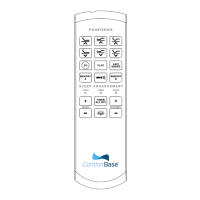
1、 Interface of the remote control
2、Button description
A. HEAD UP button:Press and
hold the button, the Head actuatorwill go up. Stop
when released.
B. HEAD DN button:Press and hold the button, the Head actuator will go down. Stop
when released.
C. FOOT UP button:Press and hold the button, the Foot actuator will go up. Stop
JLDK.42.18.14 UserManual

 Need help?
 General

 To Next Page