OKRA OKRA
22
23
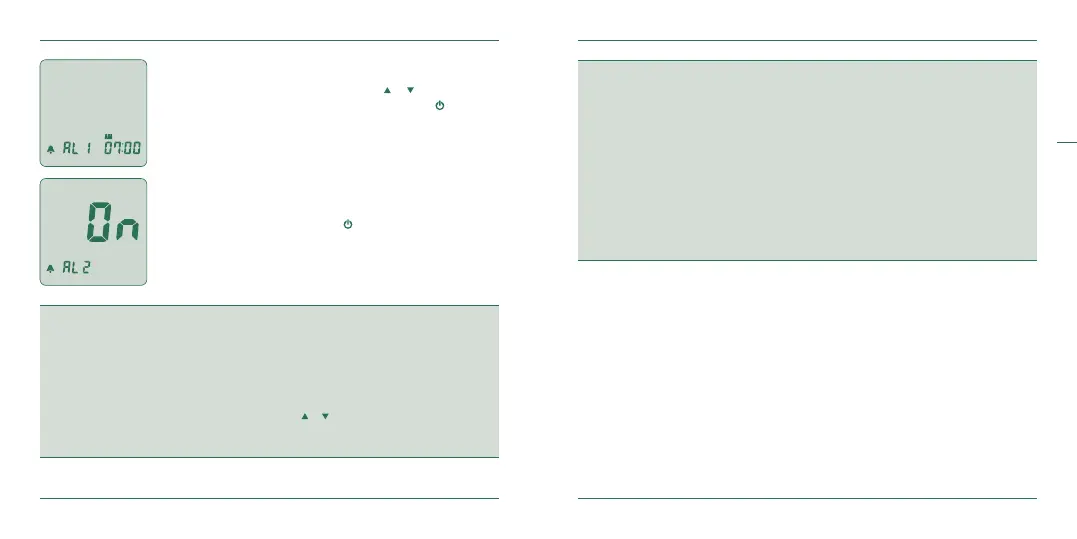
Alarm time
After pressing and releasing either the or buttons to set
the alarm hour and minute, conrm by pressing
.
Alarm
After programming your desired alarm time (5 alarms are
available), conrm by pressing
.
NOTE
1. Year
The year can range from 2015 to 2099.
2. Number of days for average
This will set the number of days that you would like to get your average blood glucose calculation.
The number of days can range from 1 to 99 days.
To increase or decrease the number of days, press the
or arrows.
You have three distinct options to set the number of days
(They are currently defaulted at7, 14, and 21days).
CAUTION
1. VERY IMPORTANT:
Your OKRA Pro meter testing units arepre-set to mg/dL. If you discover that the meter is not set
to mg/dL, please contact us at (833-977-1339) immediately.
2. The correct units of measure in the U.S. are mg/dL.
3. Without setting the date properly, the average glucose level and the test results in the memory
will not show the proper values. It is recommended to set the glucose test meter before you use
it and when new batteries are installed.
4. You cannot test your blood glucose while it is in the setting mode.
5. To turn the meter o during the setup, press for at least 3 seconds.


 To Next Page