4. Options Setting
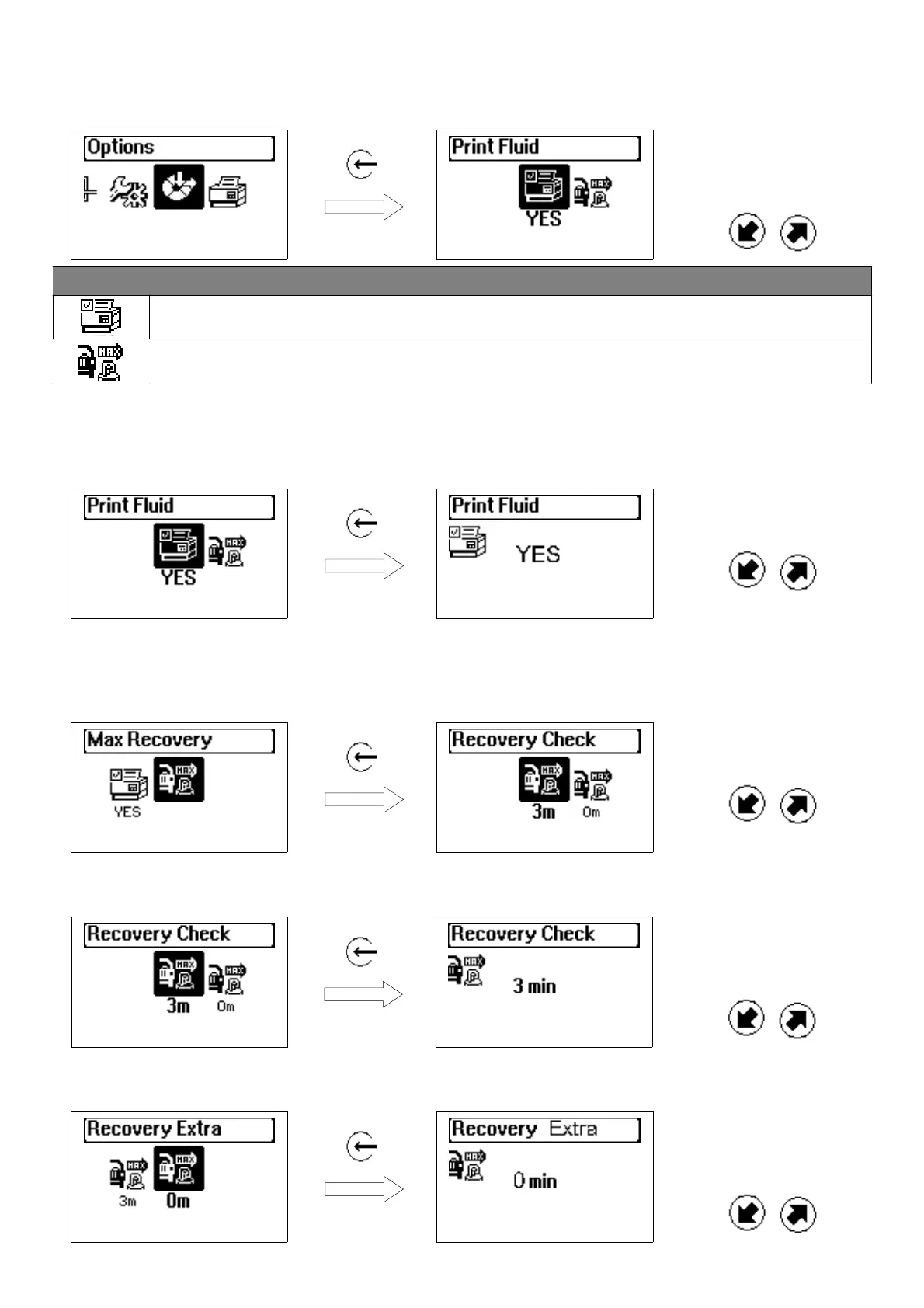
Select OPTIONS, to recall the optional functions :
Press ENTER Browse the different
functions by means of
the buttons UP and
DOWN
Icon Meaning
PRINT FLIUD: printing option of recovered fluid yes/no
MAX RECOVERY: setting of the “Max recovery” options
4.1 Printing options of the recovered fluid
Gives the opportunity to choose, if to print or not the recovered fluid quantity among the other working cycle
data which are printed by default (recovered quantity yes/no option)
Press ENTER Choose YS or NO by
means of the buttons UP
and DOWN
4.2 Setting of recovery options
To increase the settings of the recovery in order the unit to carry out the utmost refrigerant recovery from the
vehicle (Note: he setting of Max recovery mode may result in an increase of the recovery time)
Press ENTER Brows the options by
means of the buttons UP
and DOWN
The “recovery test” time is the time during which – once the compressor of the unit has been stopped – the
unit checks if there is a pressure increase in order to start a recovery procedure once again.
Press ENTER Increase the
durationsetting by means
of the buttons UP and
DOWN (min 3 min.)
With “additional recovery” it is possible to set the duration of an additional recovery to be made after the
“standard” recovery procedure has finished.
Press ENTER Increase the extra
recovery time by means
of the buttons UP and
DOWN
Ecos-150 sw 1.x.x - ver. 1.0
Page 16/20


 To Next Page