4345-E P-39
SECTION 10 PARAMETER SETTING
3. Initialization
Eeospkkue008
EIOSPKKUE009R01
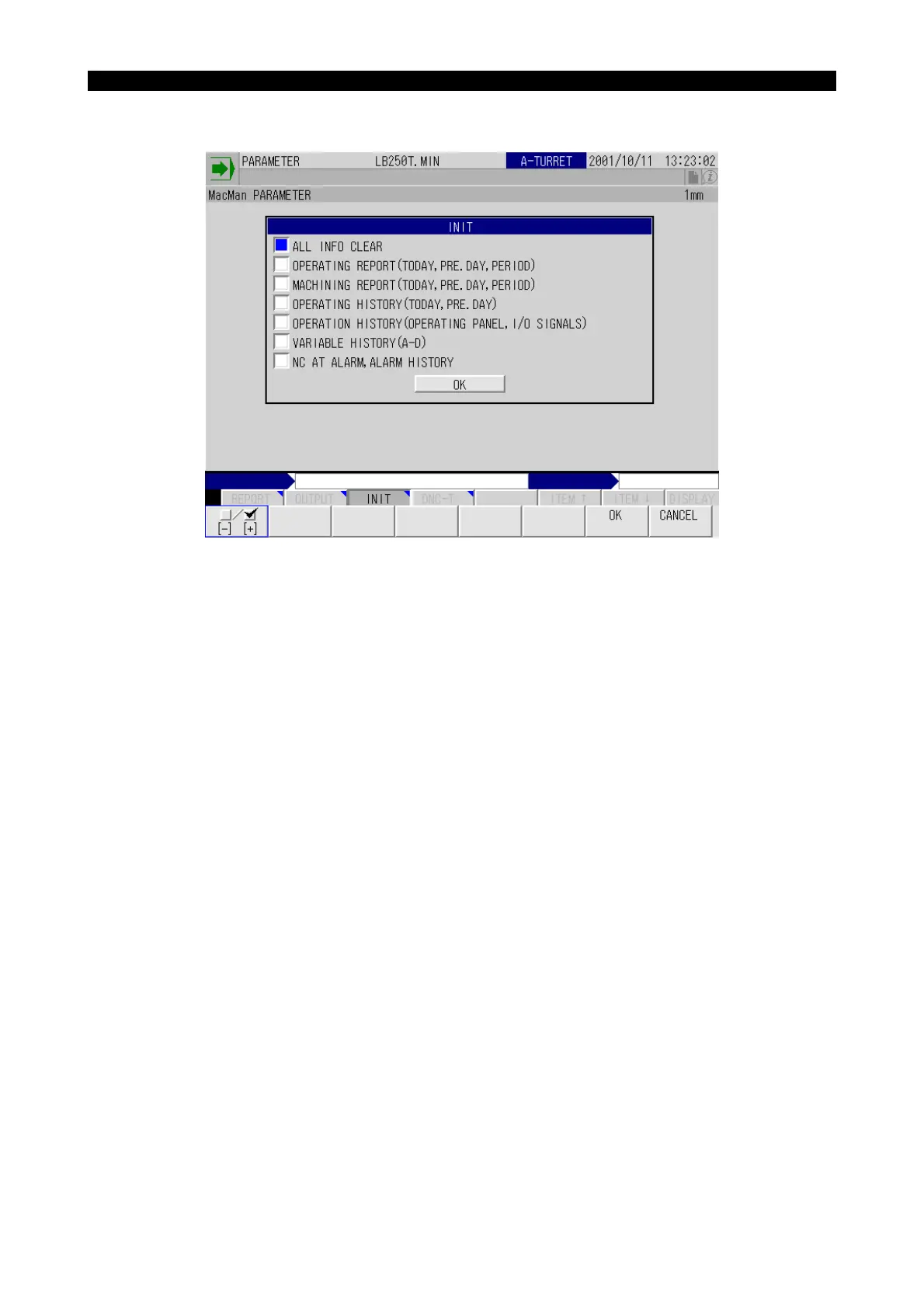
ALL INFO CLEAR
Turning on this check box clears all the report information and trouble information in G buffer.
OPERATING REPORT (TODAY, PRE.DAY, PERIOD)
Turning on this check box clears the today, pre day, and period machining report in G buffer.
MACHINING REPORT (TODAY, PRE.DAY, PERIOD)
Turning on this check box clears the today, pre day, and period machining report in G buffer.
OPERATING HISTORY (TODAY, PRE. DAY)
Turning on this check box clears the today and pre-day machining history in G buffer.
OPERATION HISTORY (OPERATING PANEL, I/O SIGNALS)
Turning on this check box clears the operation panel and the I/O signal operation history in G buffer.



 To Next Page