EasyManua.ls Logo

Okuma OSP-U100M - Schedule Program Selection and Operation

Okuma OSP-U100M
511 pages
Print Icon
To Next Page IconTo Next Page
To Previous Page IconTo Previous Page
Loading...
4203-E
P-84
SECTION
5
AUTOMATIC
MODE
OPERATION
2.
Schedule
Program
Selection
and
Operation
(1)
The
schedule
program
function
is
provided
to
continuously
machine
different
types
of
workpieces
automatically
using
the
pallet
changer,
etc.
without
operator’s
intervention.
In
this
item,
selection
and
operation
of
the
schedule
program
are
explained.
For
the
programming
of
the
schedule
program,
refer
to
Section
12,
3.
“Schedule
Programs”
in
Programming
Manual.
(2)
For
the
selection
of
a
schedule
program,
the
directory-selection-based
file
operation
screen
is
used.
The
following
explanation
gives
basic
information
on
selection
and
registration
of
the
schedule
program.
In
addition
to
the
basic
information
given
below,
there
are
various
functions
including
the
function
to
display
the
registered
part
program
files
in
batch.
For
details
of
the
functions,
refer
to
III.
DATA
OPERATION,
Section
2,
15.
“Directory-Selection-Based
File
Operation
Function”.
2-1
.
Selection
and
Operation
of
Schedule
Program
(1
)
Press
the
AUTO
key.
lA
U
T
QJ
(2)
The
lamp
at
the
upper
left
corner
in
the
key
lights
and
the
screen
changes
to
the
automatic
operation
screen.
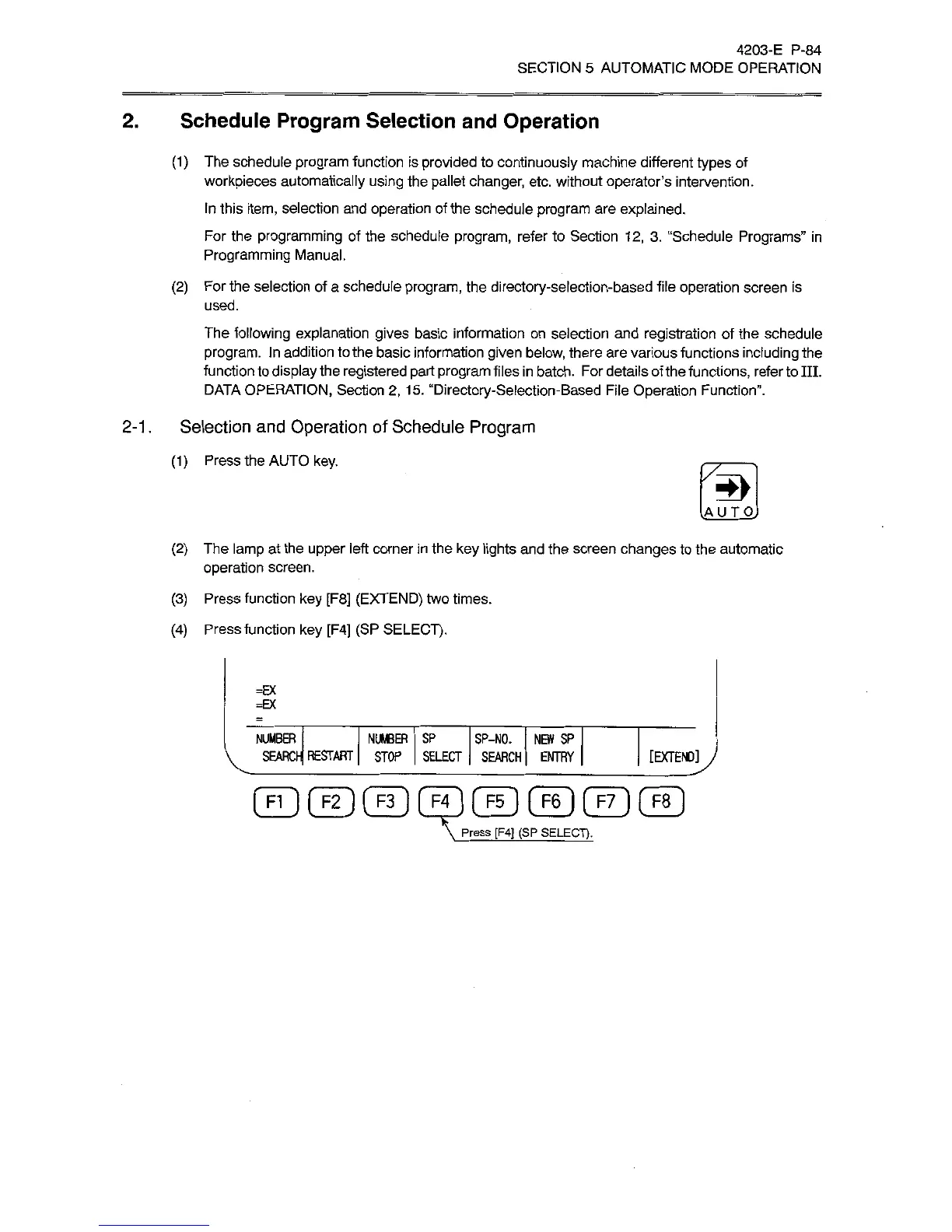
(3)
Press
function
key
[F8]
(EXTEND)
two
times.
(4)
Press
function
key
[F4]
(SP
SELECT).
=EX
=EX
NUMBER
SEARCI-
RESTART
NUMBER
SP
SP-NO.
STOP
SELECT
SEARCH
NEW
SP
ENTRY
[EXTEND]
J
FI
I
(
F2
1
[
F3
1
F4
]
(
F5
I
[
F6
)
|
F7
]
[
F8
Press
[F4]
(SP
SELECT).