EasyManua.ls Logo

Okuma OSP-U100M - Sequence Number Search and Mid-Start

Okuma OSP-U100M
511 pages
Print Icon
To Next Page IconTo Next Page
To Previous Page IconTo Previous Page
Loading...
4203-
E
P-91
SECTION
5
AUTOMATIC
MODE
OPERATION
5.
Sequence
number
Search
and
Mid-Start
Sequence
search
is
used
to
start
the
operation
from
a
required
sequence
of
a
main
program.
The
specified
sequence
is
searched
by
the
sequence
name
or
the
cursor,
and
then
the
operation
is
started
from
the
searched
sequence
by
pressing
the
CYCLE
START
switch.
The
operating
procedure
for
the
sequence
number
search
is
described
below.
Sequence
Number
Search
by
Sequence
Name
or
No.
of
Blocks
When
the
main
program
is
selected
correctly
in
automatic
mode,
perform
the
following
operation.
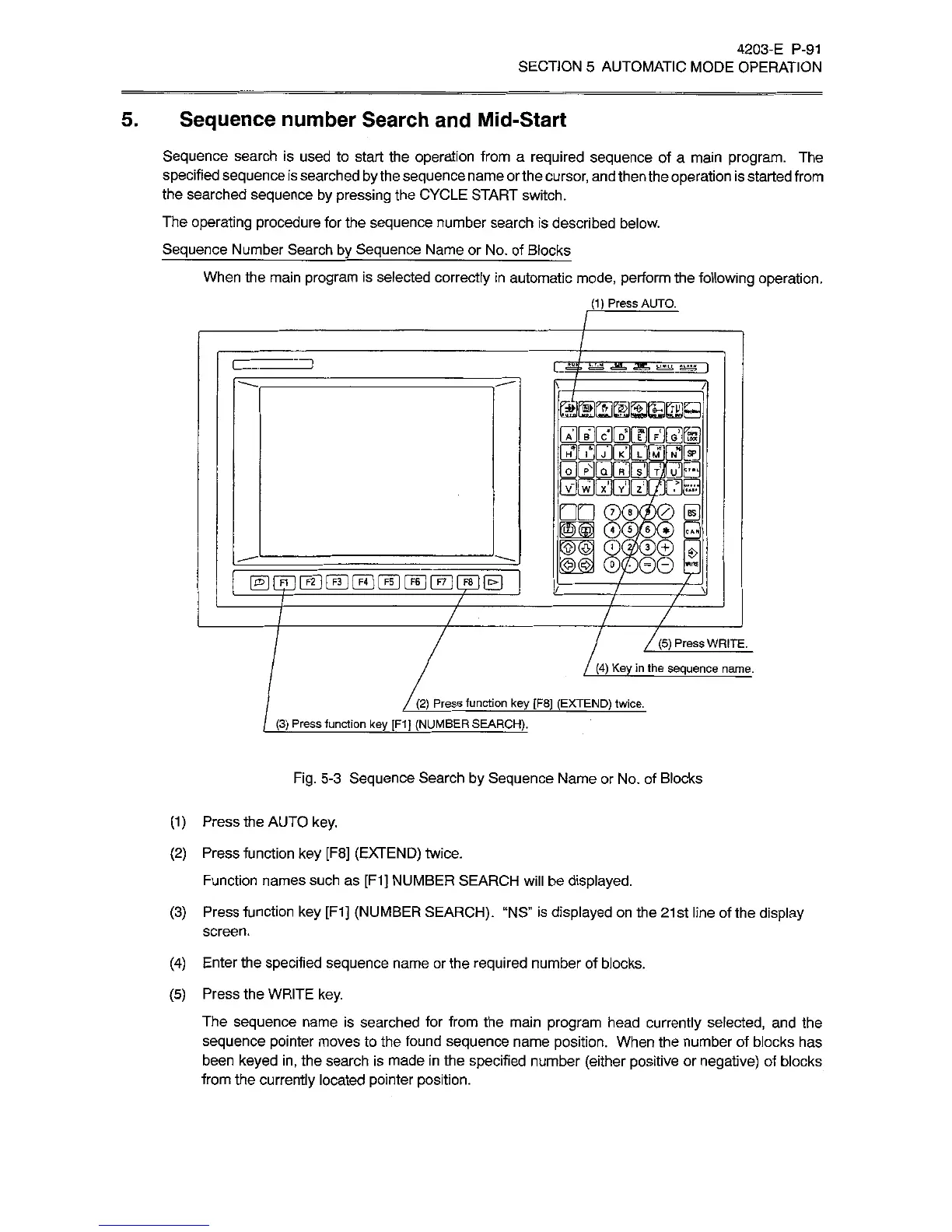
(1)
Press
AUTO.
fclMU,
|
me
V
8
BS
l§t§
7
7
7
7
7
Z
7
/
(5)
Press
WRITE.
(4)
Key
in
the
sequence
name.
(2)
Press
function
key
[F8]
(EXTEND)
twice.
(3)
Press
function
key
[F1J
(NUMBER
SEARCH).
Fig.
5-3
Sequence
Search
by
Sequence
Name
or
No.
of
Blocks
(1)
Press
the
AUTO
key.
(2)
Press
function
key
[F8]
(EXTEND)
twice.
Function
names
such
as
[F1]
NUMBER
SEARCH
will
be
displayed.
(3)
Press
function
key
[F1]
(NUMBER
SEARCH).
“NS”
is
displayed
on
the
21st
line
of
the
display
screen.
(4)
Enter
the
specified
sequence
name
or
the
required
number
of
blocks.
(5)
Press
the
WRITE
key.
The
sequence
name
is
searched
for
from
the
main
program
head
currently
selected,
and
the
sequence
pointer
moves
to
the
found
sequence
name
position.
When
the
number
of
blocks
has
been
keyed
in,
the
search
is
made
in
the
specified
number
(either
positive
or
negative)
of
blocks
from
the
currently
located
pointer
position.

Related product manuals