EasyManua.ls Logo

Okuma OSP-U100M - SECTION 1 DATA SETTING; Mode Selection Keys

Okuma OSP-U100M
511 pages
Print Icon
To Next Page IconTo Next Page
To Previous Page IconTo Previous Page
Loading...
4203-E
P-157
SECTION!
DATA
SETTING
SECTION
1
DATA
SETTING
This
section
describes
the
commands
used
in
the
parameter
set,
zero
set,
and
tool
data
set
mode
operation.
The
procedure
for
setting
the
zero
point
data
and
tool
data
is
also
explained.
For
the
procedure
used
for
setting
the
parameter
data
and
the
contents
of
the
parameters,
refer
to
III
“PARAMETER”
in
this
manual.
1.
Mode
Selection
Keys
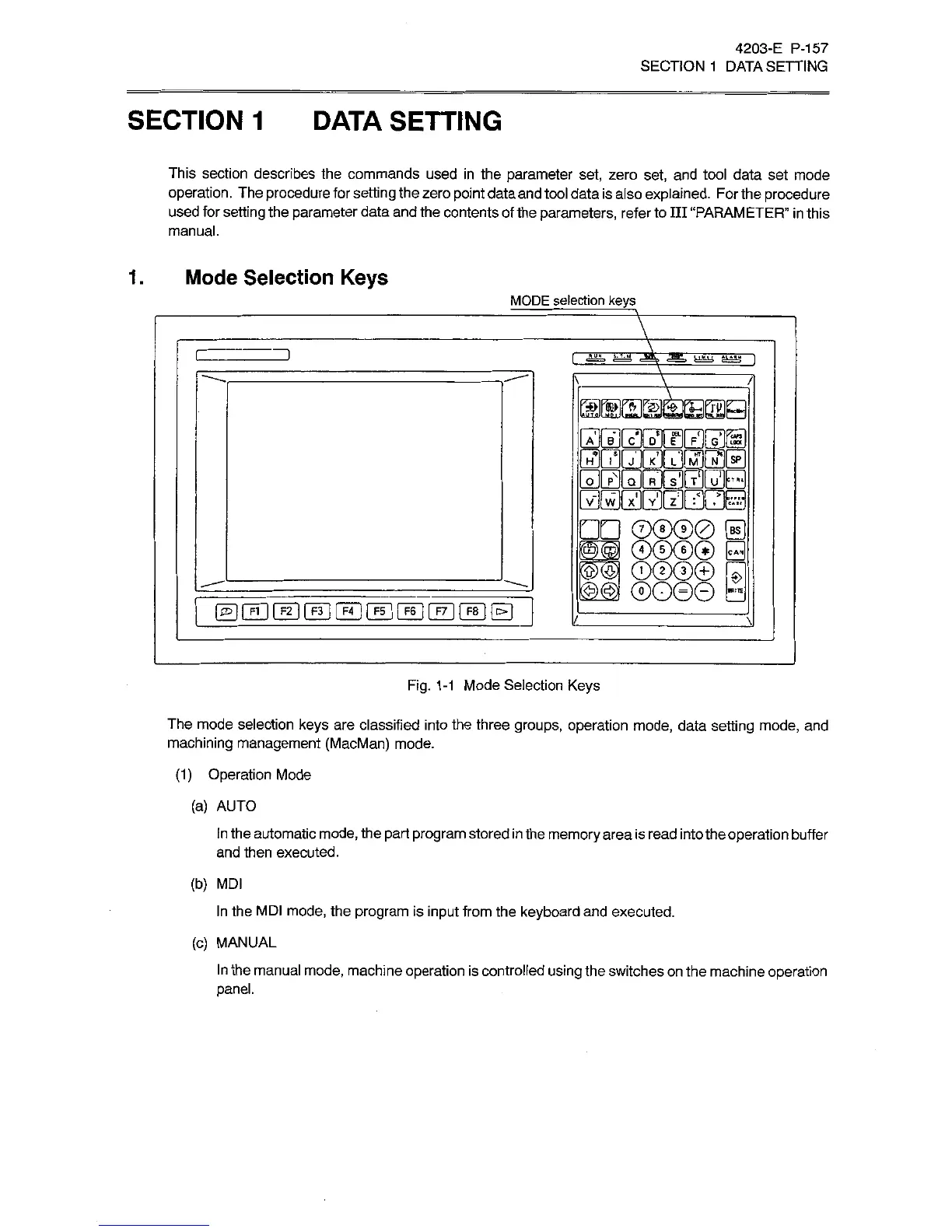
MODE
selection
keys
/MM
is
cl
D*H
ri|Fjl_gJKjg
®®®0
[E
00©®
Q
0©®©
~
©
®O0©
t
Fig.
1-1
Mode
Selection
Keys
The
mode
selection
keys
are
classified
into
the
three
groups,
operation
mode,
data
setting
mode,
and
machining
management
(MacMan)
mode.
(1)
Operation
Mode
(a)
AUTO
in
the
automatic
mode,
the
part
program
stored
in
the
memory
area
is
read
into
the
operation
buffer
and
then
executed.
(b)
MDI
In
the
MDI
mode,
the
program
is
input
from
the
keyboard
and
executed.
(c)
MANUAL
In
the
manual
mode,
machine
operation
is
controlled
using
the
switches
on
the
machine
operation
panel.

Related product manuals