EasyManua.ls Logo

Okuma OSP-U100M - File Transfer Operations

Okuma OSP-U100M
511 pages
Print Icon
To Next Page IconTo Next Page
To Previous Page IconTo Previous Page
Loading...
4203-E
P-189
SECTION
2
PROGRAM
OPERATION
4.
File
Transfer
This
is
the
command
to
transfer
a
program,
with
the
following
sub
commands:
Item
Command
Functions
Registers
a
part
program
after
reading
it
through
the
tape
reader.
Read
READ
Punch
PUNCH
Punches
out
the
part
program
stored
in
the
memory.
Verifies
the
program
in
the
memory
with
the
program
on
the
paper
tape.
_
Verify
VERIFY
Copy
COPY
Copies
the
program
file
on
memory.
Forward
FAST
FORWARD
Tape
reader
rapid
forward
feed
motion
Rewind
FAST
REWIND
Tape
reader
rewinding
Ends
transfer
mode
and
restores
the
program
operation
mode.
PIP
quit
QUIT
Macro
program
loading
Copies
files
with
extension
.LIB
from
3.5-inch
floppy
disk
drive
to
MD1:.
MACRO
LOADING
NOTICE
Never
turn
off
power
supply
during
the
execution
offile
transfer
orfile
editing.
If
it
is
turned
off,
-
the
file
contents
will
be
unreliable.
4-1
.
Read
This
is
the
operation
to
read
a
part
program
from
program
reading
device
such
as
tape
reader
and
to
store
it
in
the
memory.
The
following
explanation
is
given
assuming
a
taper
reader.
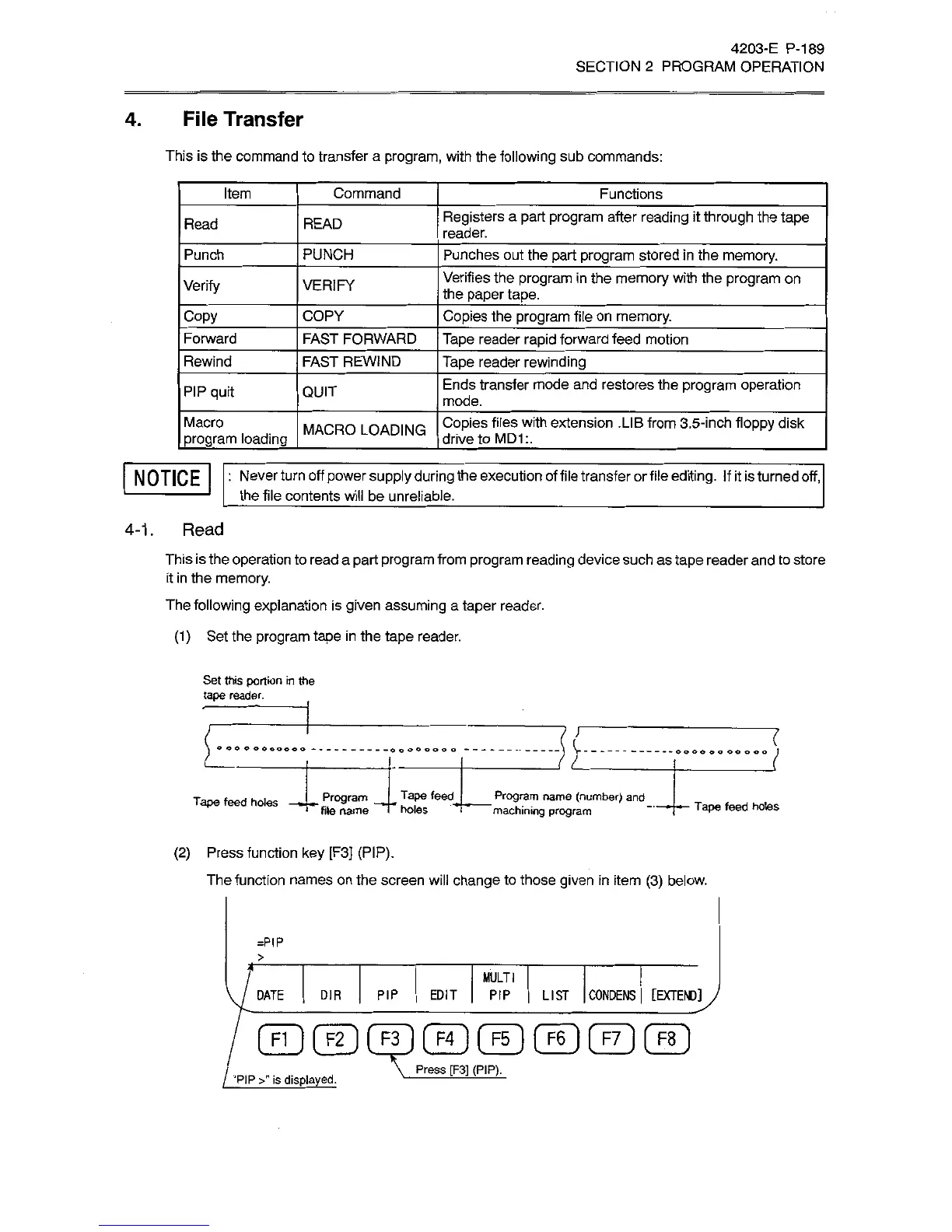
(1)
Set
the
program
tape
in
the
tape
reader.
Set
this
portion
in
the
tape
reader.
(
l
©
o
o
o
oo
©
o
.......
Program
___
Tape
feed
_
Program
name
(number)
and
I
holes
i
machining
program
Tape
feed
holes
---
-
Tape
feed
holes
file
name
(2)
Press
function
key
[F3]
(PIP).
The
function
names
on
the
screen
will
change
to
those
given
in
item
(3)
below.
=P
IP
>
MULTI
PIP
EDIT
PIP
[EXTEND]
J
DIR
LIST
CONDENS
DATE
FI
I
[
F2
1
[
F3
1
F4
]
[
F5
I
{
F6
1
f
F7
1
[
F8
Press
[F3]
(PIP).
“PIP
>”
is
displayed.

Related product manuals