EasyManua.ls Logo

Okuma OSP-U100M - Page 41

Okuma OSP-U100M
511 pages
Print Icon
To Next Page IconTo Next Page
To Previous Page IconTo Previous Page
Loading...
4203-E
P-22
SECTION
1
FOREWORD
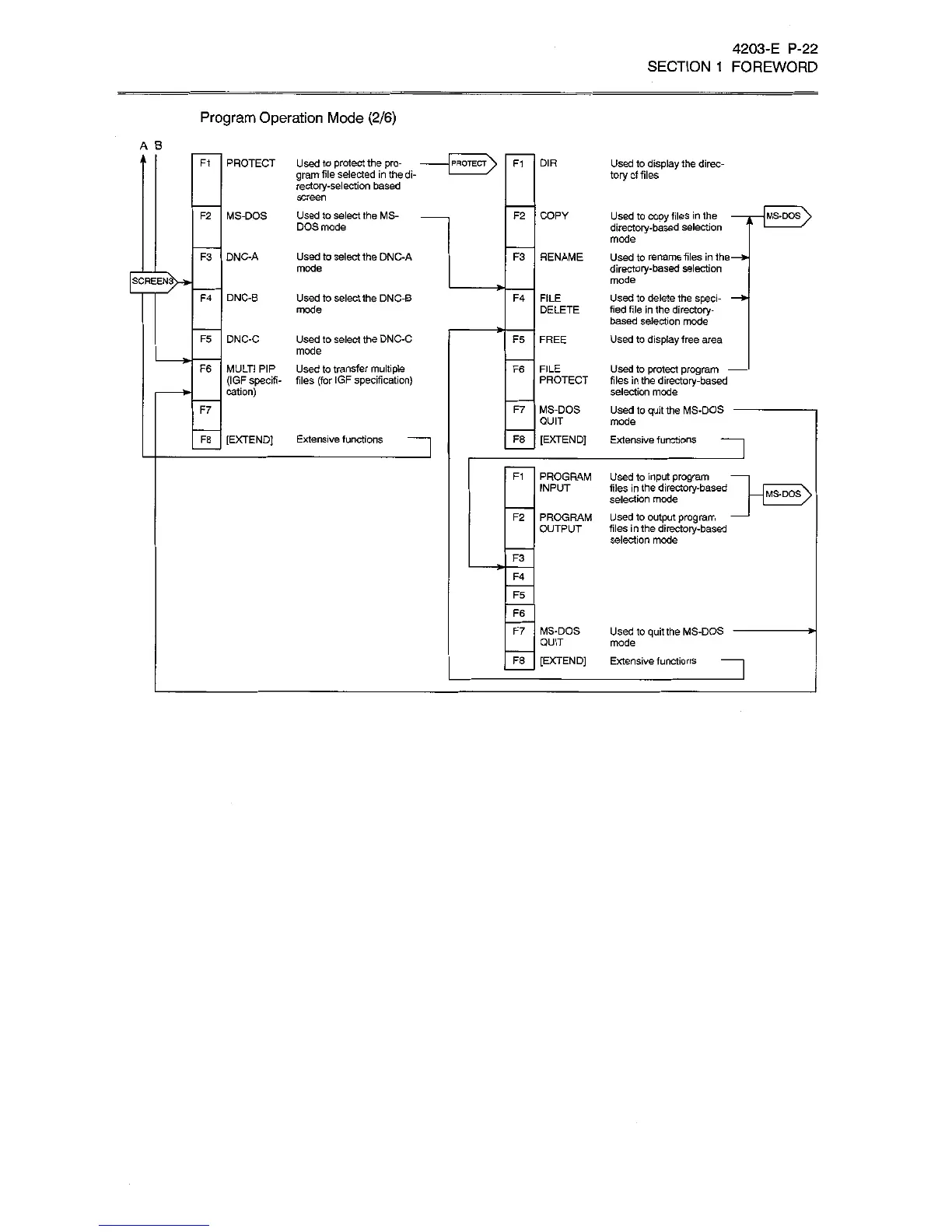
Program
Operation
Mode
(2/6)
A
B
>
PROTECT
Used
to
protect
the
pro¬
gram
file
selected
in
the
di¬
rectory-selection
based
screen
Used
to
select
the
MS-
DOS
mode
DIR
F1
F1
Used
to
display
the
direc¬
tory
of
files
PROTECT
)
MS-DOS
COPY
F2
F2
Used
to
copy
files
in
the
directory-based
selection
mode
Used
to
rename
files
in
the
directory-based
selection
mode
Used
to
delete
the
sped-
tied
file
in
the
directory-
based
selection
mode
Used
to
display
free
area
MS-DOS
Used
to
select
the
DNC-A
mode
F3
DNC-A
F3
RENAME
V>-
SCREEN
F4
DNC-B
Used
to
select
the
DNC-B
mode
F4
FILE
DELETE
DNC-C
Used
to
select
the
DNC-C
mode
Used
to
transfer
multiple
files
(for
IGF
specification)
F5
F5
FREE
F6
MULTI
PIP
(IGF
specifi¬
cation)
FILE
F6
Used
to
protect
program
-
files
in
the
directory-based
selection
mode
Used
to
quit
the
MS-DOS
-
mode
Extensive
functions
PROTECT
F7
MS-DOS
QUIT
[EXTEND)
F7
[EXTEND]
Extensive
functions
F8
F8
F1
PROGRAM
INPUT
Used
to
input
program
files
in
the
directory-based
selection
mode
Used
to
output
program
files
in
the
directory-based
selection
mode
>
MS-DOS
PROGRAM
OUTPUT
F2
F3
F4
F5
F6
F7
MS-DOS
QUIT
[EXTEND]
Used
to
quit
the
MS-DOS
mode
Extensive
functions
F8

Related product manuals