EasyManua.ls Logo

Okuma OSP-U100M - Page 476

Okuma OSP-U100M
511 pages
Print Icon
To Next Page IconTo Next Page
To Previous Page IconTo Previous Page
Loading...
4203-E
P-454
SECTION
3
DESCRIPTION
OF
PARAMETER
AND
SETTING
PROCEDURE
15.
Machine
System
Parameters
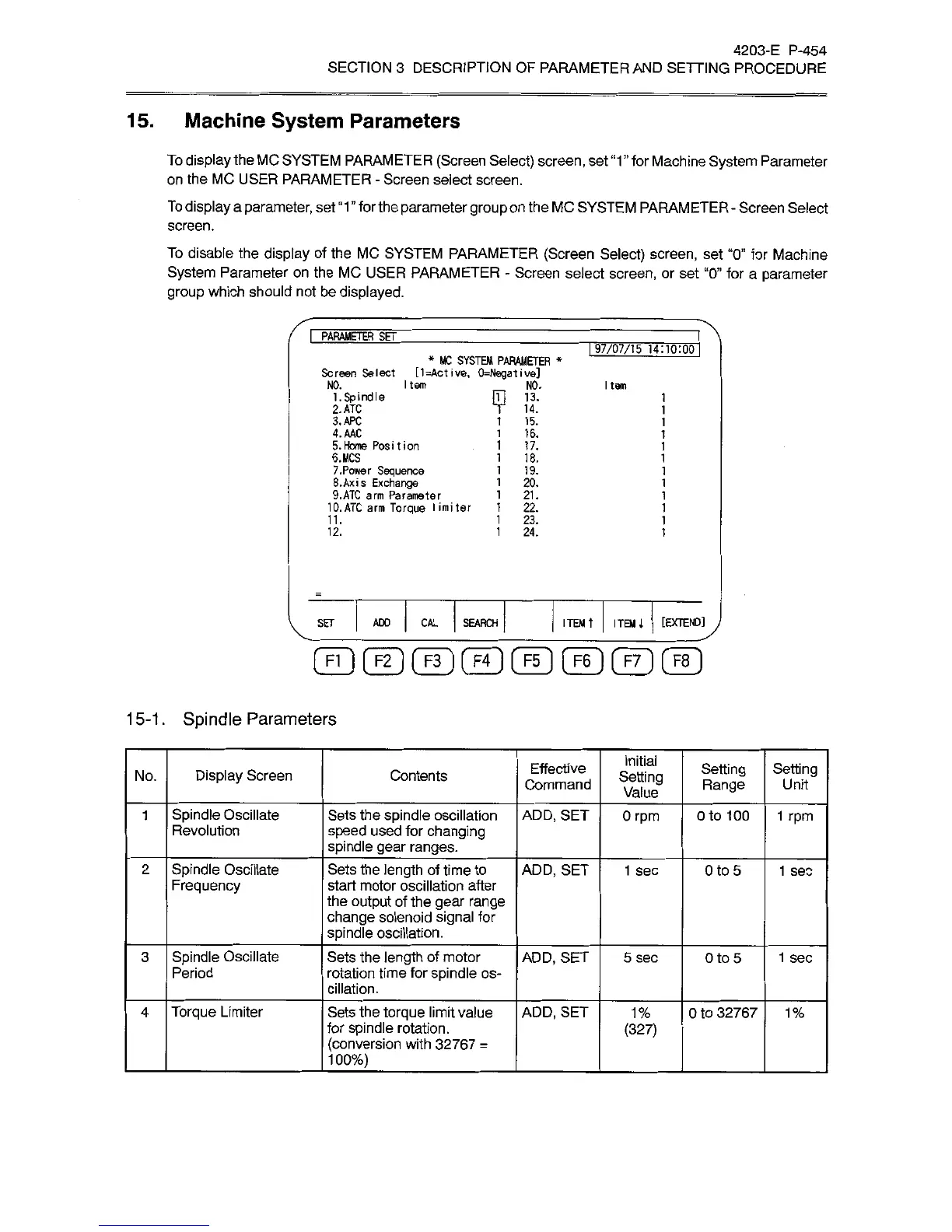
To
display
the
MC
SYSTEM
PARAMETER
(Screen
Select)
screen,
set
“1
for
Machine
System
Parameter
on
the
MC
USER
PARAMETER
-
Screen
select
screen.
To
display
a
parameter,
set
“1”
for
the
parameter
group
on
the
MC
SYSTEM
PARAMETER
-
Screen
Select
screen.
To
disable
the
display
of
the
MC
SYSTEM
PARAMETER
(Screen
Select)
screen,
set
“0”
for
Machine
System
Parameter
on
the
MC
USER
PARAMETER
-
Screen
select
screen,
or
set
“0”
for
a
parameter
group
which
should
not
be
displayed.
I
PARAMETER
SET
97/07/15
14:
10:00
*
MC
SYSTEM
PARAMETER
*
Screen
Select
[1=Active,
0=NegativeJ
m
i3.
T
14.
NO.
I
tem
NO.
I
tem
1.
Spindle
2.ATC
3.APC
4.AAC
5.
Home
Position
6.MCS
7.
Power
Sequence
8.
Ax
is
Exchange
9.ATC
arm
Parameter
10.ATC
arm
Torque
limiter
15.
16.
17.
18.
19.
20.
21.
22.
11.
23.
12.
24.
[EXTEND]
SET
ADD
CAL
SEARCH
ITEM
t
ITEM
A
1
5-1
.
Spindle
Parameters
Initial
Setting
Value
Effective
Command
Setting
Range
Setting
Display
Screen
No.
Contents
Unit
Spindle
Oscillate
Revolution
Sets
the
spindle
oscillation
speed
used
for
changing
spindle
gear
ranges.
ADD,
SET
1
0
rpm
Oto
100
1
rpm
Spindle
Oscillate
Frequency
Sets
the
length
of
time
to
start
motor
oscillation
after
the
output
of
the
gear
range
change
solenoid
signal
for
spindle
oscillation.
ADD,
SET
2
1
sec
Oto
5
1
sec
Spindle
Oscillate
Period
Sets
the
length
of
motor
rotation
time
for
spindle
os¬
cillation.
3
ADD,
SET
5
sec
Oto
5
1
sec
Torque
Limiter
Sets
the
torque
limit
value
for
spindle
rotation.
(conversion
with
32767
=
100%)
_
4
ADD,
SET
1%
0
to
32767
1%
(327)

Related product manuals