
 Need help?
Do you have a question about the Olec Accuprint AP30-5000 and is the answer not in the manual?
Details on electrical requirements, voltage, phase, and connection types for the printer.
Step-by-step instructions for connecting the main power supply to the printer unit.
Information on the available light intensity levels for the printer models.
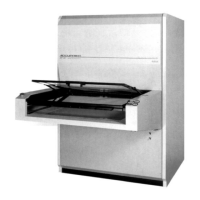
Physical dimensions of the printer unit, including cabinet construction details.
Description of the microprocessor-controlled light integrator's capabilities and components.
Guidance on calibrating the printer's light intensity and exposure levels.
Procedure for setting up and executing an exposure cycle on the printer.
Explanation of error codes displayed by the machine for troubleshooting.
Details on the lock levels to restrict access to printer functions and settings.
Enables running different jobs or resists on each frame with distinct exposure values.
Procedure for checking computer-activated functions and internal/external switches.
Method for performing switch checks using the integrator display.
Expected readings when a fault occurs during switch diagnostics.
Safety precautions and steps for safely replacing the lamp in the unit.
Daily tasks for maintaining the printer, focusing on cleanliness and inspection.
Monthly maintenance tasks, including lubricating frame tracks and gas struts.
Semi-annual tasks covering cleaning, power supply checks, and reflector cleaning.
Description of vacuum pumps, construction, filtration, and flushing procedures.
Step-by-step instructions for replacing a vacuum pump unit.
Procedure for replacing damaged vacuum frame seals to ensure proper vacuum.
Instructions for safely removing the nose section of the printer unit.
Procedures for replacing components like buttons, gauges, and autoformers.
Detailed diagrams illustrating the components of the nose assembly.
Steps for removing and installing the Mylar® sheet in the exposure frame.
Instructions for removing and replacing the outer frame of the exposure tray.
Procedure for safely replacing the glass in the exposure frame.
Details on how the frame transport system operates, including speeds and safety features.
Instructions for replacing the drive motor for the exposure frame transport.
Procedure for adjusting the frame transport speed after component replacement.
Importance of maintaining the inlet filter for proper AC operation and cleaning procedure.
Diagram showing the layout of controls and indicators on the front of the control box.
Wiring schematics for various control box configurations and voltages.
Wiring diagrams illustrating the cable connections for old and new nose configurations.
Overall diagram showing wiring and tubing connections within the unit.
Exploded view diagram of the base assembly with part callouts.
Layout of lamphead components and diagrams of associated power supplies.
Wiring diagrams for ballast and tap switch configurations for various models.
Details on PC board power path, interlock system, and terminal strip signals.
Information on lamp voltage measurements and the function of the trigger board.
Procedures for shutter assembly, motor replacement, and idle setting.
Troubleshooting for lamp head blowers and blown fuses on the PC board.
Description of PCB signals, connectors, and overall circuit diagrams.
A step-by-step checklist for troubleshooting printing light issues.
Diagnostic flowchart for troubleshooting when the lamp does not strike.
Diagnostic flowchart for troubleshooting shutter rotation issues.
Comprehensive list of all part numbers, descriptions, and quantities.
Details on the limited warranty period, coverage, and exclusions for OLEC equipment.
Specific warranty conditions and important notes regarding OLITE lamps.

 To Next Page
 General