Doc No.
Version 1.0
TITLE
Service Manual
LCD TV For LT37HVS
Page 33/39
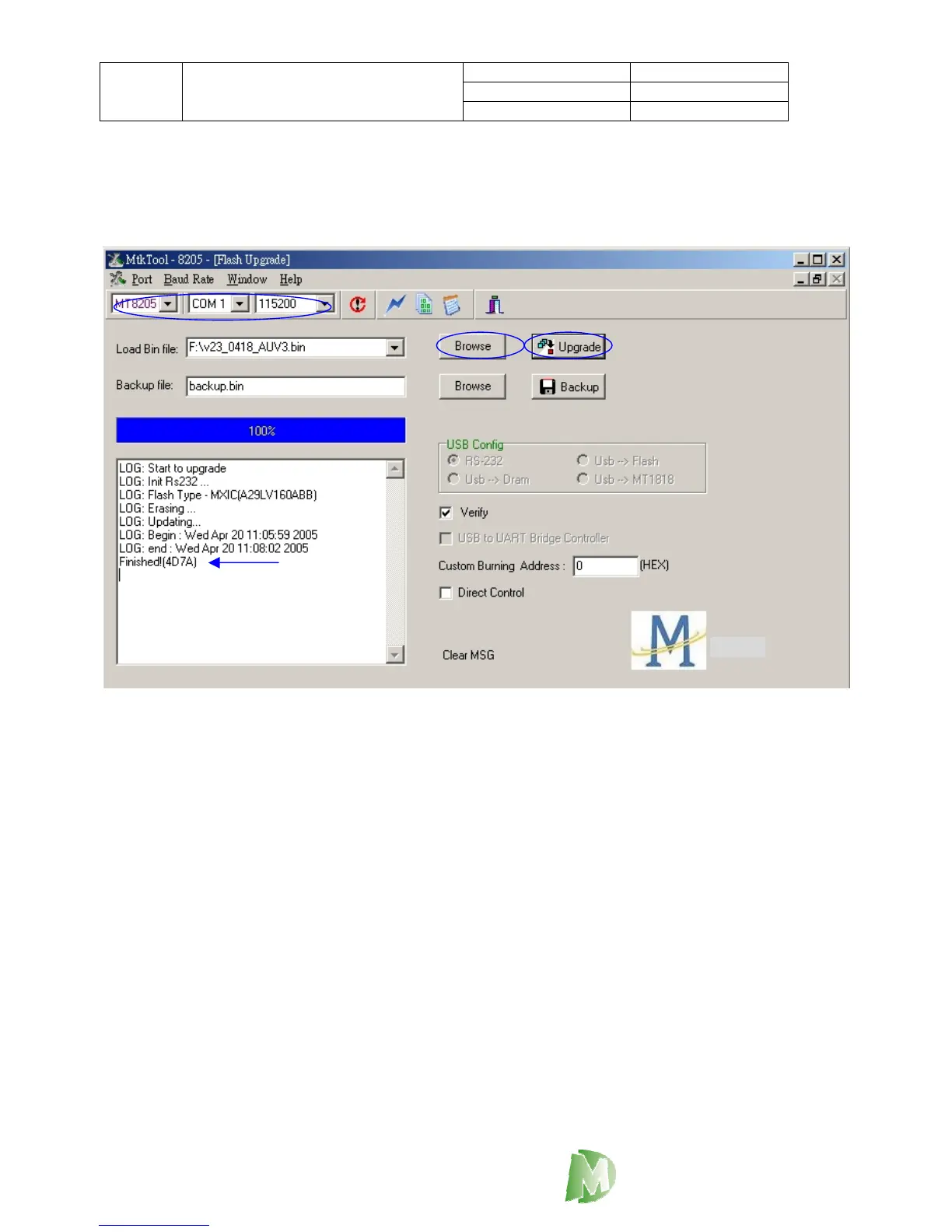
8. Click the Browse of “Load Bin file option” to choose the correct firmware.
9. Click the bottom of Upgrade, System will start upgrade firmware, when it fished the operation, list
form has to show the “Finished” as blow arrow (step 8 and step 10 please refer the Figure7)
10. pull out the RS232 cable and AC cord.
Figure7
DigiMedia



 To Next Page