Doc No.
Version 1.0
TITLE
Service Manual
39
LCD TV For LT37HVS
Page 38/
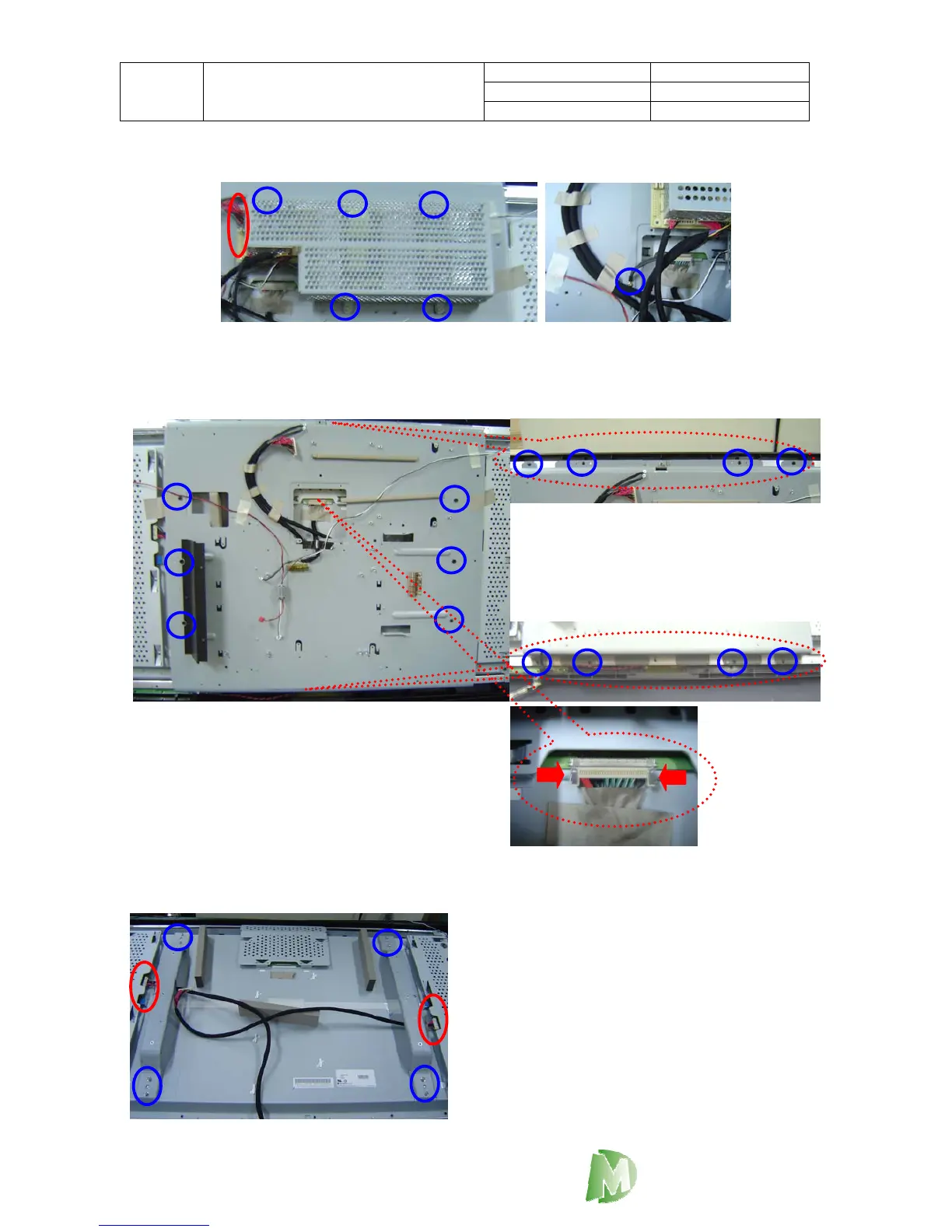
5.8 Power Module and LCD Panel Module
1. Loosen 6 screws as blue circles.
2. Take apart the inverter connector as red circles.
1. Loosen 14 screws as blue circles.
2. Please pull off the LVDS wires carefully ,
click the connector left side and right side.
3. Take off the LCD Support Metal.
DigiMedia
1. Pull out all of wires as red circles
2. Loosen 8 screws as blue circles.
3. pick off the LCD Support Metal.



 To Next Page