Doc No.
Version 1.0
TITLE
Service Manual
LCD TV For LT37HVS
Page 36/39
5.4 System Board
Figure 2
Figure 1
Figure 5
Figure 4
Figure 3
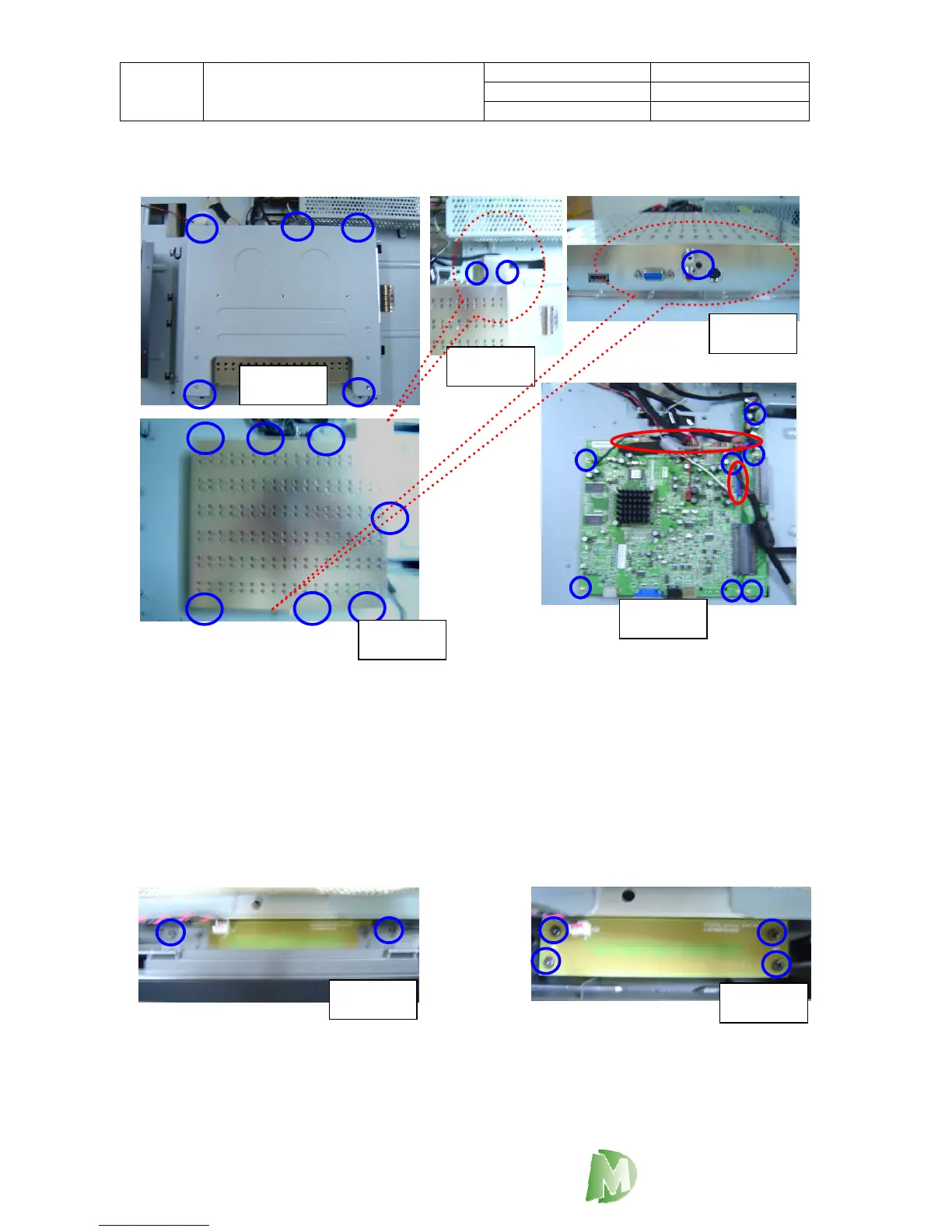
1. Loosen 5 screws as blue circles of Figure 1 and take off the Wall Mount Bracket.
2. Loosen 10 screws as blue circles of Figure 2.3.4 then take off the PCBA Shielding.
3. Loosen 7 screws as blue circles of Figure 5 and pull off connector as red circles of
Figure 5.
5.5 Indicator Board Module
Figure 1
Figure 2
1. Please loosen 2 screws as blue circles to take off the Chin Metal.
2. Loosen 4 screws as blue circles to take apart the Indicator board.
DigiMedia



 To Next Page