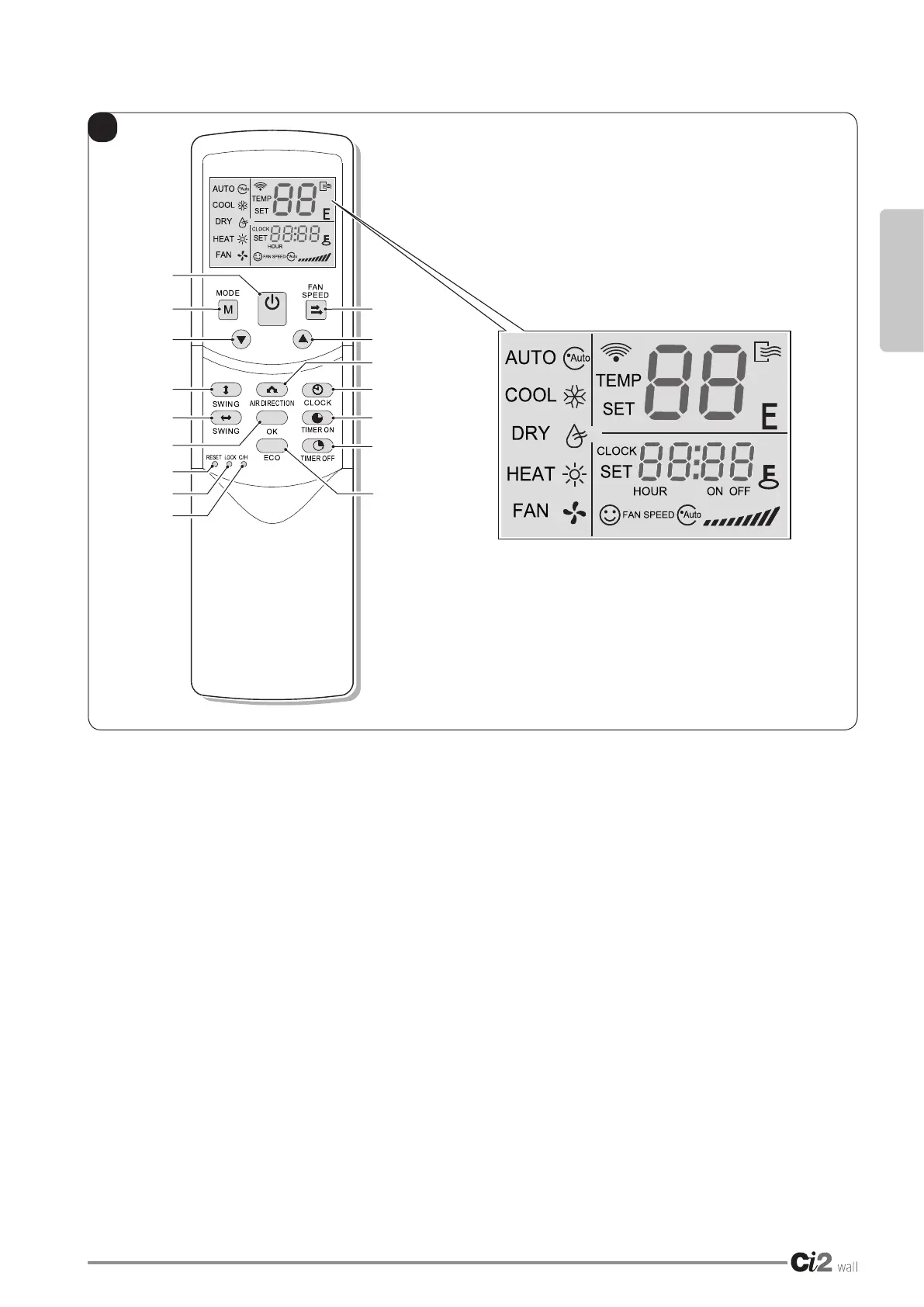
B
P1
P3
P7
P8
P14
P12
P13
P15
P2
P4
P9
P10
P6
P16
P11
P5
ENGLISH
EN - 13
• P1. MODE KEY:
AUTO (Automatic) >
> COOL (Cooling) >
>DRY(Dehumidication)>
> HEAT (Heating) >
> FAN (Ventilation) > ...
NOTE:
The heating mode (HEAT) is not available
in the “cooling only” appliances.
• P2. FAN SPEED KEY:
AUTO (Automatic) >
> LOW (minimum) >
> MED (medium) >
> HIGH (maximum) > ...
• P3. TEMPERATURE SET reduction KEY
Decrease the set temp. Keeping pressing will
decrease the temp with 1°C per 0. 5s.
• P4. Increase TEMPERATURE set KEY
Increase the set temp. Keeping pressing will
increase the temp with 1°C per 0. 5s.
• P5. ON/OFF KEY (Appliance stand-by)
Switches the appliance on/off.
• P6. AIR DIRECTION KEY (Air direction)
Activateswingfunctionofairdeector.Once
pressing,airdeectorwillturn6C.Fornormal
operation and better cooling and heating effect,
deectorwillnotturntothedegreewhichisthe
stateofdeectorwhentheunitisturnedoff.
(Only available when remote controller is used
with corresponding unit.)
3.2 - REMOTE CONTROL KEYS (Fig. B)




 To Next Page