C
D2 D1 D3
D5
D6
D7
D8 D9
D4
P1
P3
P7
P8
P14
P12
P13
P15
P2
P4
P9
P10
P6
P16
P11
P5
ENGLISH
EN - 15
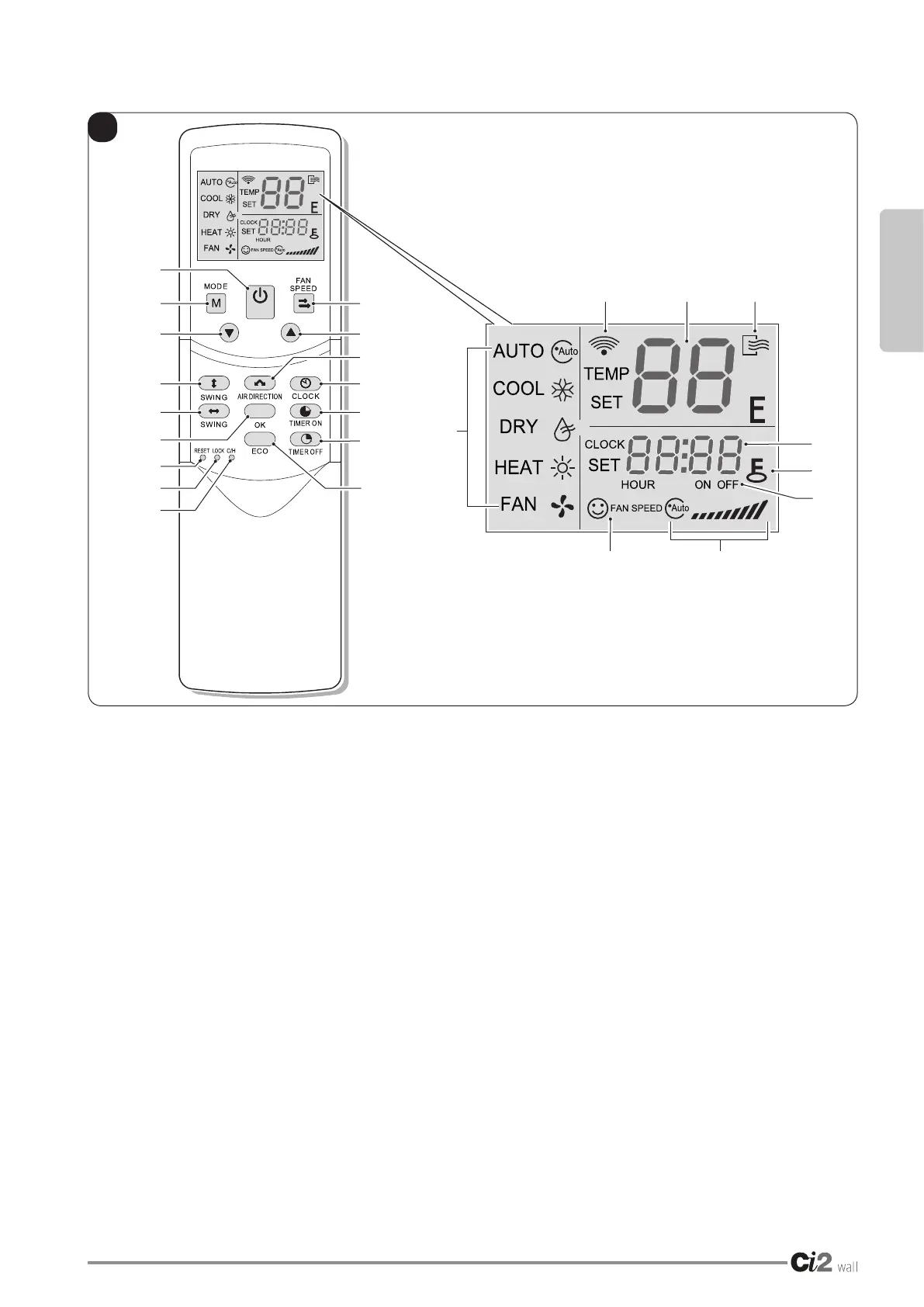
3.3 - REMOTE CONTROL DISPLAY (Fig.C)
• D1. TEMP:
Display the set temperature. No display in this
area if the unit is on FAN mode.
• D2. TRANSMITTING DISPLAY:
Theiconwillashoncewhenthesignalissent
by remote controller.
• D3. ON/OFF:
Icon is displayed when the remote controller
is turned on, or vice versa.
• D4. RUNNING MODE:
Press MODE to display current running mode.
(HEAT function is invalid for cool only type
unit.)
• D5. TIME:
Display the current set time.
• D6. LOCK:
The icon will be lightened or off when pressing
LOCK.
In locked state, all the buttons are ineffective
except button LOCK.
• D7. TIME ON/OFF:
In the state of time ON, icon ON will be lighte-
ned, which is the same to the state of time OFF.
Setting timer ON and OFF simultaneously, both
icons ON and OFF are displayed.
• D8. FAN SPEED:
Press FAN SPEED to display the current wind
speed.
The default state is high fan speed for the unit
without medium fan speed.
• D9. ECONOMIC OPERATION:
This icon will be lightened or off when pressing
ECO button.
NOTE:
All the above icons will be displayed only when
the remote controller is electried for the rst
time or reset.




 To Next Page