PELER 4E
ENGLISH
EN - 7
2- PRE-OPERATING INSTRUCTION
Select a rm, level, at location at least 15cm from any wall or object for proper
air ow. Place the air-cooler appliance on a water-resistant surface, as water can
damage furniture and some ooring.
Do not place the unit directly on carpets, towels, blankets or other absorbent
surfaces.
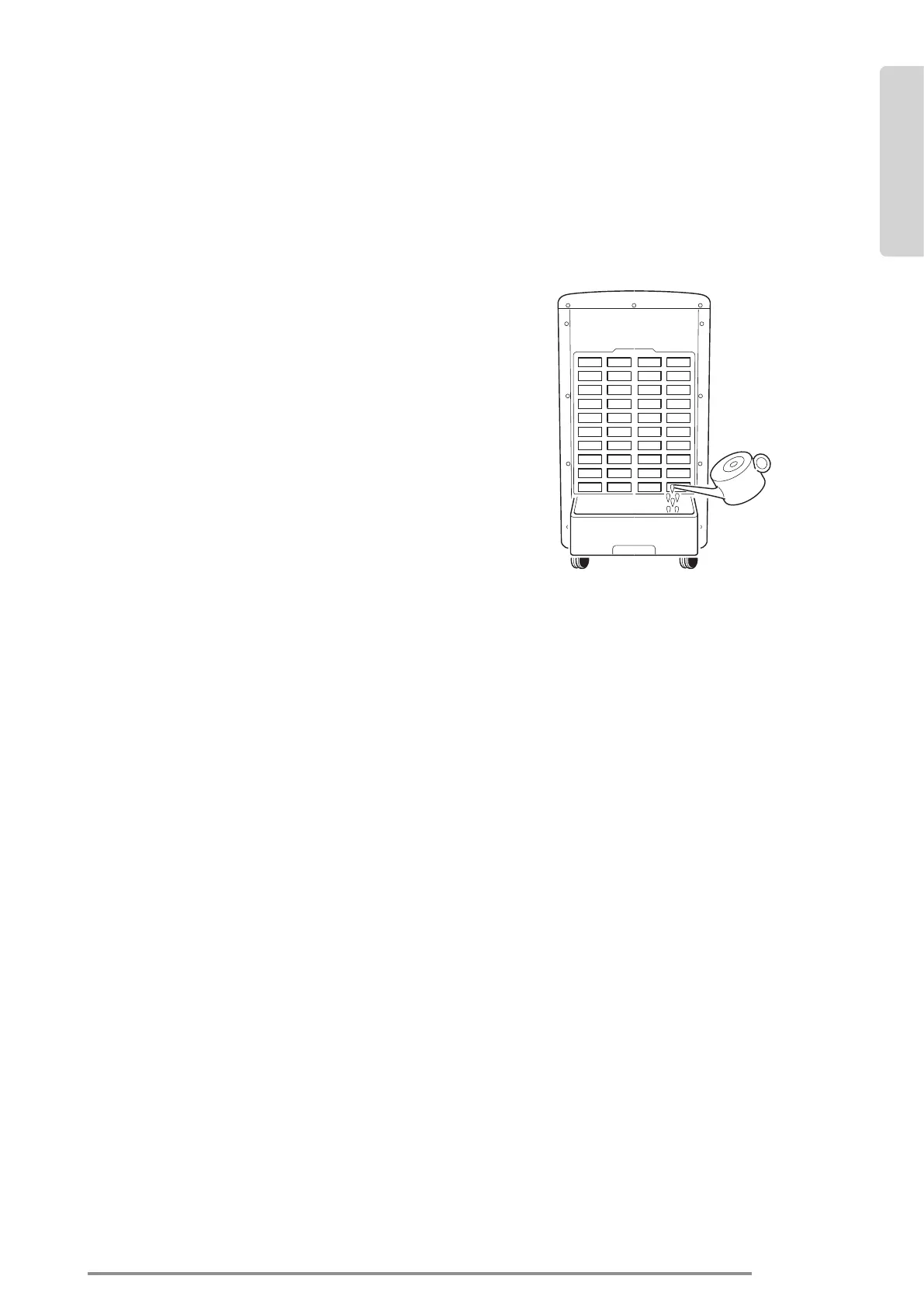
2a- FILLING
To use the Cooling function, water must
be added to the water tank. Open the tank
and pour in cool, clean water.
Please pay attention when adding water to:
1. Unplug the appliance.
2. Before relling, remove any remaining water (using the cap placed inside the tank).
3. Use only clean water.
4. Fill the water tank slowly.
5. Pay attention to the front water level display window to not exceed the maximum
level.
6. Lock the tank with the slider pin, to prevent the tank falling.
3- OPERATING INSTRUCTIONS
1. Connect the plug into the power outlet, a beep tone will be heard.
2. Press the POWER button, the POWER indicator and LOW speed indicator will turn
on with beep tone.
3. Press the OFF button to shut off, the unit stops.
3a- MODE button
1. Press the MODE button, the NATURE indicator will turn on.
2. Press MODE button 2 times to turn to the SLEEP mode.
3. Press POWER button 3 times to turn to the “normal” mode again.
draw out water
tank
pour water





 To Next Page